If your Roborock Q10 S5+ robot vacuum isn’t mopping as expected, it can be frustrating. Often, the issue stems from simple settings or maintenance tasks. This guide walks you through practical steps to identify and resolve common causes, ensuring your robot delivers spotless floors without hassle.

Get home appliances delivered free with Prime
- Fast, free delivery on millions of items
- Prime Video, Amazon Music and more included
- Member-only deals all year
Follow these clear, safe instructions to get your Roborock back to effective mopping, saving you time and maintaining your floors in pristine condition.
Key Takeaways
| Check mop status | Ensure the mop is properly attached and activated. |
| Clean components | Regularly clean mop pads, sensors, and water tank. |
| Verify settings | Confirm mopping mode is enabled in the app. |
| Inspect water tank | Make sure the water tank is filled and correctly installed. |
| Update firmware | Keep your robot’s firmware current for optimal performance. |
Check Mopping Mode and Settings
- Open the Roborock app and select your Q10 S5+ robot.
- Navigate to the cleaning modes and ensure the mopping function is activated.
- Confirm that the mopping zone is enabled for the current cleaning schedule.
Inspect and Clean the Mop Pad
- Remove the mop pad from the robot.
- Wash the microfiber mop pad with mild detergent and let it dry completely.
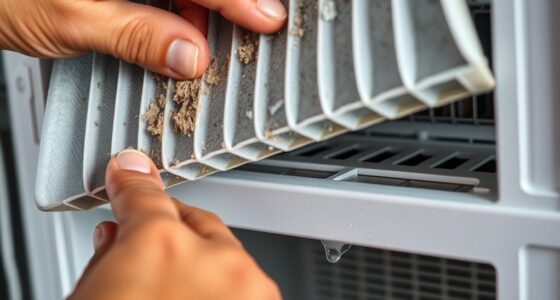
- Check for any debris or hair tangled in the pad or side brushes, and clean as needed.
Check Water Tank and Nozzles
- Remove the water tank and ensure it is filled with clean, filtered water.
- Reinstall the water tank securely in the robot.
- Inspect the spray nozzles for clogs and clean with a soft brush or pin if necessary.
Update Firmware and Restart
- Ensure your Roborock Q10 S5+ has the latest firmware installed via the app.
- Restart the robot to refresh system functions.
Perform a Test Cleaning Session
Start a cleaning cycle with mopping enabled to verify the fix. Observe if the robot mops correctly and check for any irregular behaviors.
The Products in This Guide

roborock Q10 S5+ Robot Vacuum and Mop
- ✔ Model: Q10 S5+
- ✔ Noise Level: Quiet operation
- ✔ Dimensions: Approx. 350mm x 96mm

4 Pack Washable Filter
- ✔ Pack: 4 filters
- ✔ Material: HEPA synthetic fiber
- ✔ Compatibility: Multiple Roborock models
roborock Q10 S5+ Robot Vacuum and Mop
The Roborock Q10 S5+ offers powerful suction and advanced mopping features, including sonic mopping and obstacle avoidance. Its self-emptying station minimizes maintenance, making it ideal for busy households and pet owners.
Pros:
- Powerful 10,000 Pa suction
- Self-emptying station with large dust bag
- Dual anti-tangle design
- Sonic mopping with auto mop lifting
Cons:
- Higher price point
- Requires regular filter maintenance
- Complex setup for new users
Best for: Pet owners and busy households seeking hands-free cleaning.
Not ideal for: Users looking for a budget-friendly option or minimal maintenance.
Bottom line: A premium robot vacuum with advanced mopping and self-emptying features for effortless home cleaning.
4 Pack Washable Filter
This 4-pack washable HEPA filters fit several Roborock models, including Q7 and Q8 Max. They maintain filtration efficiency, reducing dust and allergens, and are easy to install and clean.
Pros:
- Reusable and washable
- Maintains high filtration standards
- Easy to replace
- Cost-effective long-term
Cons:
- Not OEM, but comparable quality
- Require regular washing
- Compatibility limited to specific models
Best for: Users seeking durable, cost-saving filters for regular maintenance.
Not ideal for: Owners of models not listed in compatibility.
Bottom line: A reliable, washable filter enhancing your robot’s filtration and longevity.
Frequently Asked Questions
Why isn’t my Roborock Q10 S5+ mopping?
Common causes include incorrect settings, clogged nozzles, dirty mop pads, or an unfilled water tank. Follow the troubleshooting steps to resolve these issues.
How often should I clean the mop pads?
It’s recommended to wash the microfiber mop pads every 1-3 uses or when visibly dirty to maintain mopping efficiency.
How do I update the firmware on my Roborock?
Use the Roborock app to check for firmware updates under device settings. Follow instructions to download and install the latest version.
Can I use any water in the water tank?
It’s best to use filtered or distilled water to prevent mineral buildup and nozzle clogging.
Keep Your Roborock Mopping Smoothly
With regular maintenance, proper settings, and timely cleaning of components, your Roborock Q10 S5+ can deliver consistent, effective mopping. Troubleshooting common issues is straightforward, ensuring your floors stay spotless with minimal effort. Remember to keep your firmware updated and use quality filters and mop pads for optimal results.
Affiliate disclosure: As an Amazon Associate we earn from qualifying purchases. Prices and availability are accurate as of the time of publishing.
Fall yard work Picks

Halloween Inflatable Haunted House Maze – 20×20 ft with Removable Roof and Blower
As an affiliate, we earn on qualifying purchases.