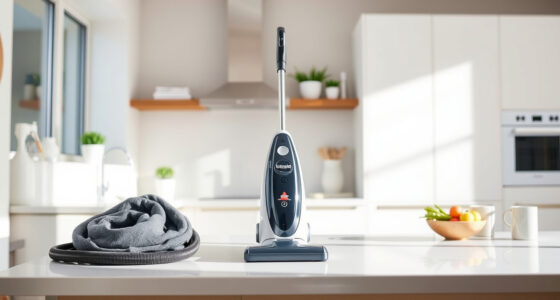
Getting your new Bissell ProHeat 2X Revolution Pet Turbo Upright Carpet Cleaner ready for use can seem daunting, but with a few straightforward steps, you’ll be up and cleaning in no time. Proper setup ensures optimal performance, safety, and longevity of your machine. This guide provides a detailed, easy-to-follow process to help you set up your Bissell carpet cleaner correctly from the start.

Get home appliances delivered free with Prime
- Fast, free delivery on millions of items
- Prime Video, Amazon Music and more included
- Member-only deals all year
Whether you’re tackling pet stains, embedded dirt, or regular carpet maintenance, a correct setup guarantees the best results and preserves your investment. Let’s walk through each step carefully to ensure your cleaning experience is smooth, safe, and effective.
Key Takeaways
| Powerful suction | TurboStrength motor delivers 40% more suction for deep cleaning. |
| Multiple cleaning modes | Includes MAX and EXPRESS modes for versatile cleaning. |
| Technology features | Heatwave technology maintains water temperature for optimal cleaning. |
| Pet-friendly | Designed to remove pet stains and allergens effectively. |
Preparing Your Workspace and Unboxing
- Choose a spacious, well-ventilated area to set up your carpet cleaner, preferably indoors on a flat surface.
- Unbox the Bissell ProHeat 2X Revolution Pet Turbo, removing all packaging materials and accessories.
- Inspect the machine for any visible damages or missing parts. Refer to the included manual if necessary.
- Gather your cleaning solution, brushes, and any additional accessories you plan to use.
Assembling the Carpet Cleaner
- Attach the clean water tank by aligning it with the base and clicking it into place securely.
- Insert the dirty water recovery tank into the designated compartment, ensuring it clicks securely.
- Install the dual DirtLifter PowerBrushes if not already attached, following the manual’s instructions for proper placement.
- Connect the power cord to an outlet, ensuring it’s away from water or wet surfaces.
Adding Water and Cleaning Solution
Before filling, ensure the machine is unplugged. Remove the clean water tank, then pour hot water (not boiling) into the tank up to the indicated MAX line. Add the recommended Bissell Multi-Surface Solution or a suitable cleaning formula, following the manufacturer’s instructions for dilution. Replace the tank securely, making sure it clicks into place. Fill the dirty water tank with clean water if desired for rinsing, or prepare your cleaning solution in the designated tank.
Starting Your Carpet Cleaner Safely
- Plug in the machine and turn it on using the power switch.
- Choose your desired cleaning mode—MAX for embedded stains or EXPRESS for quick drying.
- Test the machine on a small, inconspicuous area of your carpet first to ensure compatibility and avoid discoloration.
- Begin cleaning by slowly guiding the machine over the carpet, overlapping each pass for thorough coverage.
Post-Cleaning Maintenance and Storage
After cleaning, unplug the device. Empty the dirty water tank and rinse it out thoroughly. Clean the brushes and the nozzles to prevent build-up. Wipe down the exterior with a damp cloth. Store the machine in a dry, cool place, ready for your next cleaning session. Regular maintenance prolongs your carpet cleaner’s lifespan and keeps it performing at its best.
The Products in This Guide

BISSELL ProHeat 2X Revolution Pet Turbo Upright Carpet C
- ✔ Power: TurboStrength motor
- ✔ Modes: MAX and EXPRESS
- ✔ Technology: Heatwave

JORAIR Brush Replacement Compatible
- ✔ Compatibility: Multiple CrossWave models
- ✔ Includes: Brush rolls and filters
- ✔ Ease of use: Simple installation
BISSELL ProHeat 2X Revolution Pet Turbo Upright Carpet C
<p>The BISSELL ProHeat 2X Revolution Pet Turbo is a powerful, quiet, and versatile carpet cleaner designed specifically for pet owners. Its TurboStrength motor provides 40% more suction power, making it effective against embedded dirt and pet stains. The Heatwave technology ensures water stays at an optimal temperature, enhancing cleaning results.</p><p>Easy to use and equipped with multiple modes, it is suitable for various cleaning needs, from quick refreshes to deep cleaning sessions. Its professional-grade features make it a valuable addition to any home with pets or heavy traffic carpets.</p>
Pros:
- High suction power
- Quiet operation
- Multiple cleaning modes
- Pet-specific features
Cons:
- Heavier than some models
- Requires regular maintenance
- Higher price point
Best for: Pet owners, heavy-traffic carpets, stubborn stains
Not ideal for: Light, occasional cleaning needs, or small apartments
Bottom line: A powerful, pet-friendly carpet cleaner offering deep cleaning with professional results.
JORAIR Brush Replacement Compatible
<p>This JORAIR Brush Replacement kit is compatible with several Bissell CrossWave models, offering an affordable way to keep your brushes and filters in top condition. The multi-surface brush rolls and filters ensure your machine performs optimally, extending its lifespan and maintaining cleaning efficacy.</p><p>Ideal for those who want to maintain their multi-surface cleaning system without frequent replacements, this kit is a practical addition to your cleaning arsenal.</p>
Pros:
- Compatible with multiple models
- Includes brushes and filters
- Affordable replacement
- Easy to install
Cons:
- Only for CrossWave models listed
- Requires manual installation
- Limited to specific models
Best for: Maintaining CrossWave performance
Not ideal for: Use with other Bissell models outside the list
Bottom line: A cost-effective way to keep your CrossWave in prime condition.
Frequently Asked Questions
How often should I clean the brushes on my Bissell carpet cleaner?
It’s best to clean the brushes after every use or at least once a week if used frequently. Regular cleaning prevents buildup of hair, debris, and pet fur, ensuring optimal performance.
Can I use regular household detergent with my Bissell cleaner?
No, it’s recommended to use only Bissell Multi-Surface Solution or other compatible cleaning formulas designed for use in your machine. Using improper detergents can damage the machine and void the warranty.
What should I do if my machine is not suctioning properly?
Check for blockages in the nozzles and hoses, ensure the dirty water tank is empty and properly seated, and verify the brushes are spinning freely. If problems persist, refer to the troubleshooting section of your manual or contact customer support.
Is it safe to leave water in the machine overnight?
It’s best to empty the clean and dirty water tanks after each use to prevent mold and bacteria growth. Leaving water in the machine can cause damage and reduce its lifespan.
How do I store my Bissell carpet cleaner between uses?
Store the machine in a dry, cool place, keep all parts clean and dry, and ensure the cord is neatly wound. Regularly check for any signs of wear or damage.
Your Path to Spotless Carpets Starts Here
Setting up your Bissell ProHeat 2X Revolution Pet Turbo properly is the first step toward achieving professional-grade cleaning results at home. By following these simple steps — from unboxing and assembly to adding solutions and safe operation — you ensure your machine functions optimally and lasts for years to come. Remember, regular maintenance and the right cleaning solutions will maximize your cleaning efficiency and protect your investment.
With your new carpet cleaner set up correctly, you’re ready to tackle pet stains, embedded dirt, and everyday messes with confidence. Happy cleaning!
Affiliate disclosure: As an Amazon Associate we earn from qualifying purchases. Prices and availability are accurate as of the time of publishing.