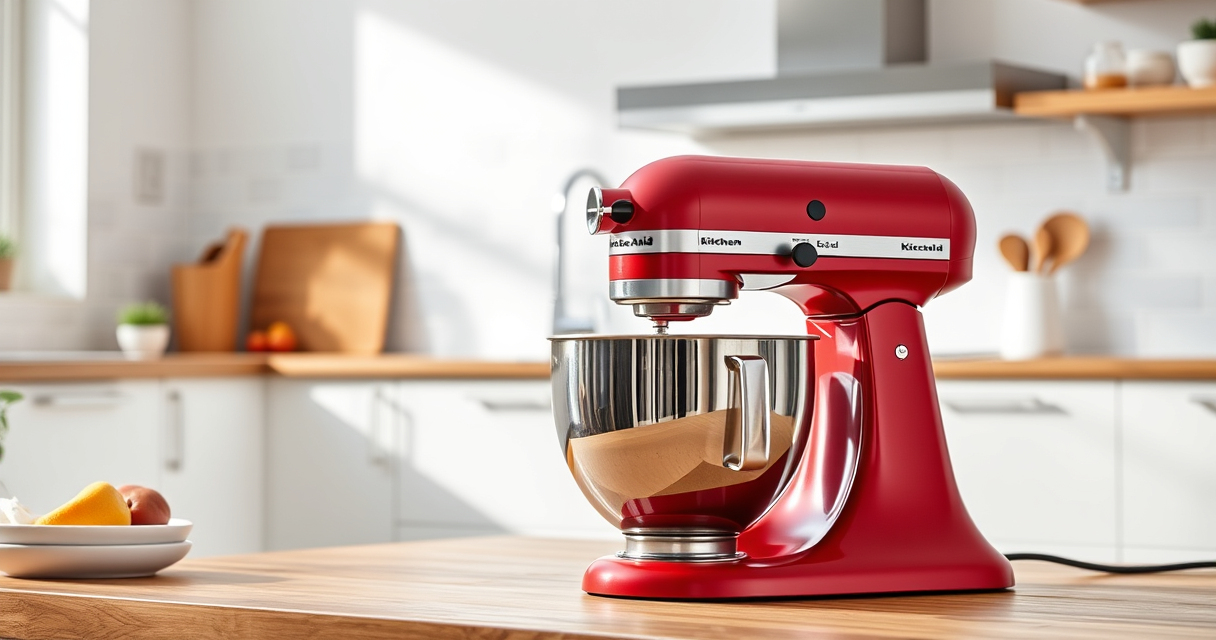

Getting your new KitchenAid Artisan Series 5 Quart Tilt Head Stand Mixer ready for use can seem straightforward, but proper setup ensures safety, longevity, and optimal performance. Whether you’re a first-time user or upgrading your kitchen tools, this guide provides clear, step-by-step instructions to set up your mixer quickly and correctly, along with helpful tips to troubleshoot common issues.
We’ll cover everything from unboxing and assembly to initial operation, making sure you’re confident in handling your new appliance. Plus, you’ll find recommendations for useful attachments to expand your mixer’s capabilities, and troubleshooting tips to resolve common setup issues.
Key Takeaways
| Durable Build | Constructed with durable metal to last through heavy use. |
| Easy Access | Tilt-head design allows easy access to the bowl and beaters. |
| Multiple Speeds | 10 variable speeds for versatile mixing tasks. |
| Large Capacity | 5-quart bowl handles small or large batches comfortably. |
| Color Options | Available in over 20 colors to match your style. |

KitchenAid Artisan, 5-Qt Tilt Head Stand Mixer, KSM150PS, Milkshake
- Durable Metal Construction: Built to last with 59 touchpoints
- 5 Quart Stainless Steel Bowl: Handles small or large batches, dishwasher safe
- Tilt-Head Design: Easy ingredient addition and access to bowl
As an affiliate, we earn on qualifying purchases.
Unboxing and Initial Inspection
- Carefully remove the mixer from its packaging, making sure to keep all parts and accessories together.
- Inspect the mixer for any visible damage or missing components, such as the pouring shield, bowl, or attachments.
- Familiarize yourself with the parts — the tilt-head, stainless steel bowl with handle, flat beater, wire whip, and pouring shield.
- Read the user manual included in the box for specific safety precautions and detailed assembly instructions.
Assembling the Mixer
- Place the mixer on a stable, flat surface near an electrical outlet.
- Align the bowl with the base, ensuring the handle is on the side for easy handling.
- Lower the bowl into the designated slots until it clicks into place.
- Attach your desired beaters or attachments by aligning the slots with the hub and twisting clockwise until secure.
- Lift the tilt-head by pressing the tilt release lever; tilt it back to access the bowl and attachment area.
Connecting and Testing
- Plug the mixer into a grounded electrical outlet.
- Turn the speed control to the lowest setting before powering on to prevent splashing or over-spinning.
- Press the power button or turn the control to start the motor gently.
- Increase the speed gradually to your desired setting, observing the operation for smoothness and stability.
- Test with a small batch of ingredients to confirm proper mixing and attachment performance.
Using Attachments and Accessories
Your KitchenAid Artisan mixer can be expanded with various attachments to enhance functionality. For example, the KitchenAid Stand Mixer Attachment for food grinding (asin=B07GK7XKJK) allows you to process meats, vegetables, and more, while the Pasta Roller and Cutter Set (asin=B01DBGQR1K) make fresh pasta at home. Attachments connect to the power hub at the front of the mixer, so ensure they are properly aligned and securely attached before use.
Maintenance and Troubleshooting
- Regularly clean the beaters, bowl, and attachments with warm, soapy water. The stainless steel bowl is dishwasher safe.
- Check the tilt-head hinge and locking mechanism for smooth operation and lubricate if necessary, following the manual’s guidelines.
- If the mixer is not turning on, verify the outlet connection and ensure the speed control is set correctly.
- For unusual noises or vibrations, turn off the mixer immediately, inspect the attachments and bowl for proper fit, and ensure the mixer is on a stable surface.
- Consult the user manual or contact KitchenAid customer support for persistent issues.
The Products in This Guide

KitchenAid Artisan Series 5 Quart Tilt Head Stand Mixer
- ✔ Weight: 26 lbs
- ✔ Voltage: 120V
- ✔ Warranty: 1-year limited

KitchenAid Stand Mixer Attachment
- ✔ Weight: 3.5 lbs
- ✔ Dimensions: 8 x 5 x 4 inches
- ✔ Warranty: N/A
KitchenAid Artisan Series 5 Quart Tilt Head Stand Mixer
The KitchenAid Artisan Series 5 Quart Tilt Head Stand Mixer combines robust metal construction with versatile features, making it a reliable kitchen companion for bakers of all levels. Its tilt-head design offers easy access to the bowl and attachments, while 10 speeds handle nearly any mixing task with ease. With over 20 color options, you can match it to your kitchen decor.
Pros:
- Strong metal construction for durability
- Tilt-head for easy access
- 10-speed settings for versatility
- Large 5-quart bowl for big batches
Cons:
- Heavy compared to some compact models
- Attachments sold separately
- Initial setup may require careful handling
Best for: Home bakers who want a powerful, stylish mixer with expandability.
Not ideal for: Those seeking a lightweight or budget-friendly option.
Bottom line: A versatile, durable mixer ideal for serious home bakers.
KitchenAid Stand Mixer Attachment
The KitchenAid Stand Mixer Food Grinder attachment transforms your mixer into a versatile food processor, perfect for grinding meats, vegetables, and nuts. Its sturdy metal construction and multiple grinding plates make it a valuable addition for anyone wanting fresh, homemade ingredients.
Pros:
- Easy to attach and operate
- Multiple grinding plates included
- Sturdy metal build
- Generates consistent results
Cons:
- Additional cost
- Requires power hub connection
- Cleaning involves disassembly
Best for: Cooks who want to make fresh ground ingredients at home.
Not ideal for: Users who prefer a dedicated food grinder or don’t need grinding capabilities.
Bottom line: A powerful attachment that enhances your kitchen’s capabilities.
Frequently Asked Questions
How do I clean the stainless steel bowl and attachments?
The stainless steel bowl, flat beater, wire whip, and pouring shield are dishwasher safe. For best results, wash with warm, soapy water and dry immediately to prevent water spots.
Can I use my KitchenAid mixer on different power voltages?
This model is designed for 120V outlets typical in North America. If you’re in a different region, check if a voltage converter is needed or look for a model suitable for your voltage.
Is the tilt-head secure during mixing?
Yes, the tilt-head locks securely in place during operation, preventing any wobbling or movement. Always ensure it is fully locked before starting.
What should I do if the mixer doesn’t turn on?
First, verify the outlet is working by plugging in another device. Ensure the mixer is correctly assembled and the power switch is functioning. If problems persist, consult customer support.
Are attachments compatible with all KitchenAid mixers?
Most attachments are designed for the KitchenAid stand mixer models that have a standard power hub. Confirm compatibility with your specific model before purchasing.
Your KitchenAid Mixer: Ready to Create Deliciousness
Setting up your KitchenAid Artisan Series 5 Quart Tilt Head Stand Mixer is straightforward when following these steps. Proper assembly and initial testing ensure safe operation and give you confidence to tackle your favorite recipes. Remember to explore compatible attachments to expand your mixer’s functionality and make the most of your investment. With a little care and maintenance, your mixer will be a staple in your kitchen for years to come.
Affiliate disclosure: As an Amazon Associate we earn from qualifying purchases. Prices and availability are accurate as of the time of publishing.