This checklist is for homeowners and renters comparing smart home security devices for entryways, outdoor areas, indoor spaces, and safety alerts. The picks span cameras, a door lock, a sensor alarm, and a smoke and carbon monoxide detector, so you can consider the parts of your home you want to monitor.

Get home appliances delivered free with Prime
- Fast, free delivery on millions of items
- Prime Video, Amazon Music and more included
- Member-only deals all year
Each section focuses on one device type and names its featured pick. The notes cover why the slot matters, common selection pitfalls, and what to check for fit and compatibility before choosing a device.
Use the checklist to identify your priority, then verify details such as wiring, installation needs, door or window dimensions, and compatibility with your existing setup. Product names alone don’t confirm those details, so check the listing and instructions before buying.
Video doorbell
A video doorbell puts a camera at the entry point, making it a useful slot to consider when your main priority is the front door. The featured pick is the Tapo D260 4K Smart Video Doorbell. Before choosing it, confirm what its listing says about power, mounting, network requirements, and any app or smart home compatibility you need.
A common mistake is assuming every doorbell fits every entryway or existing wiring arrangement. Check the available space around the door, the mounting surface, and whether installation requires wiring or other equipment. Also review how the product handles alerts and recorded video so its operation matches your household’s expectations. Verify included components and setup requirements in the product details rather than inferring them from the model name.
What to look for:
- Confirm power and wiring requirements
- Measure the available mounting area
- Check network and app compatibility
- Review how alerts and video are handled
Tapo D260 4K Smart Video Doorbell

The Tapo D260 captures 4K video with a 180° diagonal field of view, radar motion detection, and AI recognition for people, pets, vehicles, and packages. It supports battery-powered or hardwired installation, two-way audio, color night vision, and local microSD storage up to 512 GB.
Pros:
- Sharp 4K video with a wide field of view
- Battery or hardwired installation options
- AI activity detection and radar help reduce irrelevant alerts
- Local microSD storage is available without a subscription
Cons:
- microSD card is sold separately
- 24/7 recording requires hardwired installation
- Facial recognition is unavailable in Illinois and Texas
Best for: Households prioritizing the front entry
Not ideal for: Installations that cannot meet its verified power or mounting needs
Bottom line: Check the doorbell’s installation and compatibility requirements before choosing the Tapo D260.
Outdoor security camera
Outdoor monitoring is a distinct checklist slot because placement and installation conditions shape what a camera system can cover. The featured pick is the REOLINK 16-Channel 4K PoE Security Camera System with 4TB HDD. Its name identifies a multi-channel PoE system, but confirm the included components and requirements in the listing before planning a setup.
Common buying mistakes include overlooking cable routes, assuming a recorder or storage arrangement suits your needs, and failing to map camera positions before installation. Check whether the intended locations have suitable mounting surfaces and whether you can run the required cabling. Confirm what cameras and accessories are included, how the system connects, and what setup is needed for the recorder and storage. Match the number of planned camera positions to the system’s stated capacity, and verify that the product’s features align with your preferred way to review footage.
What to look for:
- Confirm included cameras and recorder components
- Plan cable routes to each intended location
- Check mounting surfaces and placement options
- Verify channel capacity against planned coverage
- Review recorder and storage setup requirements
REOLINK 16-Channel 4K PoE Security Camera System with 4TB HDD

This wired security system includes eight 8MP PoE cameras and a 16-channel NVR with a pre-installed 4TB HDD for continuous, scheduled, or motion-triggered recording. It supports person, vehicle, and animal detection, remote viewing and playback through the Reolink app, and night vision up to 100 feet.
Pros:
- 4K, 8MP video resolution
- Person, vehicle, and animal detection helps reduce unwanted alerts
- Pre-installed 4TB HDD supports continuous, motion-triggered, and scheduled recording
- Remote live viewing and playback through the Reolink app
Cons:
- Requires a wired PoE connection and is not a Wi-Fi system
- Cameras work only with a Reolink PoE NVR and are not compatible with Alexa
- Cameras require compliant PoE power equipment or DC adapters
Best for: Setups planning several outdoor camera positions
Not ideal for: Locations where required cabling cannot be installed
Bottom line: Plan camera placement and cabling, then verify the included system components.
Indoor security camera
An indoor camera system can help cover rooms where you want a view from a fixed camera position. The featured pick is the ANNKE 3K Lite Wired Security Camera System with 8 Cameras and 1TB HDD. Before deciding, check the listing for the exact included equipment, the recorder setup, and the connection and installation requirements.
A frequent mistake is choosing a camera count before deciding which rooms need coverage. Sketch the intended positions, check mounting options, and consider whether wiring can reach each location. Confirm how the system connects to its recorder and what is required to view or manage footage. Make sure the included storage and system configuration suit your planned use, using the manufacturer’s details rather than assumptions based on the product name. If you already have equipment, check compatibility explicitly.
What to look for:
- Map rooms and camera positions first
- Check wiring and recorder connection needs
- Confirm included cameras and accessories
- Review storage and footage management details
- Verify compatibility with any existing equipment
ANNKE 3K Lite Wired Security Camera System with 8 Cameras and 1TB HDD

This wired 8-channel security system includes eight 1080p cameras and a DVR with a pre-installed 1TB hard drive. It supports human and vehicle detection, remote viewing through the ANNKE Vision app, continuous recording with H.265+ compression, and infrared night vision up to 100 feet.
Pros:
- Includes eight cameras and a DVR with 1TB of storage
- Human and vehicle detection with smart search for recordings
- Remote live viewing and playback through the ANNKE Vision app
- IP67-rated cameras provide infrared night vision up to 100 feet
Cons:
- Wired installation may limit camera placement
- Night vision footage is black and white
Best for: Households planning fixed views across several rooms
Not ideal for: Spaces where wired installation is impractical
Bottom line: Choose camera positions first and confirm the wired setup works for those rooms.
Smart door lock
A smart lock is a practical slot to assess when you want to change how household members enter through a door. The featured pick is the Keyless Entry Door Lock with Handle Set, Smart Deadbolt with Fingerpri. The supplied product name is truncated, so verify the full listing and exact feature set before comparing it with your door or access needs.
A common mistake is assuming a lock fits a door simply because it is described as a deadbolt or handle set. Measure the door and existing hardware, then check the product’s installation template, backset, thickness range, and handing requirements. Confirm how the lock is powered and what entry methods are actually included. If you need compatibility with a particular app, hub, or existing handle arrangement, verify that directly in the listing. Review installation instructions and any included parts before removing current hardware.
What to look for:
- Find the complete product name and listing
- Measure door thickness and existing hardware
- Check backset and handing requirements
- Verify included entry methods and power needs
- Confirm app or hub compatibility if needed
Keyless Entry Door Lock with Handle Set, Smart Deadbolt with Fingerprint, App, K

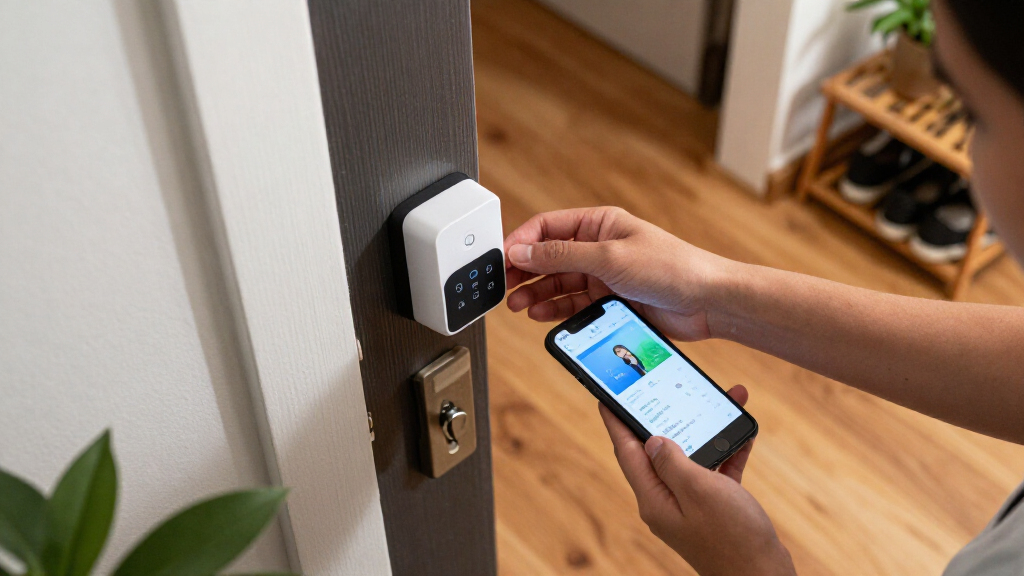
This smart deadbolt lock offers five unlocking methods including fingerprint, app, keypad, key, and fob cards, providing secure and convenient access. It features easy installation without drilling, Bluetooth control, remote access options, and supports multiple user codes for versatile use.
Pros:
- Multiple secure unlocking options including fingerprint and app control
- Easy, damage-free installation suitable for renters and homeowners
- Weatherproof design with long battery life and safety features
Cons:
- Requires smartphone app and optional gateway for full remote access
- Battery replacement needed approximately every 9 months
- Some features may require additional accessories (e.g., G2 Gateway)
Best for: Doors that match its verified fit requirements
Not ideal for: Doors with dimensions or hardware outside its specifications
Bottom line: Confirm the full listing and measure the door before choosing this lock.
Window and door sensors
Opening alerts can help households keep track of movement at a selected entry point. The featured pick is the Wireless Bed and Door Motion Sensor Alarm for Caregivers. Its name refers to bed and door monitoring, so confirm the intended use and included components in the listing before treating it as a conventional window or door contact sensor.
A common mistake is assuming the alarm detects every type of opening or movement, or that it can be mounted on any surface. Check what triggers an alert, how the sensor and alarm communicate, and what range or placement instructions the manufacturer specifies. Consider the people who will hear or respond to the alert and whether the sound and controls suit the intended setting. For a window or door, verify that the product is designed for that application and that its mounting arrangement fits the frame. Don’t infer coverage from the product name alone.
What to look for:
- Verify whether it supports window or door use
- Check what movement or event triggers alerts
- Review placement and communication requirements
- Confirm alarm controls and alert behavior
- Match the mounting arrangement to the frame
Wireless Bed and Door Motion Sensor Alarm for Caregivers

This wireless motion sensor alerts a caregiver when someone gets out of bed or leaves a room. Place the sensor under the bed or by a door; it sends alerts to a receiver up to 918 feet away in an open area, with sound and LED reminders and five volume levels.
Pros:
- Can be placed under a bed or by a door to detect movement.
- Alerts sound on the caregiver receiver rather than in the patient’s room.
- Offers five volume levels and both sound and LED reminders.
- Pager supports battery or Micro USB power.
Cons:
- Sensor range and direction should be tested before mounting.
- The sensor requires three AAA batteries, and the pager requires three AA batteries.
Best for: Care settings needing a verified bed or door alert
Not ideal for: Buyers seeking a sensor type the listing does not confirm
Bottom line: Verify the alarm’s intended use and trigger behavior before relying on it for entry alerts.
Smart smoke detector
Smoke and carbon monoxide detection belongs on a security checklist because it addresses household safety alongside monitoring and access. The featured pick is the Kidde Hardwired Smoke & Carbon Monoxide Detector, 10-Year Battery Back. Confirm the complete product name and listing details, including the exact backup description, before comparing it with your current detector or wiring.
A common mistake is assuming a hardwired detector is a direct replacement for any existing unit. Check the wiring and connector requirements, mounting arrangement, and instructions for replacing or interconnecting detectors. Verify the product’s stated detection and alert features, battery backup details, and any compatibility requirements. If you are replacing an existing alarm, compare its model and installation guidance with the new unit’s documentation. Follow the manufacturer’s instructions and applicable local requirements for placement and installation.
What to look for:
- Confirm wiring and connector compatibility
- Check mounting and interconnection requirements
- Verify backup battery details in the full listing
- Review stated smoke and CO alert features
- Follow manufacturer placement and installation guidance
Kidde Hardwired Smoke & Carbon Monoxide Detector, 10-Year Battery Backup, Voice

This 2-in-1 detector alerts you to both smoke and carbon monoxide using a single device. It is hardwired with a 10-year battery backup, features voice alerts, and interconnects with other alarms for enhanced safety.
Pros:
- Provides combined smoke and CO detection in one device
- No battery replacements for 10 years, saving costs
- Voice alerts enhance quick response
Cons:
- Requires hardwired installation, which may be complex
- Interconnection options vary by model
- Limited to ceiling mounting
Best for: Replacing a compatible hardwired detector
Not ideal for: Installations that do not match its wiring requirements
Bottom line: Check wiring, backup details, and installation guidance before replacing a detector.
Build your checklist around the needs that matter most, then prioritize purchases accordingly: first address any missing smoke and carbon monoxide detection, then the entry points or rooms you most want to monitor, and finally expand camera coverage or access control. Confirm that each device fits your home and that its requirements work with your existing setup. Verify before ordering, especially where wiring, mounting, or compatibility is involved.
You can tackle the list one area at a time. Start with the product whose purpose and installation requirements are clearest for your home, then revisit the remaining slots as you confirm fit and setup details. A careful check of the listing and instructions makes it easier to choose devices that match your household.