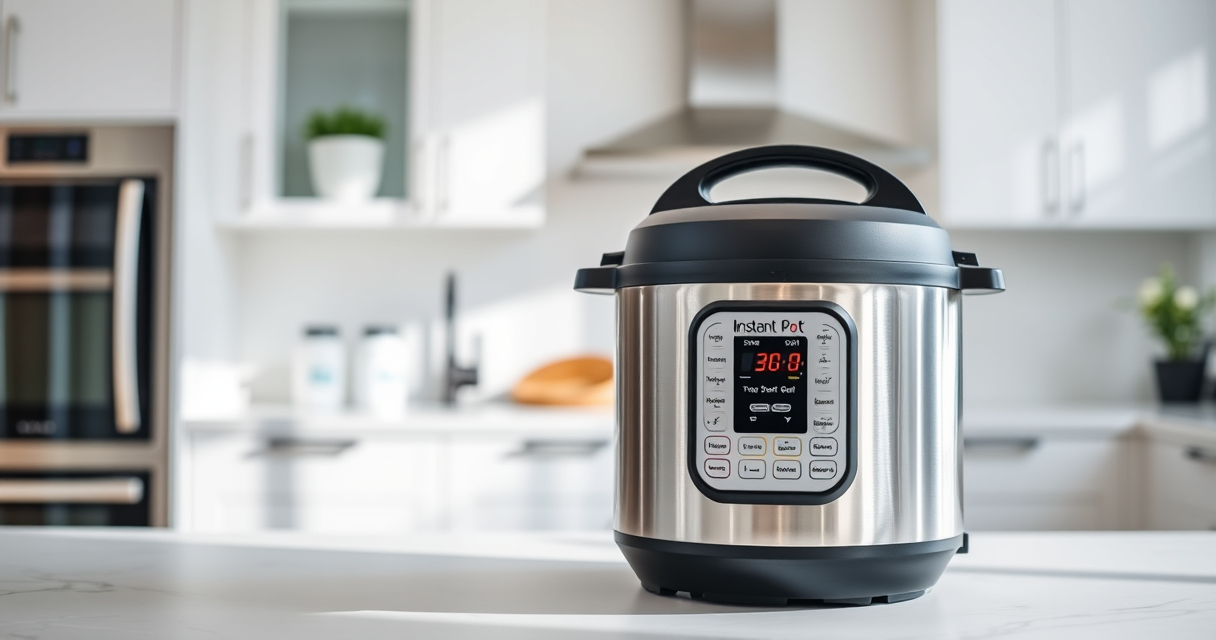

Many Instant Pot users encounter the dreaded ‘Burn’ error during cooking. This common issue can halt your meal prep but is often easy to resolve with the right steps. Understanding the causes and fixes can save you time and prevent frustration.

Get home appliances delivered free with Prime
- Fast, free delivery on millions of items
- Prime Video, Amazon Music and more included
- Member-only deals all year
In this guide, we’ll walk you through practical, safe, and effective troubleshooting methods specifically for your Instant Pot 4QT RIO Mini 7-in-1 Multi-Cooker, ensuring your device functions perfectly again.
Key Takeaways
| Common Causes | Burn errors often occur due to food sticking, insufficient liquid, or sealing ring issues. |
| Immediate Fixes | Adding liquid, stirring, or resetting the pressure release can resolve the error. |
| Preventive Tips | Always use enough liquid and check sealing rings regularly to avoid burn errors. |
| Safety Reminder | Never force open the lid during a burn error; wait for proper depressurization. |
Identify the Cause of the Burn Error
- Check the display message: The Instant Pot will show ‘Burn’ or similar warning.
- Inspect the food and liquid level: Ensure there is enough liquid for pressure cooking, typically at least 1-1.5 cups.
- Examine the sealing ring: Look for damage, deformation, or improper placement that might cause pressure loss or sealing issues.
Perform a Quick Reset and Clear the Error
- Turn off the Instant Pot by pressing ‘Cancel’.
- Release pressure safely via natural release or quick release, following your recipe’s guidance.
- Open the lid once pressure has fully released, then inspect the cooking pot and sealing ring.
Fix the Burn Error Step-by-Step
- Add additional liquid if the level is low, ensuring at least 1 cup of liquid remains.
- Stir the contents gently to prevent food from sticking to the bottom.
- Check and reposition the sealing ring properly in the lid.
- Close the lid securely, ensure the valve is sealed, and restart the cooking process.
Prevent Future Burn Errors
- Always add enough liquid before cooking.
- Use a natural or quick release method to avoid food sticking during depressurization.
- Regularly inspect and replace seals and gaskets as needed.
Safety Tips and Warnings
Never open the lid while the Instant Pot is still pressurized. Always wait until the pressure indicator drops and the device signals it’s safe to open. Use oven mitts when handling hot parts and ensure proper sealing before restarting cooking to prevent accidents.
The Products in This Guide

Instant Pot 4QT RIO Mini 7-in-1 Multi-Cooker
- ✔ Dimensions: 8.3 x 8.3 x 8.4 inches
- ✔ Power: 1000W
- ✔ Warranty: 1-year limited

AOZITA Steamer Basket
- ✔ Capacity: Two tiers
- ✔ Material: Stainless Steel
- ✔ Color: Silver
Instant Pot 4QT RIO Mini 7-in-1 Multi-Cooker
The Instant Pot 4QT RIO Mini 7-in-1 Multi-Cooker is a versatile, space-saving device suitable for small households. Its multiple functions and modern design make meal prep easier and faster, with safety features that help prevent errors like burning.
Pros:
- 7-in-1 functionality
- Compact size fits small kitchens
- Easy to monitor with progress indicator
- Fast cooking times
Cons:
- Limited capacity for large meals
- Requires attention to liquid levels
- Sealing ring maintenance needed
Best for: Small families, singles, students needing quick, versatile cooking.
Not ideal for: Large families or for cooking big batches.
Bottom line: A compact, multi-functional pressure cooker perfect for small spaces and quick meals.
AOZITA Steamer Basket
The AOZITA Steamer Basket is a great accessory to help prevent burn errors by allowing you to elevate food, improve steam circulation, and avoid sticking to the bottom of the pot.
Pros:
- Two-tier stacking design
- Stainless steel mesh
- Compatible with 6 and 8 qt models
- Easy to clean
Cons:
- Adds extra step for setup
- May require adjustment for smaller models
Best for: Steaming vegetables, eggs, or seafood while avoiding sticking issues.
Not ideal for: Cooking large quantities or as a primary cooking device.
Bottom line: A versatile steaming accessory that helps prevent burn errors by improving airflow.
Frequently Asked Questions
Can the burn error be caused by food sticking to the bottom?
Yes, food sticking to the bottom can trigger the burn warning. Stirring and adding enough liquid can help prevent this.
Is it safe to open the lid immediately after a burn error?
No, always ensure the pressure has fully released and the device signals it’s safe before opening.
How often should I check the sealing ring?
Inspect the sealing ring regularly for cracks, deformation, or odors, and replace it if needed to maintain a proper seal.
What type of liquid is best to prevent burn errors?
Use at least 1 to 1.5 cups of liquid, such as water, broth, or sauce, depending on your recipe.
Keep Your Instant Pot Running Smoothly
Burn errors are common but manageable with proper liquid levels, regular maintenance, and correct sealing procedures. By following the steps outlined, you can troubleshoot effectively and enjoy hassle-free cooking with your Instant Pot. Remember to always prioritize safety, and happy cooking!
Affiliate disclosure: As an Amazon Associate we earn from qualifying purchases. Prices and availability are accurate as of the time of publishing.
Fall Picks
fall essentials
As an affiliate, we earn on qualifying purchases.