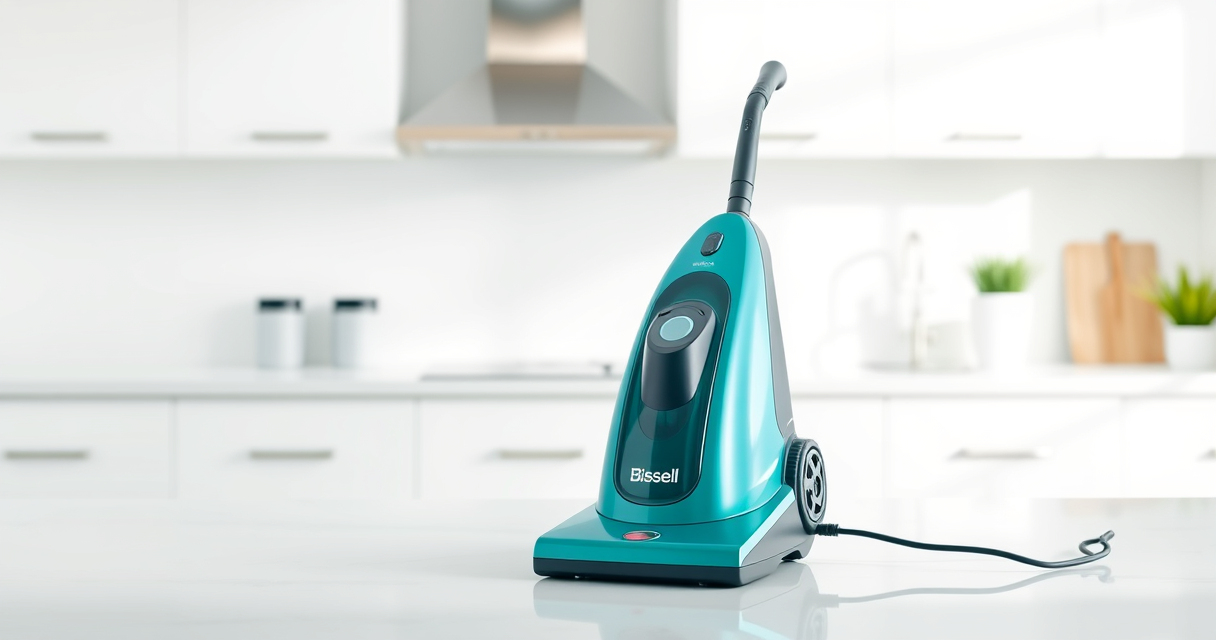

Keeping your Bissell carpet cleaner in top condition ensures it performs efficiently and lasts longer. Proper maintenance involves regular cleaning, timely part replacements, and troubleshooting common issues. In this guide, we’ll walk you through practical, safe steps to maintain your Bissell, focusing on the featured model, the BISSELL ProHeat 2X Revolution Pet Turbo Upright Carpet Cleaner (35799).

Get home appliances delivered free with Prime
- Fast, free delivery on millions of items
- Prime Video, Amazon Music and more included
- Member-only deals all year
Whether you’re a new user or a seasoned owner, understanding routine maintenance can prevent costly repairs and improve cleaning results. We’ll cover everything from cleaning the brushes and filters to troubleshooting suction problems, with tips to help your machine operate like new.
Key Takeaways
| Regular cleaning extends lifespan | Cleaning brushes, filters, and tanks regularly prevents build-up and keeps your machine performing well. |
| Use recommended solutions | Using BISSELL Multi-Surface Solution or recommended concentrates helps maintain cleaning power and protects your carpet. |
| Troubleshoot common issues | Suction loss, leaks, or noise can often be fixed with simple checks and part replacements. |
| Safety first | Always unplug your cleaner before maintenance and avoid using harsh chemicals that could damage components. |
Preparing Your Carpet Cleaner for Maintenance
- Unplug the machine to ensure safety before starting any maintenance tasks.
- Remove the water tank and empty any remaining water or solution.
- Check the brushes and remove any hair, fibers, or debris wrapped around the powerbrushes.
- Inspect the filters and remove them for cleaning or replacement if dirty or clogged.
Starting with these basic steps ensures your machine is safe to work on and helps identify any immediate issues.
Cleaning the Brushes and Agitators
- Access the powerbrushes by tilting or removing the cover as per your model’s instructions.
- Use a small brush or cleaning tool to dislodge hair, fibers, and debris from the bristles.
- Wash removable brushes with warm water and mild detergent, then dry thoroughly.
- Reinstall the brushes securely, ensuring they rotate freely and are properly aligned.
Well-maintained brushes improve dirt removal and reduce strain on the motor, enhancing cleaning efficiency.
Cleaning and Replacing Filters
- Remove the filter located in the water tank area or at the suction path.
- Wash washable filters with water and let them dry completely before reinstalling.
- If filters are damaged or excessively dirty, replace them with compatible filters like the JORAIR Brush Replacement.
Clean filters prevent clogs and suction loss, keeping your machine operating at peak performance.
Maintaining the Water and Solution System
- Empty and rinse the water tank after each use to prevent mold and residue buildup.
- Use fresh BISSELL Multi-Surface Solution for optimal cleaning and to protect internal components.
- Check the solution nozzle for blockages and clear with a pin or small brush if necessary.
Proper care of the water system ensures consistent cleaning results and prolongs the life of your machine.
Troubleshooting Common Problems
- Suction is weak: Check for clogs in the hose, filters, or brush area. Ensure filters are clean and brushes rotate properly.
- Leaking water: Inspect seals and connections for damage or misalignment. Tighten or replace faulty parts.
- Unusual noise: Remove debris from brushes or internal parts. If noise persists, consult a professional or contact Bissell support.
Addressing these issues promptly can prevent further damage and restore your cleaner’s performance.
Storing Your Carpet Cleaner Safely
After maintenance, store your Bissell in a cool, dry place away from direct sunlight. Ensure all parts are dry before storage to prevent mold. Keep the cord neatly wound to avoid damage. Regularly check for any loose parts or damage before use to guarantee safe operation.
The Products in This Guide

BISSELL ProHeat 2X Revolution Pet Turbo Upright Carpet C
- ✔ Power: TurboStrength Motor
- ✔ Noise Reduction: 50% less noise
- ✔ Cleaning Modes: MAX and Express

JORAIR Brush Replacement Compatible
- ✔ Compatibility: Specific CrossWave models
- ✔ Package Includes: 3 brushes and filters
- ✔ Ease of Use: Snap-in replacement
BISSELL ProHeat 2X Revolution Pet Turbo Upright Carpet C
The BISSELL ProHeat 2X Revolution Pet Turbo Upright Carpet Cleaner (35799) combines powerful suction with advanced heatwave technology and dual DirtLifter PowerBrushes, making it highly effective at removing embedded dirt, stains, and allergens. Its quiet operation and quick-dry express mode add to its user-friendly design, perfect for busy households with pets.
Pros:
- 40% more suction power
- Quiet operation with noise reduction
- Effective on embedded dirt and stains
- Fast drying in about 30 minutes
Cons:
- Relatively heavier than handheld cleaners
- Requires regular filter and brush cleaning
- Higher initial investment
Best for: Pet owners and families needing deep cleaning with minimal noise
Not ideal for: Light, quick touch-ups or for use on delicate rugs
Bottom line: A powerful, pet-friendly carpet cleaner with advanced features for professional results.
JORAIR Brush Replacement Compatible
The JORAIR Brush Replacement Compatible set offers three multi-surface brush rolls and filters designed specifically for Bissell CrossWave models. It’s an excellent way to keep your vacuum’s brushes and filters fresh, ensuring consistent cleaning performance at an affordable price.
Pros:
- Compatible with multiple CrossWave models
- Includes three brushes and filters
- Easy to install and replace
- Affordable replacement option
Cons:
- Only compatible with CrossWave series
- Does not include other maintenance parts
- Limited to specific models
Best for: Homeowners needing affordable, effective replacements
Not ideal for: For Bissell upright carpet cleaners like the ProHeat series
Bottom line: A reliable, cost-effective replacement set for your CrossWave.
Frequently Asked Questions
How often should I clean the filters and brushes?
It’s best to clean the filters and brushes after every 3-5 uses to prevent clogs and maintain suction power.
Can I use any cleaning solution with my Bissell cleaner?
For optimal results and to protect your machine, use BISSELL Multi-Surface Solution or other recommended formulas compatible with your model.
What should I do if my cleaner is leaking water?
Check all seals and connections for damage or misalignment. Tighten or replace faulty parts as needed, and ensure tanks are properly seated.
Is it safe to leave water in the tank overnight?
No, it’s best to empty and dry the water tank after each use to prevent mold and bacteria growth.
How do I troubleshoot low suction power?
Inspect and clean filters, check for clogs in the hose or brush area, and ensure brushes are free to rotate. Replacing filters can also help.
Maintaining Your Bissell for Peak Performance
Regularly caring for your Bissell carpet cleaner ensures it continues to deliver professional-grade cleaning results. Follow the step-by-step maintenance tips outlined in this guide, and address any issues promptly to extend its lifespan and keep your carpets looking their best. With proper upkeep, your Bissell will be a reliable tool for years to come.
Affiliate disclosure: As an Amazon Associate we earn from qualifying purchases. Prices and availability are accurate as of the time of publishing.