
Poor charging habits, like constantly leaving your cordless vacuum battery at full charge or unplugging it too often, can speed up battery wear and shorten its lifespan. Charging in extreme temperatures or using incompatible chargers also damages the battery over time. To keep your vacuum running effectively, avoid overcharging and always use the right charger within proper temperature ranges. Staying aware of best practices can help you avoid these mistakes and keep your vacuum performing at its best. Keep going to learn more.
Key Takeaways
- Continuously charging your vacuum to 100% accelerates battery degradation and shortens lifespan.
- Using incompatible or damaged chargers can deliver improper voltage, damaging the battery.
- Charging in extreme temperatures causes chemical imbalance, reducing battery health and performance.
- Frequent partial recharges or topping off unnecessarily harm the battery’s capacity over time.
- Unplugging after full charge and avoiding overcharging helps preserve battery longevity and performance.
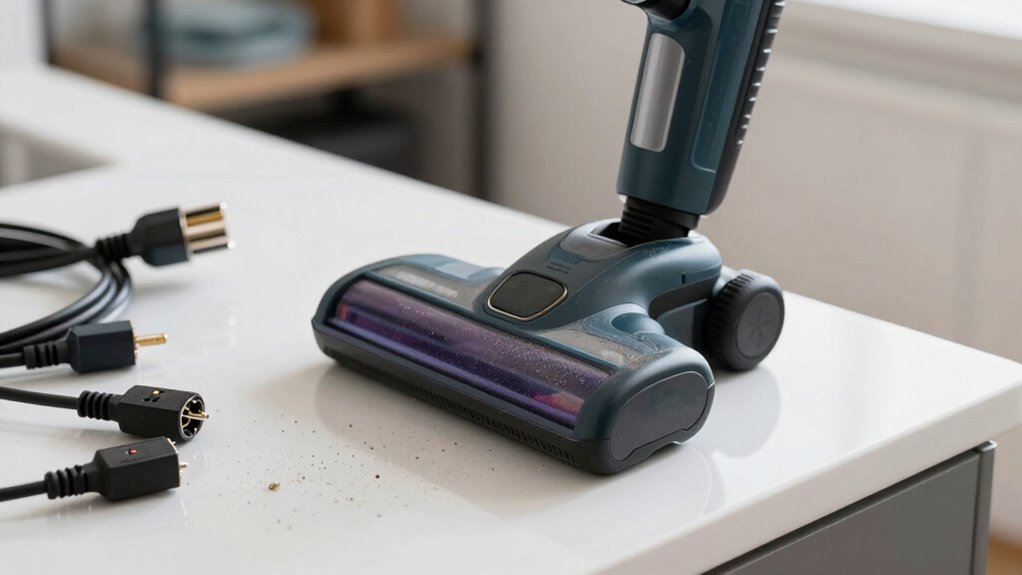
Cordless vacuum batteries are the driving force behind the convenience and portability of modern vacuum cleaners. Without a reliable power source, these lightweight devices lose their edge, making battery longevity a top priority for any user. How you handle charging plays a vital role in maintaining that longevity. Many people unknowingly damage their batteries by adopting poor charging practices, which can lead to reduced performance and shorter overall lifespan. If you want your vacuum to run smoothly for years, understanding the right way to charge is indispensable.
One common mistake is leaving your vacuum plugged in all the time. While it might seem harmless, consistently keeping the battery at full charge can cause it to degrade faster. Lithium-ion batteries, which are standard in most cordless vacuums, are sensitive to overcharging. When the battery stays at 100% for prolonged periods, it experiences stress that diminishes its capacity over time. Instead, you should unplug the vacuum once it reaches a full charge, allowing the battery to rest and prevent unnecessary wear.
Avoid leaving your vacuum plugged in constantly to prevent battery degradation.
Another key aspect is avoiding frequent partial charges. Many users think it’s better to recharge the battery whenever it drops to around 20%, but this isn’t always necessary. Lithium-ion batteries prefer full charges occasionally to recalibrate their capacity indicator, but constant topping off can be detrimental. Aim for a balance: charge the battery when it’s genuinely needed, but don’t wait until it’s completely dead. Regular, moderate charging helps preserve the battery’s health and guarantees consistent power output.
Temperature also plays a role in charging practices. Charging your vacuum in extreme heat or cold can accelerate battery degradation. Always charge your device in a cool, dry place, ideally between 50°F and 77°F. Extreme temperatures cause chemical imbalances inside the battery, reducing its ability to hold a charge over time. Additionally, avoid exposing the vacuum to direct sunlight or cold environments during charging sessions. Proper charging habits, including temperature management, are essential for maintaining battery health and ensuring optimal performance.
Lastly, consider using the original charger provided by the manufacturer. Using incompatible chargers can deliver inconsistent voltage or current, which damages the battery. Quality chargers are designed to optimize charging cycles, further extending battery longevity. If you notice your vacuum’s battery isn’t holding a charge like it used to, it might be time to replace the charger or the battery itself. Proper charging habits are the simplest way to keep your cordless vacuum operating at peak performance, saving you money and frustration in the long run.
Top picks for "cordles vacuum battery"
Open Amazon search results for this keyword.
As an affiliate, we earn on qualifying purchases.
Frequently Asked Questions
How Often Should I Replace My Cordless Vacuum Battery?
You should consider replacing your cordless vacuum battery every 2-3 years, depending on usage. To extend its lifespan, regularly perform battery calibration and avoid improper storage, like leaving it in extreme temperatures. Properly caring for your battery guarantees it maintains capacity longer, delaying the need for a replacement. Keep an eye on reduced runtime or power, which signals it might be time for a new battery.
Can Using Third-Party Chargers Damage the Battery?
Using third-party chargers can damage your battery if they lack proper battery compatibility and charger quality. Poor-quality chargers might deliver incorrect voltage or current, causing overheating or reduced battery lifespan. Always choose chargers recommended by the manufacturer or those with proven compatibility. This guarantees safe, efficient charging, protecting your battery from potential harm and extending its overall lifespan. Don’t risk damage—invest in reliable, compatible chargers for your cordless vacuum.
What Are Signs of a Failing Cordless Vacuum Battery?
You’ll notice your cordless vacuum battery failing if it doesn’t hold a charge like before or drains quickly. Watch for inconsistent power or longer charging times, which may signal the need for battery calibration. Excessive charging cycles can weaken the battery too. If you see these signs, it’s time to replace or recalibrate your battery to maintain peak performance and prevent further damage.
Does Temperature Affect Battery Charging and Lifespan?
Yes, battery temperature greatly affects charging and lifespan. When you charge your cordless vacuum in extreme heat or cold, it can damage the battery, reducing its capacity over time. Keep your battery at a moderate temperature to extend its life. Avoid frequent deep discharges and excessive charging cycles, as these stress the battery. Proper temperature management during charging helps maintain peak performance and prolongs your vacuum’s battery longevity.
Are There Safe Ways to Extend Battery Life During Storage?
Sure, you can extend your battery life during storage with proper maintenance and storage techniques. Ironically, avoiding overcharging and keeping batteries in a cool, dry place feels like giving them a spa day. Store batteries at around 50% charge, and disconnect them from devices. Proper storage prevents capacity loss, so your vacuum’s battery stays healthy longer. Think of it as giving your battery a vacation, not a nightmare.
Conclusion
Just like Icarus flew too close to the sun, you might be risking your cordless vacuum’s lifespan by neglecting proper charging habits. Avoid the temptation to leave it plugged in endlessly or let the battery drain completely. Instead, treat it like a delicate dance—balance your charging routine with care. Keep it well-fed and mindful, and your vacuum will serve you well, soaring through chores just as Apollo’s chariot soared across the sky.