If your Dyson V15 Detect™ Origin Cordless Vacuum keeps pulsing on and off, it can be frustrating and reduce cleaning efficiency. This pulsing often indicates an issue with airflow, blockages, or filters. With the right approach, you can diagnose and fix the problem yourself, saving time and repair costs.

Get home appliances delivered free — and shop member deals
- Fast, free delivery on millions of items
- Access to Prime Big Deal Days deals on October 6–7
- Prime Video, Amazon Music and more included
Follow this clear, step-by-step troubleshooting guide to restore your vacuum’s performance and enjoy powerful cleaning again.
Key Takeaways
| Check for blockages | Ensure no obstructions in the wand, cleaner head, or hose. |
| Inspect filters | Clean or replace filters to maintain airflow and suction. |
| Examine the battery and connections | Make sure the battery and connections are secure and functional. |
| Clear debris from the bin | Empty the bin to prevent suction loss. |
| Test and reset | Perform a reset after fixing issues to restore normal operation. |
1. Turn Off and Unplug the Vacuum
- Power off the vacuum and ensure it is unplugged from any charging station.
- Remove the battery if possible to prevent accidental activation.
2. Check for Blockages and Obstructions
- Detach the wand and cleaner head carefully.
- Inspect the wand, cleaner head, and hose for any debris, hair, or blockages.
- Clear out any obstructions using a long, thin object or cloth.
3. Clean or Replace the Filters
- Remove the pre-filters and main filters from the vacuum.
- Wash the filters thoroughly with water, ensuring they are completely dry before reinstalling.
- If filters are damaged or excessively dirty, consider replacing them with compatible filters like the 3Pack Pre Filters Replacement or V10 Filters.
4. Empty the Dust Bin and Check for Overfull Conditions
- Press the bin release button and empty the dust bin.
- Ensure the bin is properly reattached and click securely into place.
5. Reset and Test the Vacuum
- Reassemble all parts and reinsert the battery.
- Turn on the vacuum and observe if the pulsing persists.
- If it does, try resetting the vacuum by pressing and holding the power button for 10 seconds, then turning it back on.
The Products in This Guide

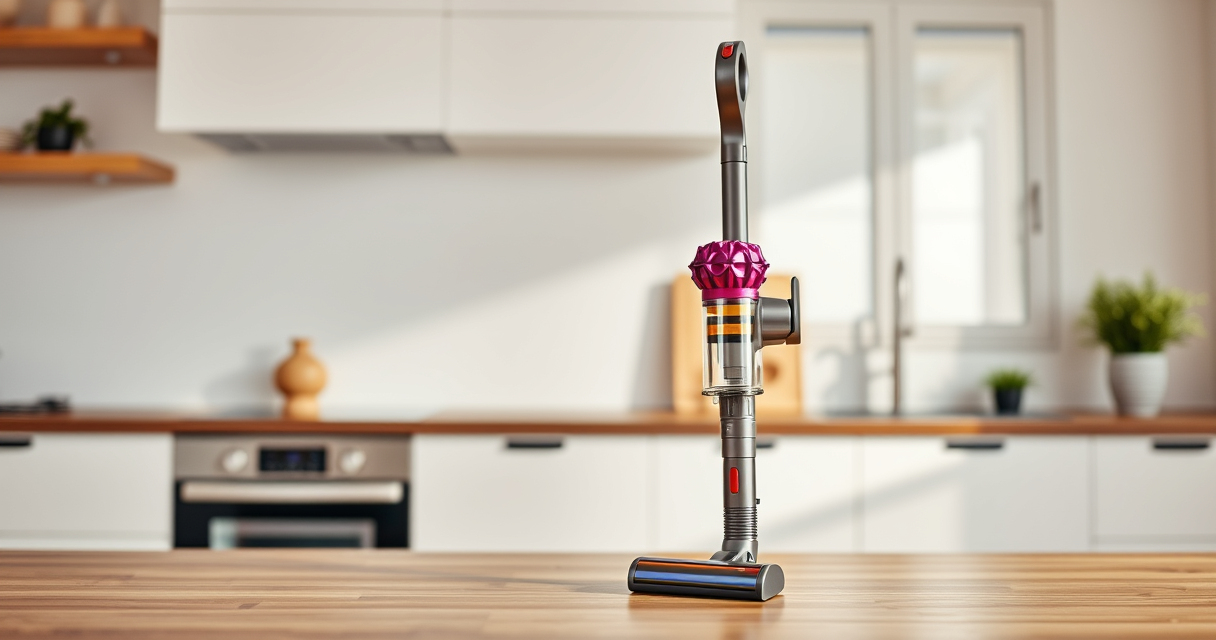
Dyson V15 Detect™ Origin Cordless Vacuum
- ✔ Weight: 6.8 lbs
- ✔ Battery Life: 60 min
- ✔ Noise Level: Less than 80dB

LANMU Crevice Tool Vacuum Attachments Compatible
- ✔ Fitment: Dyson V15, V12, V11, V10
- ✔ Material: Plastic
- ✔ Color: Black
Dyson V15 Detect™ Origin Cordless Vacuum
The Dyson V15 Detect™ Origin offers powerful suction, intelligent dust detection, and long battery life, making it ideal for thorough home cleaning. Its advanced features help identify issues like pulsing, but regular maintenance is key.
Pros:
- Powerful suction
- Intelligent dust detection
- Long battery life
- Multiple cleaning heads
Cons:
- Can be heavy for some users
- Filters require regular cleaning
- Price is premium
Best for: Whole-home deep cleaning and pet hair removal
Not ideal for: Light, quick cleans or small apartments
Bottom line: A powerful, intelligent vacuum suitable for deep cleaning with regular maintenance.
LANMU Crevice Tool Vacuum Attachments Compatible
This versatile crevice tool from LANMU enhances your Dyson vacuum’s ability to reach tight corners and narrow spaces, helping to eliminate blockages that cause pulsing issues.
Pros:
- Narrow, flexible design
- Compatible with multiple Dyson models
- Eases cleaning in tight spots
- Durable construction
Cons:
- Additional attachment needed
- May be too slim for larger debris
- Requires proper attachment fitting
Best for: Cleaning corners, car seats, and baseboards
Not ideal for: Large debris removal or heavy-duty cleaning
Bottom line: A practical attachment to improve airflow and reach difficult spots.
Frequently Asked Questions
Why does my Dyson vacuum pulse or cut out during use?
This usually indicates airflow blockage, full dust bin, dirty filters, or battery connection issues. Troubleshooting these areas can resolve pulsing problems.
How often should I clean or replace the filters?
Filters should be cleaned every 1-3 months, depending on usage, and replaced if damaged or heavily soiled. Use compatible filters for best results.
My vacuum still pulses after cleaning filters and removing blockages. What next?
Check the battery connection and reset the vacuum. If problems persist, contact Dyson support or consider a professional repair.
Can I fix the pulsing issue myself or do I need professional help?
Most issues can be fixed with routine maintenance like cleaning filters and clearing blockages. If the problem continues, professional repair is recommended.
Keep Your Dyson V15 Detect Running Smoothly
Regular maintenance and timely troubleshooting can prevent pulsing issues and ensure your Dyson cordless vacuum performs at its best. Follow these steps to identify and fix common problems, and enjoy powerful, efficient cleaning every time.
Affiliate disclosure: As an Amazon Associate we earn from qualifying purchases. Prices and availability are accurate as of the time of publishing.
Halloween Picks
halloween
As an affiliate, we earn on qualifying purchases.