
TL;DR

Get home appliances delivered free with Prime
- Fast, free delivery on millions of items
- Prime Video, Amazon Music and more included
- Member-only deals all year
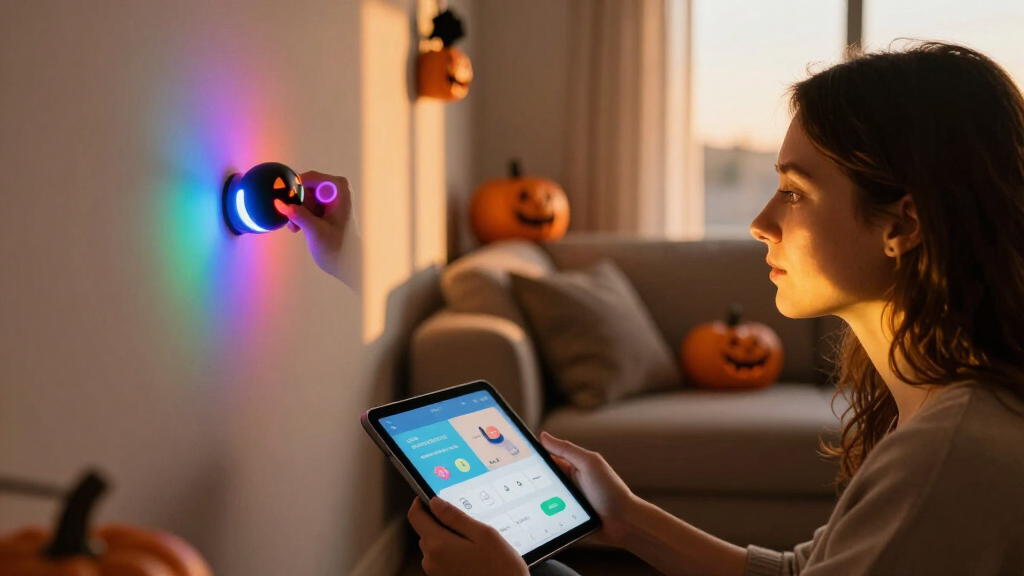
Smart home Halloween lighting uses connected bulbs and controllers to create dynamic, automated displays. With the right setup, you can craft spooky scenes, synchronize effects, and even surprise visitors—without breaking a sweat.
Picture this: your porch bathed in flickering orange and purple hues, a haunting glow emanating from your yard, synchronized with eerie sounds. That’s the magic of smart home Halloween lighting. It’s no longer about plugging in a few flickering lights. It’s about creating an immersive, automated experience that makes your home stand out—and spook—your neighborhood.
Whether you’re a DIY enthusiast or just want a simple way to impress trick-or-treaters, understanding how smart lighting works can turn a basic setup into a jaw-dropping display. In this article, I’ll show you how to pick the right gadgets, set up automation, and avoid common pitfalls—all while keeping safety and neighborly harmony in mind.
Choose weatherproof, outdoor-rated smart lights for safety and durability.
Automate scenes with schedules and motion sensors to save time and energy.
Use cross-brand compatible devices and hubs to create a unified Halloween display.
Experiment with effects like flickering, fading, and synchronized scenes for maximum spookiness.
Prioritize safety: avoid water contact, overloads, and follow installation instructions.
What Makes Smart Halloween Lights Different from Regular Ones?
Smart Halloween lights are more than just colored bulbs—they’re connected, programmable, and often able to sync with music or other effects. This connectivity allows for a level of customization and automation that traditional lights simply can’t match. For instance, synchronized color changes across multiple fixtures create a cohesive, immersive scene that enhances the spooky vibe.
Most smart lights connect via Wi-Fi, Bluetooth, or dedicated zigbee/hub systems. This connectivity means you can control your entire display remotely, schedule effects, or create complex scenes that activate at specific times or in response to triggers like motion. This level of control is crucial because it allows you to craft dynamic, professional-looking displays without manual intervention during peak hours.
In contrast, regular smart bulbs are limited—they typically change colors or turn on/off with a tap or voice command. They lack the ability to coordinate with other lights or execute intricate scenes. This difference matters because, for a truly captivating Halloween display, automation and effects are key. Smart lighting’s ability to synchronize multiple devices and respond to automation elevates your setup from simple illumination to a haunting spectacle.
Products Worth Considering

Philips Hue Festavia 130-Foot Indoor/Outdoor Smart String Lights, 500 Mini Color-Changing LEDs

Philips Hue Smart Light Starter Kit with Bridge and 4 White and Color A19 Bulbs

Philips Hue Bridge Pro Starter Kit with 4 A19 E26 Smart Bulbs
As an affiliate, we earn on qualifying purchases.
How to Choose the Best Smart Lights for Your Haunted House
- Identify your main goal: Are you after simple color changes, spooky effects, or elaborate synchronized scenes? Understanding your primary objective helps you select the right products, as some lights excel at quick color shifts while others are better for complex effects.
- Check outdoor ratings: Look for IP65 or higher—these ratings indicate the product’s ability to withstand rain, wind, and cold. Choosing weatherproof lights is essential because exposure to the elements can cause damage or failure, ruining your display and wasting your investment.
- Determine control method: Decide if you prefer app control, voice commands, or a physical switch. Each method offers different convenience levels and reliability. For example, app control allows for detailed scene programming, while voice commands provide quick, hands-free adjustments during setup or parties.
- Consider compatibility: Ensure the lights work with your existing smart home ecosystem—Amazon Alexa, Google Assistant, or Apple HomeKit. Compatibility determines how seamlessly you can integrate new lights into your current setup, affecting ease of use and future expandability.
- Assess power needs: Battery-powered options offer flexibility and easy placement, but most outdoor lights require a nearby power source. Balance convenience with reliability, as wired options typically provide more consistent brightness and effects.
- Set a budget: There’s a wide range—from budget-friendly LED strips to premium synchronized display kits. Remember, investing in quality products often results in more reliable performance and better effects, which are key to a memorable display.
For example, a homeowner in Vermont used color-changing LED floodlights not just for the visual impact but also to set the mood—switching from ghostly white to fiery orange as trick-or-treaters arrived, creating an immersive experience that’s memorable and engaging.
Choosing the right lights involves balancing your aesthetic goals, environmental conditions, and budget constraints. A well-chosen setup can provide years of reliable, impressive displays, making your Halloween celebration a neighborhood highlight.
The Top 4 Effects That Make Your Halloween Lights Spooktacular
| Effect Type | Description | Best Use |
|---|---|---|
| Color Fading | Lights smoothly transition between colors, creating a ghostly or mystical ambiance. This effect is achieved by programming gradual shifts, which can evoke feelings of fog, spectral presence, or otherworldly energy. | Creating eerie atmospheres for outdoor displays, especially when you want a subtle yet mesmerizing effect that keeps viewers captivated. |
| Flicker & Flash | Lights rapidly turn on and off or flicker to mimic candles, lightning, or heartbeat pulses. The timing and frequency of flickering can be adjusted to intensify the spooky effect or simulate natural phenomena like lightning strikes. | Adding a spooky heartbeat or sudden scares; perfect for creating tension or surprise moments in your display. |
| Color Cycling | Lights change colors in a set pattern—such as red, orange, purple—creating a rhythmic or chaotic visual that captures attention and emphasizes themes like fire, ghosts, or magical energy. | Building visual tension or highlighting specific themes, especially when synchronized with music or sound effects for a more immersive experience. |
| Synchronized Effects | Multiple lights work together, flickering, fading, or changing colors in unison with sound or music, creating a coordinated show. This requires compatible controllers or hubs that can synchronize effects across devices. | Transforming your yard into a haunted carnival, ghostly graveyard, or other elaborate scene that feels professional and captivating, especially when combined with sound effects. |
Imagine your porch floodlights pulsing in sync with creepy music—listeners will feel like they’ve stepped into a haunted house. The coordination of multiple effects amplifies the spooky atmosphere, making your display more immersive and memorable for visitors.
Understanding the implications of each effect type helps you craft a narrative or mood. For example, flickering lights can evoke lightning or flickering candles, while color fading can create a sense of spectral movement. Combining these effects thoughtfully enhances the overall experience, making your Halloween setup a true spectacle.
Step-by-Step: Setting Up Your Smart Halloween Lights Without Frustration
- Choose your setup: Decide if you want indoor, outdoor, or both. Pick weatherproof lights for outdoor use, and consider their placement for maximum effect and safety—higher mounts can create dramatic shadows, while ground-level setups can highlight pathways.
- Install the hardware: Mount strips, bulbs, or spotlights securely, following safety guidelines. Use outdoor-rated extension cords and avoid overloading circuits. Think about placement for optimal coverage and avoid obstructions that might interfere with automation signals.
- Connect your lights: Follow product instructions to link them to your Wi-Fi or hub. Make sure your network is strong enough for multiple devices to prevent lag or dropouts, which can ruin the synchronization.
- Download the app: Most brands have dedicated apps. Register your devices and assign them to groups or scenes. Take time to explore app features like scheduling, effects, and manual control options.
- Create your scenes: Set colors, effects, and schedules. For example, schedule your porch lights to glow amber from 6 pm to midnight, and activate flickering effects at specific intervals for added spookiness.
- Test everything: Run your scenes, adjust brightness, and try voice commands to ensure smooth operation. Troubleshoot connectivity issues early to avoid surprises on Halloween night.
- Refine and enjoy: Tweak effects or timing as needed. Now, sit back and enjoy the spooky spectacle, knowing your setup is reliable and impressive.
One homeowner in Arizona used this process, ending up with a synchronized light show that drew crowds every Halloween—without a single trip cord-tangle. The key is patience and testing before the big night, ensuring all devices respond as expected and your effects run seamlessly.
Investing time in careful setup and testing ensures your display will be both safe and spectacular, making your Halloween celebration memorable for all who visit.
Safety Tips to Keep Your Haunted Display Boo-tiful and Safe
- Use outdoor-rated products: Never try to weatherproof regular indoor bulbs. Look for IP65 or higher ratings, which ensure protection against water and dust ingress, prolonging the life of your equipment and preventing electrical hazards.
- Secure cables properly: Keep cords away from water, walkways, and places where kids might trip. Use cable clips or outdoor-rated covers to prevent accidental disconnections or damage, reducing fire and shock risks.
- Don’t overload outlets: Use power strips with surge protection, and avoid daisy-chaining multiple devices, which can overload circuits and cause fires. Distribute power loads evenly to prevent overheating.
- Follow manufacturer instructions: Proper installation, including secure mounting and correct voltage use, prevents short circuits and damage. Skipping these steps might not only damage your equipment but also create safety hazards.
- Turn off when not in use: Automate your schedule or use motion sensors to conserve energy and prevent hazards. This also reduces wear on your equipment and lowers the risk of electrical faults over time.
- Check Wi-Fi stability: A weak connection can cause lights to flicker, drop out, or behave unpredictably, which can ruin your spooky scene. Position your router strategically, and consider upgrading your network for larger setups.
“Safety is the secret ingredient to a successful Halloween display. A little caution keeps the fun from turning into a fire hazard.”
For example, a homeowner in Florida experienced an outdoor short circuit because of exposed wiring—after that, they added waterproof covers and rerouted cables, saving future headaches. Regular inspection and maintenance of your setup can prevent such issues, ensuring your display remains safe and spectacular throughout the season.
Remember, a safe setup not only protects your home and family but also enhances your enjoyment and peace of mind during the spooky festivities.
How to Make Your Smart Halloween Display Work With Any System
Many smart lights support multiple platforms—if you pick the right ones, you can mix and match devices from different brands. Here’s how:
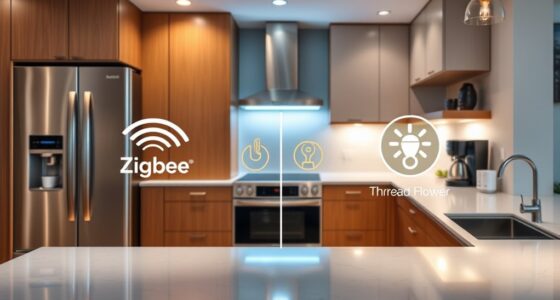
- Check compatibility: Look for products supporting standards like Zigbee, Z-Wave, or Matter—these are designed for cross-brand compatibility. This flexibility allows you to expand your setup over time without being locked into a single ecosystem.
- Use a hub or bridge: Devices like Samsung SmartThings or Hubitat can unify different brands under one control system, simplifying management and synchronization. This central hub acts as the brain, coordinating effects across multiple device types.
- Leverage voice assistants: Alexa, Google, and Apple can control multiple devices, even from different brands, if set up correctly. Grouping devices into routines or scenes enables you to activate complex effects with a single command, streamlining your setup process.
- Set up routines: Create automations that trigger across your system—like turning on all Halloween lights when you say “Boo!” or at specific times. This flexibility allows for a more immersive and hands-free experience, making your display more dynamic and responsive.
- Test thoroughly: Make sure all devices respond as expected before Halloween night. Troubleshooting early ensures a glitch-free performance, avoiding last-minute surprises that can spoil the mood.
For instance, a homeowner combined Philips Hue indoor lights with outdoor LIFX strips, controlling everything through Google Home. This integration allowed for seamless effects, synchronized with music, creating a truly spooky, cohesive scene that impressed neighbors and trick-or-treaters alike.
Understanding how to coordinate different systems expands your creative options and future-proofs your setup, so you can easily add new effects or devices as your Halloween ideas evolve.
Frequently Asked Questions
Can I control my smart Halloween lights with my voice?
Yes, most smart lights work with voice assistants like Alexa, Google, or Siri. You can turn scenes on, off, or change effects just by speaking.Are outdoor smart lights durable enough for harsh weather?
Look for lights with an IP65 rating or higher. These are designed to withstand rain, wind, and cold, making them perfect for outdoor Halloween displays.Do I need a hub or bridge to connect all my smart lights?
It depends on the product. Some connect directly to Wi-Fi, while others require a hub or bridge for better reliability and compatibility across brands.Can I synchronize my lights with music or sound effects?
Absolutely. Many smart lights support sound synchronization via microphones or app controls, creating spooky flickering or pulsating effects timed with your playlist.How do I prevent my outdoor lights from losing connection on Halloween night?
Ensure your Wi-Fi network is strong and stable, keep your firmware updated, and position your router close to your outdoor setup if possible for a smooth, spooky show.Conclusion
Smart home Halloween lighting lets you craft a display that’s both dazzling and terrifying, with a flick of your phone or a simple voice command. It’s about turning everyday gadgets into spooky storytellers.
Imagine your yard glowing with color, synchronized sounds echoing in the night, and neighbors marveling at your haunted masterpiece. That’s the power of smart lighting—your secret weapon for a memorable, safe, and spectacular Halloween.