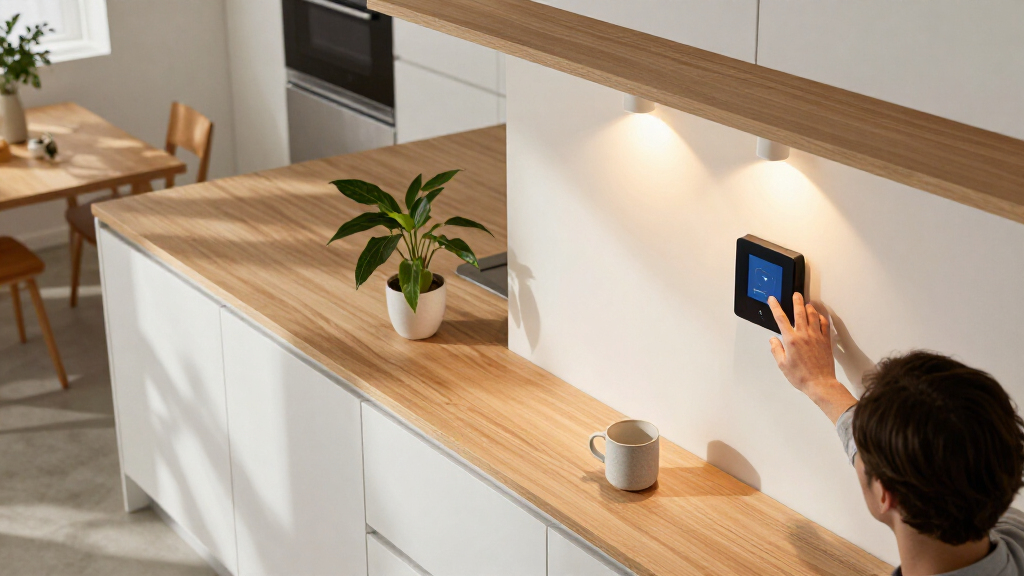

The best smart home devices make everyday routines easier without forcing you to rebuild your home around one platform. My best overall pick is the Amazon Echo Dot Max, which combines a capable Alexa speaker with smart-home control; the Google Nest Smart Thermostat stands out for home climate management, while the TP-Link Tapo P125M is a practical Matter-enabled plug for buyers who want broader platform flexibility. The main tradeoff is between simple, low-cost automation and more capable devices that need extra space, setup, or ecosystem commitment. Smart plugs and bulbs can solve specific needs, while speakers and displays bring voice control and information into shared spaces. Read on for the full breakdown and guidance on choosing devices that fit your home.

Get home appliances delivered free with Prime
- Fast, free delivery on millions of items
- Prime Video, Amazon Music and more included
- Member-only deals all year
Complete the kit


Key Takeaways
- Smart plugs are the roundup’s clearest entry point: multi-packs from Linkind, Kasa, Govee, GHome, and Amazon Basics can automate existing lamps and appliances, but app and platform compatibility differ.
- Matter support separates flexible plugs from ecosystem-specific picks: Linkind and TP-Link Tapo offer Matter models, while Amazon-branded plugs in this list are designed around Alexa.
- Echo devices solve different room needs: the Echo Dot models suit audio and voice control, while the Show 5, Show 11, and Show 15 add screens for different space and viewing needs.
- The Echo Show 15 and Show 11 prioritize display utility over compactness: buyers should match screen size and placement to how often household members will actually use visual information.
- Smart bulbs and thermostats change the setup equation: Govee color bulbs need bulb-level setup and compatible fittings, while the Nest thermostat affects a larger home system and calls for compatibility checks before purchase.
| Amazon Echo Dot (5th Gen) Smart Speaker, Deep Sea Blue |  | Best Compact Smart Home Hub | Generation: 5th Gen | Color: Deep Sea Blue | Dimensions: 3.9 × 3.9 × 3.5 in | VIEW LATEST PRICE | See Our Full Breakdown |
| Amazon Echo Show 15 (2nd Gen) 15.6-Inch Full HD Smart Display |  | Best for Family Organization | Display: 15.6-inch Full HD, 1920 × 1080 | Dimensions: 16.1 × 10.1 × 1.4 in | Weight: 4.96 lb | VIEW LATEST PRICE | See Our Full Breakdown |
| Amazon Smart Plug, Works with Alexa |  | Best for Simple Alexa Routines | Dimensions: 3.2 × 1.5 × 2.2 in | Weight: 3.1 oz | Input: 120 VAC, 60 Hz, 15 A max | VIEW LATEST PRICE | See Our Full Breakdown |
| Google Nest Smart Thermostat, Snow |  | Best Smart Thermostat for Google Home | Color: Snow | Connectivity: Wi-Fi 2.4 GHz and 5 GHz; Bluetooth Low Energy | Power source: Battery powered | VIEW LATEST PRICE | See Our Full Breakdown |
| Amazon Echo Show 5 Smart Display, Cloud Blue |  | Best Compact Smart Display | Display: 5.5-inch touchscreen | Camera: 2 MP with built-in shutter | Dimensions: 5.8 × 3.6 × 3.2 in | VIEW LATEST PRICE | See Our Full Breakdown |
| Amazon Echo Spot Smart Alarm Clock, Glacier White | 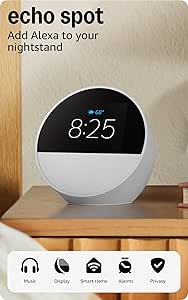 | Best Smart Alarm Clock | Display: 2.83-inch touchscreen, 240 x 320 pixels | Dimensions: 4.5 x 4.1 x 4.4 inches | Weight: 14.3 oz | VIEW LATEST PRICE | See Our Full Breakdown |
| Linkind Matter Smart Plug, 4-Pack | 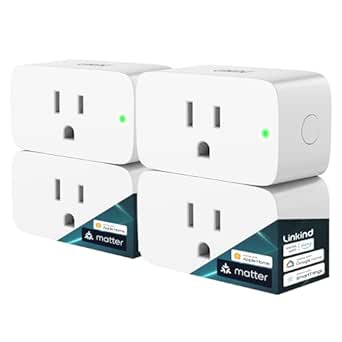 | Best for Matter-Compatible Homes | Model: LC09003256 | Pack size: 4 plugs | Wi-Fi: 2.4 GHz only | VIEW LATEST PRICE | See Our Full Breakdown |
| Govee Smart Plug, Wi-Fi Outlet, 4-Pack |  | Best Hub-Free Plug Set | Model: B5081 | Quantity: 4 plugs | Connectivity: 2.4 GHz Wi-Fi and Bluetooth | VIEW LATEST PRICE | See Our Full Breakdown |
| Govee A19 Smart Color-Changing LED Bulbs, 800 Lumens, E26 Base, 4-Pack |  | Best for Colorful Lighting Scenes | Model: H6008 | Quantity: 4 bulbs | Bulb shape and base: A19, E26 | VIEW LATEST PRICE | See Our Full Breakdown |
| Kasa Smart Plug HS103P4, 4-Pack |  | Best Straightforward Appliance Automation | Model: HS103P4 | Pack size: 4 plugs | Operating voltage: 120 V AC | VIEW LATEST PRICE | See Our Full Breakdown |
| Amazon Echo Show 11 Smart Display with Full HD Screen and Spatial Audio, Graphite |  | Best Smart Display for a Connected Home | Display: 10.95-inch Full HD touchscreen, 1920 × 1200 | Camera: 13 MP with auto framing and 3.3× zoom | Audio: 1 × 2.8-inch woofer and 2 full-range drivers | VIEW LATEST PRICE | See Our Full Breakdown |
| GHome Smart Plug Mini, 4-Pack, White | 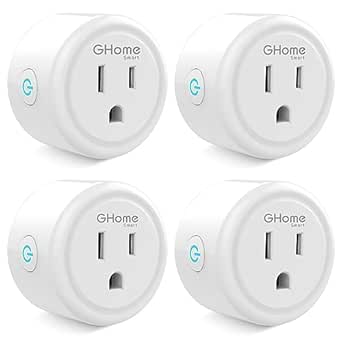 | Best Value for Alexa and Google Homes | Pack size: 4 | Wi-Fi requirement: 2.4 GHz | Voice assistants: Amazon Alexa, Google Assistant | VIEW LATEST PRICE | See Our Full Breakdown |
| Amazon Basics Smart Plug, 4-Pack, Works with Alexa, White | 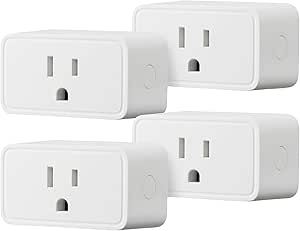 | Best for Alexa-Only Households | Pack size: 4 | Compatibility: Amazon Alexa only | Connectivity: 2.4 GHz Wi-Fi | VIEW LATEST PRICE | See Our Full Breakdown |
| TP-Link Tapo P125M Matter Smart Plug Mini, 3-Pack |  | Best Smart Plug for Multiple Platforms | Pack size: 3 | Compatible platforms: Apple Home, Amazon Alexa, Google Home, Samsung SmartThings | Connectivity: Matter, Wi-Fi, Bluetooth | VIEW LATEST PRICE | See Our Full Breakdown |
| Amazon Echo Dot Max Smart Speaker with Alexa, Graphite |  | Best Smart Speaker for Sound and Home Control | Dimensions: 4.27 × 4.27 × 3.9 in (108.7 × 108.6 × 99.2 mm) | Weight: 17.82 oz (505.3 g) | Drivers: 1 × 0.8-inch tweeter, 1 × 2.5-inch woofer | VIEW LATEST PRICE | See Our Full Breakdown |
| smart home device | Dimensions |
|---|---|
| Amazon Echo Dot | 3.9 × 3.9 × 3.5 in |
| Amazon Echo Show 15 | 16.1 × 10.1 × 1.4 in |
| Amazon Smart Plug | 3.2 × 1.5 × 2.2 in |
| Google Nest Smart Thermostat | — |
| Amazon Echo Show 5 Smart Displ | 5.8 × 3.6 × 3.2 in |
| Amazon Echo Spot Smart Alarm C | 4.5 x 4.1 x 4.4 inches |
| Linkind Matter Smart Plug | — |
| Govee Smart Plug | — |
| Govee A19 Smart Color-Changing | — |
| Kasa Smart Plug HS103P4 | 1.57 x 1.5 x 2.62 inches |
| Amazon Echo Show 11 Smart Disp | 10 × 5 × 7.2 in (255 × 127 × 182 mm) |
| GHome Smart Plug Mini | 2 × 2 × 1 in |
| Amazon Basics Smart Plug | 2.7 × 2.1 × 1.5 in |
| TP-Link Tapo P125M Matter Smar | — |
| Amazon Echo Dot Max Smart Spea | 4.27 × 4.27 × 3.9 in (108.7 × 108.6 × 99.2 mm) |
More Details on Our Top Picks
Amazon Echo Dot (5th Gen) Smart Speaker, Deep Sea Blue
I’d pick the Echo Dot (5th Gen) for a room where voice control and everyday audio matter more than a screen. Its motion and temperature sensors add useful routine triggers, while Matter support helps it connect with compatible devices without requiring every control to happen through a phone. Compared with the Echo Show 5, it takes up less space and skips the camera, but it can’t show a visual timer, video call, or on-screen control panel. Its mono, single-driver sound suits podcasts and casual listening better than filling a large room with music. The eero Built-in feature may also extend a compatible eero network, though it has device and speed limits. I’d choose it as a small Alexa control point, not as a substitute for a dedicated speaker system.
Pros:- Motion and temperature sensors can support compatible routines
- Matter, Wi-Fi, and Bluetooth Low Energy Mesh support a range of compatible smart home devices
- Compact design fits easily on a bedside table or desk
- Pairs with other Echo devices or Fire TV for compatible multi-room audio or home theater
Cons:- Mono output from one 1.6-inch driver is limited for room-filling music
- eero Built-in requires a compatible eero network and has device and speed limits
- Some features depend on compatible devices, accounts, or subscriptions
Best for: Alexa households that want a small speaker for voice routines, casual listening, and sensor-triggered automations in a bedroom or office.
Not ideal for: Buyers who want a screen for video calls or visual controls, stereo music, or Wi-Fi extension without a compatible eero network.
- Generation:5th Gen
- Color:Deep Sea Blue
- Dimensions:3.9 × 3.9 × 3.5 in
- Weight:10.7 oz
- Speaker:1.6-inch full-range driver; mono
- Audio bandwidth:62 Hz–19 kHz
- Wi-Fi:Dual-band 802.11a/b/g/n/ac; 2.4 and 5 GHz
- Smart home compatibility:Wi-Fi, Bluetooth Low Energy Mesh, Matter
- eero Built-in:Up to 1,000 sq. ft. with a compatible eero network
Our verdict“Choose the Echo Dot if you want a compact Alexa speaker with useful sensors and smart home controls, and skip it if a screen or stronger music performance matters more.”
Amazon Echo Show 15 (2nd Gen) 15.6-Inch Full HD Smart Display
The Echo Show 15 (2nd Gen) earns its place when a smart home screen needs to serve the whole household, not just one person at a desk. Its 15.6-inch Full HD display gives calendars, widgets, entertainment, and compatible device controls room to share the same view; landscape or portrait placement offers more flexibility than the compact Echo Show 5. Built-in Fire TV and a 13 MP camera with auto-framing also make it a more capable shared screen for viewing and calls. It adds Zigbee, Matter, and Thread Border Router connectivity, which can reduce the need for separate smart home hardware for compatible devices. The tradeoff is substantial wall or counter space, and some services may involve additional fees. I’d choose it for a central family area, not for a bedside spot or a home that needs a discreet controller.
Pros:- Large Full HD screen makes shared calendars and controls easier to see
- Customizable widgets combine household information with smart home controls
- Fire TV and a 13 MP auto-framing camera support entertainment and video calls
- Zigbee, Matter, and Thread Border Router connectivity support compatible devices
Cons:- Its 16.1-inch-wide body needs considerably more space than the Echo Show 5
- Some skills and services may require subscriptions or additional fees
- Does not support ad-hoc Wi-Fi networks
Best for: Households that want a shared kitchen or living-room screen for calendars, smart home controls, streaming, and video calls.
Not ideal for: Buyers with limited wall or counter space, or anyone seeking a small, inexpensive voice-control device rather than a large display.
- Display:15.6-inch Full HD, 1920 × 1080
- Dimensions:16.1 × 10.1 × 1.4 in
- Weight:4.96 lb
- Camera:13 MP with shutter and auto-framing
- Audio:Two 2-inch woofers and two 0.6-inch tweeters
- Wi-Fi:Wi-Fi 6E; tri-band, dual-antenna MIMO
- Smart home connectivity:Zigbee, Matter, Thread Border Router
- Orientation:Landscape or portrait
- Included:Alexa Voice Remote (2024) with batteries, 30 W power adapter, 5 ft cord
Our verdict“Choose the Echo Show 15 if you want a large shared household dashboard with entertainment and smart home connectivity, but pick a smaller Echo display if space is tight.”
Amazon Smart Plug, Works with Alexa
I’d recommend the Amazon Smart Plug to an Alexa user who wants to control a lamp or another compatible household device without adding a hub. Setup through the Alexa app and support for routines make it a straightforward first step into automation; its compact shape is designed to leave the second wall outlet available. Compared with the Linkind Matter Smart Plug 4-Pack, this is a single plug tied to one assistant rather than a multi-plug option for broader platform flexibility. That narrow fit is also its main limitation: it works only with Alexa, uses 2.4 GHz Wi-Fi, and is for indoor use. The 15 A maximum output is a stated electrical limit, not a reason to use it with a device outside its intended rating. I’d pick it for a simple Alexa-controlled lamp, but not for a mixed-assistant home.
Pros:- Sets up through the Alexa app without a separate smart home hub
- Supports Alexa routines for scheduled or voice-controlled operation
- Compact body is designed to leave the second outlet free
- Can reconnect automatically after power or Wi-Fi outages
Cons:- Works only with Alexa and does not support other voice assistants or smart hubs
- Connects to 2.4 GHz Wi-Fi only
- Indoor use only and sold as a single-socket plug
Best for: Alexa users who want one indoor plug for a lamp or compatible appliance and prefer app setup without a separate hub.
Not ideal for: Households using Google Assistant or another platform, people needing outdoor control, or buyers seeking several plugs in one package.
- Dimensions:3.2 × 1.5 × 2.2 in
- Weight:3.1 oz
- Input:120 VAC, 60 Hz, 15 A max
- Maximum output:15 A
- Wi-Fi:2.4 GHz, 802.11 b/g/n; does not support 5 GHz
- Usage:Indoor only
- Compatibility:Alexa only; no other voice assistants or smart hubs
- Warranty:1-year limited warranty
Our verdict“Choose this plug for one simple indoor Alexa automation; choose a multi-pack or Matter-compatible alternative if you need several outlets or broader platform support.”
Google Nest Smart Thermostat, Snow
The Google Nest Smart Thermostat is the clearest choice here for buyers who want automation to affect home comfort, rather than just control lights or add a shared screen. Its schedule, remote adjustment through the Google Home app, and ability to change the temperature when the home is unoccupied can help reduce unnecessary heating or cooling. Compared with the Amazon Smart Plug, it manages a core household system instead of a single outlet, but that makes compatibility checks far more important. The thermostat is designed for DIY installation and generally does not require a C wire, though some systems may need one or a compatible power accessory. It supports Google Assistant, Alexa, and Matter-certified assistants, but remote and voice functions depend on internet and compatible devices. I’d check HVAC compatibility before choosing it; it’s a poor fit for systems it can’t support.
Pros:- Can adjust temperature when the home is unoccupied
- Programmable schedules and Google Home remote control support everyday temperature management
- Designed for DIY installation
- Supports Google Assistant, Alexa, and Matter-certified assistants
Cons:- Some HVAC systems may need a C wire or compatible power accessory
- Compatibility varies across heating, cooling, heat pump, and zone-controlled systems
- Remote features and voice control depend on internet access and compatible devices
Best for: Homeowners with a compatible heating and cooling system who want app-based temperature control, schedules, and occupancy-related adjustments.
Not ideal for: People with zone-controlled or other potentially incompatible HVAC setups who cannot confirm wiring needs, or renters unable to replace their thermostat.
- Color:Snow
- Connectivity:Wi-Fi 2.4 GHz and 5 GHz; Bluetooth Low Energy
- Power source:Battery powered
- Voltage:24 volts
- Display:1.07-inch LCD
- Temperature control:Heating and cooling
- Features:Programmable schedule, remote control, HVAC monitoring
- Voice assistant compatibility:Google Assistant, Alexa, and Matter-certified assistants
- C wire:Not required in most homes; may be needed for some systems
Our verdict“Choose the Nest Thermostat for app-controlled heating and cooling after confirming HVAC compatibility and wiring needs.”
Amazon Echo Show 5 Smart Display, Cloud Blue
The Echo Show 5 makes sense when a small screen is more useful than a speaker-only controller but a full-size family dashboard would overwhelm the room. Its 5.5-inch touchscreen can show photos, weather, news, and compatible smart home controls, while the built-in camera supports video calls and has a physical shutter. Compared with the Echo Show 15 (2nd Gen), it takes up far less space, but the smaller display is less suited to shared calendars, group viewing, or keeping several controls visible at once. The 2 MP camera and 1.75-inch speaker cover basic calls and audio rather than premium entertainment. I also like that its fabric yarn and aluminum use recycled materials. Some services may carry additional fees, and it does not support ad-hoc Wi-Fi networks, so it’s best as a personal bedside or desk display.
Pros:- Small touchscreen shows photos, news, weather, and compatible device controls
- Built-in camera supports video calls and includes a physical shutter
- Microphone and camera can be switched off with a control button
- Fabric yarn and aluminum are made from 100% recycled materials
Cons:- The 5.5-inch screen is less useful for shared household dashboards than the Echo Show 15
- 2 MP camera and 1.75-inch speaker are modest for frequent calls or entertainment
- Some skills and services may require subscriptions or other fees
Best for: Alexa users who want a bedside or desk display for basic smart home controls, photos, brief media viewing, and video calls.
Not ideal for: Families seeking a large shared dashboard, buyers who prioritize strong audio or high-quality video calls, or users on ad-hoc Wi-Fi networks.
- Display:5.5-inch touchscreen
- Camera:2 MP with built-in shutter
- Dimensions:5.8 × 3.6 × 3.2 in
- Weight:16.1 oz
- Speaker:1.75-inch full-range speaker
- Wi-Fi:Dual-band 802.11a/b/g/n/ac
- Processor:MediaTek MT 8169
- Color:Cloud Blue
- Recycled materials:Fabric yarn and aluminum are made from 100% recycled materials
Our verdict“Choose the Echo Show 5 for a compact personal display with Alexa controls and calls, but choose the Echo Show 15 for a shared, larger-screen hub.”
Amazon Echo Spot Smart Alarm Clock, Glacier White
I’d choose the Echo Spot for a bedside setup that needs Alexa routines and a glanceable screen without the footprint of a larger smart display. Its 2.83-inch touchscreen can show the time, weather, or song details, while the speaker handles alarms, podcasts, and music. Compared with the Echo Show 5, this is the more clock-focused pick, but its smaller screen gives less room for visual information. Alexa routines and compatible smart-home controls let it serve as a simple bedside controller, and eero Built-in can extend a compatible network in a limited area. That network feature depends on compatible eero equipment and setup. The lack of a camera may suit privacy-conscious buyers, but anyone wanting video calls should choose a display with one.
Pros:- Compact touchscreen displays clock faces, weather, and song information
- Alexa routines, alarms, and compatible smart-home controls are built in
- Speaker supports music, podcasts, and audiobooks
- Can extend a compatible eero network
Cons:- Small screen is less suited to viewing visual content than the Echo Show 5
- eero extension requires compatible equipment, linked accounts, and the eero app
- No camera, and some Alexa services or skills may require subscriptions
Best for: People who want an Alexa alarm clock with a small screen, bedside audio, and routine controls.
Not ideal for: Buyers who want video calling, a large screen for viewing content, or eero extension without a compatible eero network.
- Display:2.83-inch touchscreen, 240 x 320 pixels
- Dimensions:4.5 x 4.1 x 4.4 inches
- Weight:14.3 oz
- Speaker:1.73-inch full-range built-in speaker
- Wi-Fi:Dual-band 802.11a/b/g/n/ac, 2.4 and 5 GHz
- Bluetooth:A2DP and AVRCP support
- Camera:None
- eero Built-in:Up to 1,000 sq. ft. additional coverage; up to 100 Mbps and 10 or fewer connected devices in the 5 GHz band
Our verdict“Choose the Echo Spot for a compact Alexa bedside clock; pick the Echo Show 5 if a larger display and camera matter more.”
Linkind Matter Smart Plug, 4-Pack
The Linkind Matter Smart Plug is the strongest fit here for households building around multiple smart-home platforms. Its stated compatibility spans Apple Home, Alexa, Google Home, and SmartThings, with Matter control operating through a compatible hub. That makes it more flexible across ecosystems than the Kasa Smart Plug HS103P4, which is listed for Alexa and Google Assistant but needs no hub. Linkind also offers schedules, timers, and remote control, plus local network communication for Matter devices when internet access is down. The tradeoff is setup: buyers need a supported hub for those major platforms, while the AiDot app is the hub-free route. It only supports 2.4 GHz Wi-Fi, so check the home network before buying. Overload and short-circuit protection add reassurance for ordinary connected appliances.
Pros:- Works with several major smart-home platforms through a Matter-compatible hub
- Supports remote access, schedules, timers, and voice control
- Matter devices can communicate locally over the LAN when internet access is down
- Rated for up to 15 A and 1800 W, with overload and short-circuit protection
Cons:- A compatible hub is required for Matter control through Apple Home, Alexa, Google Home, or SmartThings
- Wi-Fi support is limited to 2.4 GHz
- The hub-free AiDot app route may not suit buyers seeking one shared platform
Best for: Households using a Matter-compatible hub that want a four-plug set across Apple Home, Alexa, Google Home, or SmartThings.
Not ideal for: Buyers without a compatible hub who want straightforward Alexa or Google control, or anyone whose available network is 5 GHz only.
- Model:LC09003256
- Pack size:4 plugs
- Wi-Fi:2.4 GHz only
- Maximum power:1800 W
- Plug type:Type A
- Hub requirement:Matter-certified hub for Apple Home, Alexa, Google Home, and SmartThings; AiDot app works without a hub
- Certifications:FCC and ETL
Our verdict“Pick Linkind if cross-platform Matter support is the priority and you already have, or plan to add, a compatible hub.”
Govee Smart Plug, Wi-Fi Outlet, 4-Pack
For buyers who want several outlets working without adding a hub, the Govee Smart Plug 4-Pack keeps setup comparatively simple: use the Govee Home app, then add Alexa or Google Assistant control. Schedules and group control make it practical for lamps or other appliances on a routine. Compared with the Linkind Matter Smart Plug, Govee avoids a hub requirement, but it offers a narrower named platform lineup and does not list Matter support. Its Wi-Fi and Bluetooth connectivity is still limited to 2.4 GHz Wi-Fi, so it is not a fit for a 5 GHz-only network. The compact design helps when outlet space is tight, though the product listing gives inconsistent power-rating information. I’d verify appliance requirements before connecting anything with substantial power draw.
Pros:- No hub required for app-based control
- Compatible with Alexa and Google Assistant
- Supports schedules and group control through the Govee Home app
- Compact plugs use Wi-Fi and Bluetooth connectivity
Cons:- Supports 2.4 GHz Wi-Fi, not 5 GHz
- Power rating is inconsistent in the product listing
- Listed voice-assistant support is narrower than the Linkind Matter plug’s platform selection
Best for: Alexa or Google Assistant households that want four app-controlled plugs, schedules, and group control without a hub.
Not ideal for: Buyers who need Matter or broad platform flexibility, rely on 5 GHz Wi-Fi, or need a clearly specified power rating for their appliance.
- Model:B5081
- Quantity:4 plugs
- Connectivity:2.4 GHz Wi-Fi and Bluetooth
- Voice assistants:Amazon Alexa and Google Assistant
- Control:Govee Home app, voice, schedules, and group control
- Plug type:Type B
- Hub required:No
- Certifications:ETL and FCC
Our verdict“Choose this Govee set for simple hub-free Alexa or Google control, but check the power requirements of each appliance first.”
Govee A19 Smart Color-Changing LED Bulbs, 800 Lumens, E26 Base, 4-Pack
The Govee A19 bulbs make the most sense when lighting effects are the goal, not just app-based on and off control. A four-bulb set offers 16 million colors, 54 preset scenes, dimming, and music synchronization, giving rooms more flexibility than a smart plug such as the Kasa HS103P4 can provide with an ordinary lamp. At 800 lumens, each bulb also provides a stated brightness level for everyday indoor lighting. Wi-Fi and Bluetooth control, schedules, and group settings support both routine use and coordinated scenes. The tradeoffs are practical: these bulbs need a stable 2.4 GHz network, should not be used with smart switches, and music sync needs phone microphone access. Buyers who only want to automate a lamp may find a smart plug simpler; this set is better for changing the light itself.
Pros:- Offers 16 million colors and 54 preset scenes
- Four bulbs support app and voice control, schedules, and group control
- Dimming and music synchronization add lighting effects beyond basic on/off automation
- A19 shape and E26 base fit compatible indoor fixtures
Cons:- Requires a stable 2.4 GHz Wi-Fi connection
- Not intended for use with smart switches
- Music synchronization requires phone microphone access
Best for: People who want app- or voice-controlled color scenes, dimming, and synchronized lighting across several indoor fixtures.
Not ideal for: Buyers with smart switches, a 5 GHz-only Wi-Fi network, or a simple lamp-automation need better met by a smart plug.
- Model:H6008
- Quantity:4 bulbs
- Bulb shape and base:A19, E26
- Maximum light output:800 lumens
- Power:9 W
- Connectivity:Wi-Fi and Bluetooth; 2.4 GHz Wi-Fi
- Lighting features:Dimmable, 16 million colors, 54 preset scenes, and music synchronization
- Usage:Indoor
- Warranty:1 year
Our verdict“Choose these bulbs when color scenes and coordinated lighting matter more than the simpler appliance control of a smart plug.”
Kasa Smart Plug HS103P4, 4-Pack
The Kasa HS103P4 is a practical pick for automating everyday appliances without the added setup of a Matter hub. It supports Alexa and Google Assistant, remote control through the Kasa app, and timers or schedules over 2.4 GHz Wi-Fi. Compared with the Govee Smart Plug 4-Pack, Kasa provides a stated maximum wattage and operating voltage, which gives buyers clearer guidance when matching plugs to compatible devices. It is less flexible than the Linkind Matter Smart Plug for households using Apple Home or SmartThings, and it does not list Matter support. Setup and app-based control require the Kasa app, so this is not a fully platform-neutral option. For lamps, fans, and humidifiers within its stated rating, its role is simple, familiar appliance control.
Pros:- Controls compatible devices remotely through the Kasa app
- Works with Amazon Alexa and Google Assistant
- Supports schedules and timers without a hub
- Lists 120 V AC operation and a maximum wattage of 1800 W
Cons:- Requires a 2.4 GHz Wi-Fi connection
- Kasa app is required for setup and app-based control
- Listed assistant support is narrower than the Linkind Matter plug’s platform options
Best for: Alexa or Google Assistant users who want a four-pack for scheduling compatible lamps, fans, and humidifiers without a hub.
Not ideal for: Households that need Matter, Apple Home or SmartThings support, or plugs that work without 2.4 GHz Wi-Fi and the Kasa app.
- Model:HS103P4
- Pack size:4 plugs
- Operating voltage:120 V AC
- Maximum wattage:1800 W
- Connectivity:2.4 GHz Wi-Fi
- Voice assistants:Amazon Alexa and Google Assistant
- Dimensions:1.57 x 1.5 x 2.62 inches
- Certification:UL certified
- Warranty:2 years
Our verdict“Pick the Kasa four-pack for familiar, hub-free Alexa or Google appliance scheduling when its Wi-Fi and app requirements fit your home.”
Amazon Echo Show 11 Smart Display with Full HD Screen and Spatial Audio, Graphite
I’d choose the Echo Show 11 when a smart display needs to do more than show timers and video. Its 10.95-inch Full HD screen gives routines, calls, and home controls room to stay visible, while the built-in hub supports Zigbee, Matter, and Thread devices without relying on a separate hub for those connections. Compared with the smaller Echo Show 5, this model suits shared spaces and video calls better; the larger Echo Show 15 is a stronger fit when a wall-mounted, family-dashboard display is the priority.
The tradeoff is its substantial counter footprint, so it can crowd a small kitchen or desk. The camera’s auto-framing and privacy controls add flexibility, but I’d also check Amazon Sidewalk settings during setup, since it is enabled by default unless previously turned off. This is the more capable central screen, not the discreet choice.
Pros:- Large Full HD touchscreen provides a clear surface for calls, media, and smart home controls
- Built-in Zigbee, Matter, and Thread hub supports a broad range of compatible devices
- Auto-framing camera supports video calls and live view
- Camera and microphone can be disabled using privacy controls
Cons:- Large footprint can take up substantial counter or desk space
- Amazon Sidewalk is enabled by default unless it was previously turned off
Best for: Households that want a roomy Alexa screen for video calls, media, and controlling Zigbee, Matter, or Thread devices from a shared room.
Not ideal for: People with limited counter or desk space, or buyers who want a small display mainly for clocks and brief voice commands.
- Display:10.95-inch Full HD touchscreen, 1920 × 1200
- Camera:13 MP with auto framing and 3.3× zoom
- Audio:1 × 2.8-inch woofer and 2 full-range drivers
- Connectivity:Wi-Fi 6E, Bluetooth 5.4
- Smart home hub:Zigbee, Matter, Thread Border Router
- Sensors:Ambient temperature, ambient light, presence detection, camera
- Dimensions:10 × 5 × 7.2 in (255 × 127 × 182 mm)
- Weight:45.92 oz (1302 g)
Our verdict“Choose the Echo Show 11 if you want a capable, full-size Alexa control screen and have room to give it a permanent spot.”
GHome Smart Plug Mini, 4-Pack, White
I’d pick the GHome Smart Plug Mini for buyers who want to automate several lamps or small appliances without committing to one voice assistant. Its four-plug bundle supports both Alexa and Google Assistant, and app schedules, timers, and group controls make simple routines easy to set up. Unlike the Amazon Basics Smart Plug, it isn’t restricted to Alexa, which gives it a better fit in mixed-assistant homes.
That flexibility comes with an extra setup step: each plug must first be connected through the GHome app before linking it to Alexa or Google Home. It also works only on 2.4 GHz Wi-Fi, so a 5 GHz-only network won’t work. The 10 A, 1200 W limit makes this a choice for suitable lamps and household devices, not a plug for loads beyond its stated rating. Compared with the Tapo P125M, it lacks Matter support and offers less platform flexibility for a growing smart home.
Pros:- Works with both Amazon Alexa and Google Assistant
- App supports remote control, schedules, timers, and group controls
- Four plugs provide a straightforward way to automate several devices
- No hub required and ETL and FCC certified
Cons:- Requires 2.4 GHz Wi-Fi
- Must be set up in the GHome app before linking to a voice assistant
- 10 A and 1200 W maximum limit what can safely be connected
Best for: Households using Alexa and Google Assistant that want to schedule several lamps or other compatible devices through one plug bundle.
Not ideal for: Buyers who want Matter or Apple Home support, prefer setup without a third-party app, or need a plug rated above 10 A and 1200 W.
- Pack size:4
- Wi-Fi requirement:2.4 GHz
- Voice assistants:Amazon Alexa, Google Assistant
- Hub required:No
- Voltage and current:120 V, 10 A
- Maximum power:1200 W
- Dimensions:2 × 2 × 1 in
- Certifications:ETL, FCC
Our verdict“Choose GHome if you want four app-controlled plugs that can work with either Alexa or Google Assistant and your devices fit the 10 A limit.”
Amazon Basics Smart Plug, 4-Pack, Works with Alexa, White
For an Alexa household, I’d favor the Amazon Basics Smart Plug when the goal is simple control through the app already in use. It connects directly to Alexa, supports voice commands and schedules—including sunrise and sunset—and needs no hub or third-party app. That makes setup more direct than with the GHome Smart Plug Mini, which needs its own app before linking to a voice assistant.
The main tradeoff is clear: these plugs work with Alexa only. The GHome model supports Google Assistant too, while the Tapo P125M adds Matter support across several smart home platforms. The Amazon Basics plug is also limited to 2.4 GHz Wi-Fi, so it won’t fit every network setup. Its 15 A rating is higher than GHome’s 10 A limit, but buyers should still match the connected device to the plug’s rating and intended use. I see this as the simplest pick for an established Alexa setup, not a flexible choice for mixed-platform homes.
Pros:- Works directly with Alexa without a hub or third-party app
- Supports remote control, voice commands, and schedules tied to sunrise or sunset
- Four plugs help automate several compatible devices
- 15 A rating exceeds the GHome Smart Plug Mini’s 10 A rating
Cons:- Compatible with Alexa only
- Requires a 2.4 GHz Wi-Fi connection
Best for: Alexa users who want four plugs managed in the Alexa app, with voice control and sunrise or sunset scheduling.
Not ideal for: Homes using Google Home, Apple Home, or SmartThings, and buyers who need Matter support or a plug that works across assistants.
- Pack size:4
- Compatibility:Amazon Alexa only
- Connectivity:2.4 GHz Wi-Fi
- Plug type:Type B
- Amperage:15 A
- Dimensions:2.7 × 2.1 × 1.5 in
- Warranty:1-year limited
Our verdict“Choose this four-pack for straightforward Alexa scheduling, but pick the Tapo P125M or GHome plugs if you need broader platform support.”
TP-Link Tapo P125M Matter Smart Plug Mini, 3-Pack
The Tapo P125M is my pick for homes that want smart plugs without tying future choices to one assistant. Its Matter compatibility covers Apple Home, Alexa, Google Home, and Samsung SmartThings, making it more adaptable than the Alexa-only Amazon Basics plug or the Alexa-and-Google GHome model. Once configured, local network control can keep supported control working when internet access is unavailable, which is useful for routines that shouldn’t depend entirely on a cloud connection.
Bluetooth onboarding is intended to simplify setup, and the three-pack is a practical start for a few lamps or appliances. The tradeoff is that Matter and local control still require compatible devices and correct network setup; local control works when devices are configured on the same network. It also needs 2.4 GHz Wi-Fi. Compared with the four-plug options, you get one fewer plug, but broader ecosystem support, a 15 A rating, and a two-year limited warranty.
Pros:- Matter support spans Apple Home, Alexa, Google Home, and Samsung SmartThings
- Local network control can work without internet access after setup
- 15 A and 1800 W maximum ratings
- Compact design, UL certification, and a 2-year limited warranty
Cons:- Requires 2.4 GHz Wi-Fi
- Local control depends on devices being configured on the same network
- Three plugs per pack, compared with four in the GHome and Amazon Basics bundles
Best for: People setting up or expanding a mixed-platform home who want Matter plugs for Apple Home, Alexa, Google Home, or SmartThings.
Not ideal for: Buyers who need four plugs in one bundle, have no 2.4 GHz Wi-Fi, or want local control without configuring devices on the same network.
- Pack size:3
- Compatible platforms:Apple Home, Amazon Alexa, Google Home, Samsung SmartThings
- Connectivity:Matter, Wi-Fi, Bluetooth
- Wi-Fi band:2.4 GHz
- Maximum current and power:15 A, 1800 W
- Operating voltage:120 V AC
- Certification:UL certified
- Warranty:2-year limited
Our verdict“Choose the Tapo P125M if cross-platform Matter support matters more to you than getting four plugs in a bundle.”
Amazon Echo Dot Max Smart Speaker with Alexa, Graphite
I’d choose the Echo Dot Max when a speaker needs to pull double duty as a smart home hub. Compared with the Echo Dot (5th Gen), this model is aimed at listeners who want fuller playback: its woofer and tweeter are paired with automatic room adaptation, so the sound adjusts to the surroundings. It also includes a hub for Zigbee, Matter, and Thread, plus temperature and presence sensing for routines without adding separate sensors.
The Echo Show 11 is a better match if you want a screen and video calls; the Dot Max keeps the setup screen-free and more compact. Its eero Built-in Wi-Fi extension can help compatible eero networks, but only with the required router, account linking, and setup, so it isn’t a general-purpose Wi-Fi extender. Some Bluetooth speaker features are limited too, including PIN-required speakers. This is a capable audio-and-automation center, though its added functions matter less if you only need a basic voice speaker.
Pros:- Woofer, tweeter, and room adaptation target fuller sound than the Echo Dot (5th Gen)
- Built-in Zigbee, Matter, and Thread hub supports compatible smart home devices
- Temperature, ambient light, and presence sensing can support routines
- Can extend compatible eero Wi-Fi coverage by up to 1,000 sq. ft.
Cons:- eero Built-in requires a compatible eero router, account linking, and setup
- Some Bluetooth features are limited, including PIN-required speakers and Mac hands-free voice control
- Lacks the touchscreen and video-call features of the Echo Show 11
Best for: Alexa households that want stronger room-filling audio, built-in smart home connectivity, and presence-based routines from one speaker.
Not ideal for: Buyers who want a display for calls or visual controls, use no compatible eero network, or only need a simple speaker for voice commands.
- Dimensions:4.27 × 4.27 × 3.9 in (108.7 × 108.6 × 99.2 mm)
- Weight:17.82 oz (505.3 g)
- Drivers:1 × 0.8-inch tweeter, 1 × 2.5-inch woofer
- Audio bandwidth:53 Hz–16 kHz (volume 6)
- Wi-Fi:Wi-Fi 6E (IEEE 802.11ax)
- Smart home hub:Zigbee, Matter, Thread Border Router
- Sensors:Ambient temperature, ambient light, presence detection
- eero Built-in coverage:Up to 1,000 sq. ft. with a compatible eero network
Our verdict“Choose the Echo Dot Max if you want a screen-free Alexa speaker that combines fuller sound with a built-in smart home hub.”
How We Picked
I ranked these devices by how well they address common smart-home jobs: voice control, visual information, lighting, outlet automation, and climate management. I weighed platform compatibility, setup demands, everyday usability, physical fit, and whether a device’s capabilities add meaningful value beyond a simpler option. For multi-packs, I also considered how useful a set is when automating several rooms and how much app or ecosystem commitment it may bring.
The ranking favors versatility and a clear role, not a single brand or device type. That puts the Echo Dot Max first as a central voice-control option, while focused products rank higher for buyers with a specific need: the Nest for thermostat control and Matter plugs for flexible automation. Smaller Echo speakers and displays are separated by room fit and screen needs; lower-ranked plug sets can still be the better choice when Alexa compatibility, a particular app, or a multi-outlet bundle matters more than broad platform support.
Factors to Consider When Choosing Best Smart Home Devices
Before choosing a device, decide which routine you want to improve and what needs to work together. A smart home can stay simple: one speaker and a few connected outlets may be enough. The factors below help prevent common mismatches around platform, placement, and long-term use.
Choose Your Control Platform Before Adding Devices
Start with the phone, voice assistant, or smart-home hub you already use most. A device that works with Alexa may not offer the same controls through Google Home or another platform, so check the exact compatibility claims rather than relying on the word “smart.” Matter can make supported devices easier to connect across compatible platforms, but it does not remove every requirement: some features may still depend on a manufacturer app, hub, or supported controller. A common mistake is buying several devices from separate ecosystems before checking whether their automations can work together. If you want to keep future choices open, prioritize confirmed cross-platform support; if you use Alexa exclusively, an Alexa-focused device may be simpler to manage.
Match the Device to the Routine, Not the Feature List
Write down what you want to happen: turn on a lamp at a set time, adjust room temperature, show a family calendar, or control music by voice. That narrows the choice more effectively than comparing long feature lists. A plug is useful for a device that resumes operation when power returns, but it cannot add smart features to every appliance or safely control every high-power load. A color bulb suits adjustable lighting, though a smart plug may be easier when you only need to switch a compatible lamp on and off. For a thermostat, confirm that the home’s heating and cooling system supports the model before treating it as a straightforward upgrade.
Plan for Placement, Power, and Household Traffic
Room layout affects whether a smart device earns its place. A display needs a visible, usable surface or wall location and enough clearance for its power connection; a compact speaker may fit better on a bedside table or shelf. Plugs can cover neighboring outlets or leave cables awkwardly positioned, so check outlet spacing and the shape of nearby adapters. Bulbs must match the fixture’s base and physical dimensions, and their connected features are less useful if a wall switch is regularly turned off. Think about who will use the device, where controls will be reached, and whether the device’s microphone, screen, or lights suit that room.
Look Beyond the First Setup to Everyday Control
Setup is only one part of ownership; the app, voice commands, schedules, and household sharing determine whether a device stays convenient. Before buying, check whether core controls require an account, an active internet connection, or a particular app, and whether other household members can use the same routines. A screen may make information easier to see, but it also takes more space and can be unnecessary if voice commands cover the job. For plug and bulb bundles, consider whether managing several devices in one app is worth the convenience of a multipack. Keeping automations understandable can matter more than adding every available routine.
Spend More Only When the Added Capability Will Be Used
A premium speaker or display makes sense when better audio, a larger visual interface, or a more central control point will be used often. If the goal is simply switching a lamp on a schedule, a smart plug is a more direct solution than adding a screen. Multi-packs can make sense across several rooms, but buying more devices than the household can configure often leaves features unused. Thermostats deserve a different value calculation because compatibility, installation needs, and ongoing use affect the decision more than room-by-room convenience. Prioritize the capability that changes a routine, not the longest specification list.
Frequently Asked Questions
Can I mix Alexa devices, Google devices, and Matter smart plugs?
Sometimes, but compatibility depends on the specific device and the controller you use. Matter support can help compatible products connect to more than one smart-home platform, though certain features may still be available only through the maker’s app or a particular ecosystem. Check the exact model’s supported platforms and whether your phone, speaker, or hub can act as its controller. If you want routines that span brands, confirm that the routine can control every device before buying a full set. Starting with one device is a useful way to check how it fits your setup.
Should I buy a smart plug or a smart bulb to automate a lamp?
Choose a smart bulb if you want features such as color changes or bulb-level dimming, and confirm the bulb fits the lamp’s socket and fixture. A smart plug is better suited to simple on-and-off scheduling when the lamp works normally after power is restored. With a plug, the lamp’s own switch usually needs to remain on, which can confuse household members who turn it off manually. A bulb can also lose smart control when its wall switch is turned off. Decide whether lighting effects or straightforward power control is the actual goal.
What should I check before buying a smart thermostat?
Verify that the thermostat supports your heating and cooling equipment, wiring, and any system-specific controls before ordering. Compatibility can vary by home, so consult the manufacturer’s compatibility guidance and compare it with the wiring at the existing thermostat. Also consider whether you can install it yourself or need professional help. A thermostat may become a central part of daily comfort, but it is a poor fit if it cannot control the home’s system correctly. Confirming these details first can prevent a costly mismatch.
Is a smart display worth choosing over a smart speaker?
A display is worthwhile when seeing information or video is part of the routine, such as checking a calendar or viewing visual controls. A speaker takes up less space and may be the simpler choice if you mainly want voice commands, music, or timers. Larger displays also need deliberate placement, while a small screen can suit a bedside or counter area. Think about whether people in the household will look at the screen regularly, not just whether it offers more features. If the screen would mostly sit unused, a speaker is the more focused option.
Do multi-pack smart plugs need to be from the same brand?
No, but keeping plugs in one app can make setup and routine management easier. Mixing brands may give you a better fit for platform support or outlet design, though it can mean switching between apps or handling different account requirements. Check whether each model supports your preferred voice assistant and whether it can join the same automation system. For Matter models, confirm your controller supports Matter and the functions you want. Buy a multipack when you have several clear use cases, rather than filling outlets simply because devices come together.
Conclusion
For a single device that can anchor voice control and everyday smart-home tasks, I recommend the Amazon Echo Dot Max as the best overall pick. For best value, compare the multi-pack plugs based on the platform and app you already use rather than choosing by pack size alone; the TP-Link Tapo P125M is a strong fit when Matter support is a priority. Beginners who want familiar Alexa control can start with the Amazon Echo Dot (5th Gen) or an Alexa-compatible plug for a single lamp. Buyers seeking a more capable shared-room setup can look at the Echo Show 15 as the premium display option, while the Google Nest Smart Thermostat is the specific pick for climate control, subject to system compatibility. Choose by the routine you want to improve, then add devices that work with the same household controls.