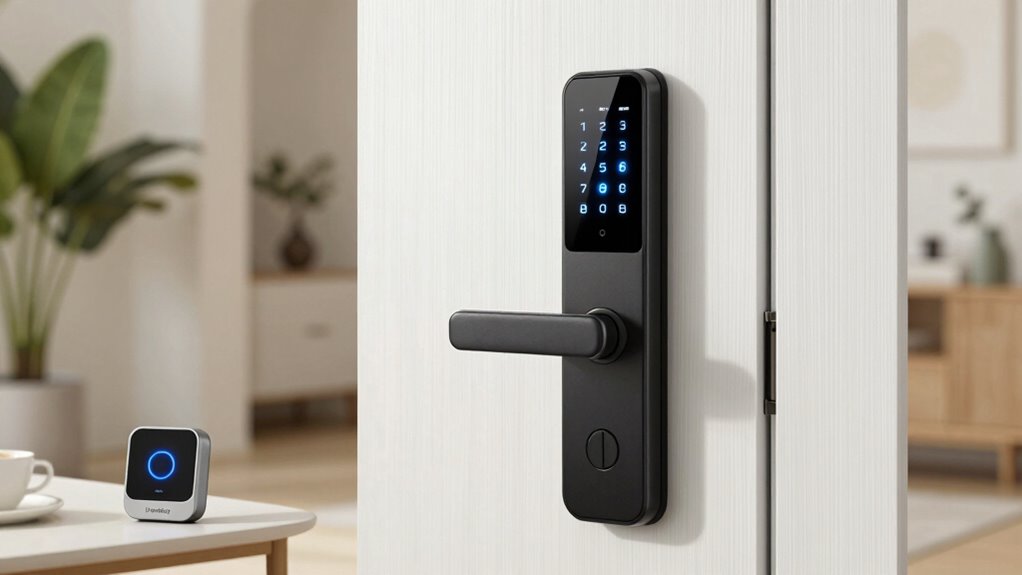

If you’re searching for a smart lock with Homekey, you’re looking for a solution that combines Apple’s seamless digital key experience with robust security features. The Aqara Smart Lock U50 stands out as the best overall choice thanks to its reliable performance and easy integration. For those who want premium features, the ThorBolt X3 offers advanced access options, but it comes at a higher price. A common tradeoff in this category is balancing affordability with features like biometric access or durability. Keep reading to see how these locks compare and which one fits your needs best.

Get home appliances delivered free with Prime
- Fast, free delivery on millions of items
- Prime Video, Amazon Music and more included
- Member-only deals all year
Complete the kit


Key Takeaways
- The Aqara U50 offers the best balance of affordability and Apple Homekey support, making it ideal for most users.
- Premium options like the ThorBolt X3 provide advanced features but come with a higher price tag and complexity.
- Build quality and integration stability vary, with some models offering better durability and smoother Homekey compatibility.
- Fingerprint access is common, but not all locks handle wear and dirt equally well, impacting long-term usability.
- Price often correlates with features—more expensive models tend to offer more biometric and Homekit options, but some affordable selections perform surprisingly well.
| Aqara Smart Lock U50 with Apple Home Key, Keyless Entry Deadbolt, Black |  | Best Overall for Apple Home Integration | Power Source: 4 AA Batteries | Battery Life: up to 6 months | Water Resistance: IPX5 | VIEW ON AMAZON | See Our Full Breakdown |
| Aqara UWB Smart Lock U400, Apple Home Key, Fingerprint Deadbolt, Black |  | Best for Hands-Free Convenience with Robust Security | Power Source: Rechargeable lithium battery | Battery Life: Up to 6 months | Water Resistance: IP65 | VIEW ON AMAZON | See Our Full Breakdown |
| Aqara Smart Lock U100, Apple Home Key, Fingerprint Deadbolt, Gray |  | Best for Long Battery Life and Weather Resistance | Power Source: 4 x AA 1.5V batteries | Battery Life: Up to 8 months | Water Resistance: IP65 | VIEW ON AMAZON | See Our Full Breakdown |
| ThorBolt X1 Smart HomeKit Keyless Entry Fingerprint Door Lock, Silver |  | Best for Design and Remote Management | Control App: Sleekpoint | User Capacity: 50 users, 100 passcodes, 100 fingerprints | Battery Life: Up to 1 year | VIEW ON AMAZON | See Our Full Breakdown |
| Aqara Smart Lock U100, Apple Home Key, Fingerprint Deadbolt, Silver |  | Best for Weatherproof Durability and Automation | Power Source: 4 x AA alkaline batteries | Battery Life: Up to 8 months | Water Resistance: IP65 | VIEW ON AMAZON | See Our Full Breakdown |
| ThorBolt X3 Smart HomeKit Keyless Entry Fingerprint Door Lock, Black |  | Best for Apple Ecosystem Integration and Long-Term Use | Compatibility: Apple Home Key, Thread-enabled | Battery Life: Up to 1 year | Fingerprint Storage: 100 fingerprints | VIEW ON AMAZON | See Our Full Breakdown |
| smart lock with homekey | Battery Life | Material | Power Source | Water Resistance |
|---|---|---|---|---|
| Aqara Smart Lock U50 with Appl | up to 6 months | Zinc alloy | 4 AA Batteries | IPX5 |
| Aqara UWB Smart Lock U400 | Up to 6 months | Plastic and metal | Rechargeable lithium battery | IP65 |
| Aqara Smart Lock U100 | Up to 8 months | Zinc alloy | 4 x AA 1.5V batteries | IP65 |
| ThorBolt X1 Smart HomeKit Keyl | Up to 1 year | Aluminum alloy | — | — |
| Aqara Smart Lock U100 | Up to 8 months | Zinc alloy | 4 x AA alkaline batteries | IP65 |
| ThorBolt X3 Smart HomeKit Keyl | Up to 1 year | — | — | — |
More Details on Our Top Picks
Aqara Smart Lock U50 with Apple Home Key, Keyless Entry Deadbolt, Black
The Aqara U50 stands out for seamlessly supporting Apple Home Key, allowing quick unlocking with iPhone or Apple Watch, a feature that sets it apart from the U400 which requires an additional hub for remote access. It offers multiple unlocking methods, including keypad and remote passwords, but NFC support is sold separately, which could be inconvenient. Its durable zinc alloy body and IPX5 water resistance make it suitable for outdoor use, while long battery life minimizes maintenance. However, the need for a compatible hub for some features and the moderate customer rating suggest it’s best for users already invested in Apple’s ecosystem or those prioritizing Apple-specific convenience. This pick makes the most sense for Apple-centric households seeking a secure, versatile lock with keyless entry.
Pros:- Supports Apple Home Key for effortless unlocking with iPhone or Apple Watch
- Multiple access options including keypad and remote passwords
- Long battery life and emergency USB-C charging port
- Durable zinc alloy body with IPX5 water resistance
Cons:- NFC card not included and sold separately
- Requires compatible hub for some advanced features
Best for: Apple users who want seamless, native integration for keyless entry via iPhone or Apple Watch.
Not ideal for: Homeowners who do not use Apple devices or prefer a fully standalone lock without extra hubs.
- Power Source:4 AA Batteries
- Battery Life:up to 6 months
- Water Resistance:IPX5
- Connectivity:Apple Home, Matter, Zigbee 3.0, Alexa, Google Home
- Material:Zinc alloy
- Security Standard:BHMALevel 3
Our verdict“Ideal for Apple users seeking a reliable, feature-rich lock that integrates tightly with their ecosystem but may require additional accessories for full functionality.”
Aqara UWB Smart Lock U400, Apple Home Key, Fingerprint Deadbolt, Black
The Aqara U400 introduces UWB technology for hands-free unlocking, offering a level of convenience that the U50 cannot match without additional setup. It combines fingerprint, passcode, NFC, and physical key options, making it highly versatile for users wanting multiple access methods. Its IP65 rating ensures outdoor durability, and its support for Matter over Thread facilitates connectivity with a broad range of smart home devices, including Apple Watch Series 6 or later. Compared to the U100, the U400’s UWB unlocking adds a seamless and modern touch, but UWB unlocking requires specific Apple hardware and setup, which could be a barrier for some. The rechargeable battery system supports up to 6 months per charge, balancing convenience with ongoing maintenance. This lock is suited for tech-savvy users who prioritize convenience and compatibility with Apple devices.
Pros:- UWB technology for fast, hands-free unlocking
- Supports multiple access methods including fingerprint, passcode, NFC, and physical key
- Compatible with Apple Watch Series 6+ and iPhone 11+
- IP65 outdoor durability and rechargeable battery
Cons:- UWB unlocking needs specific Apple hardware and setup
- NFC support is sold separately, adding to cost
- Battery life may vary with usage intensity
Best for: Tech enthusiasts seeking a high-tech, hands-free unlocking experience integrated with Apple devices and smart ecosystems.
Not ideal for: Users without specific Apple hardware or those preferring a simpler, less tech-dependent lock setup.
- Power Source:Rechargeable lithium battery
- Battery Life:Up to 6 months
- Water Resistance:IP65
- Connectivity:Matter over Thread, UWB, NFC
- Supported Devices:Apple Watch Series 6+, iPhone 11+
- Material:Plastic and metal
Our verdict“Best suited for those wanting cutting-edge, hands-free access who are comfortable with advanced tech setups and Apple ecosystem integration.”
Aqara Smart Lock U100, Apple Home Key, Fingerprint Deadbolt, Gray
The Aqara U100 offers a balanced mix of features, supporting Apple Home Key, fingerprint, password, and mechanical key options. It’s an excellent choice for users who want reliable outdoor durability, with an IP65 rating and long-lasting battery life of up to 8 months, slightly ahead of the U50 and U400. Unlike the U50, it requires an Aqara Zigbee 3.0 hub for remote password management and automation, which adds complexity but expands functionality. Compared to the U400’s UWB tech, the U100 focuses on straightforward, durable design and broad compatibility. NFC support is sold separately, which could be a drawback for some. This lock suits homeowners who value long-term reliability and weather resistance but are comfortable with a slightly more involved setup process.
Pros:- Supports Apple Home Key, fingerprint, password, and mechanical key
- Long battery life of up to 8 months
- Weather-resistant IP65 rating
- Supports automation via Zigbee hub
Cons:- Requires Aqara Zigbee 3.0 hub for remote management
- NFC card support sold separately
- Setup is more involved due to hub dependency
Best for: Homeowners wanting a weatherproof, long-lasting smart lock with flexible unlocking methods and broad smart home compatibility.
Not ideal for: Users seeking ultra-modern, hands-free unlocking technology or without Zigbee ecosystem setup experience.
- Power Source:4 x AA 1.5V batteries
- Battery Life:Up to 8 months
- Water Resistance:IP65
- Compatibility:Apple Home, Zigbee 3.0
- Unlock Methods:Apple Home Key, fingerprint, password, mechanical key
- Material:Zinc alloy
Our verdict“Ideal for users prioritizing durability, long battery life, and flexibility in access methods, especially in outdoor or challenging environments.”
ThorBolt X1 Smart HomeKit Keyless Entry Fingerprint Door Lock, Silver
The ThorBolt X1 emphasizes sleek design and broad flexibility, supporting Apple Home Key, Thread, and offering remote management via the Sleekpoint app. While it supports multiple unlocking options, including fingerprint, NFC, passcodes, and keys, its standout feature is the remote management capability, which the X3 does not offer. Its long-lasting battery life of up to a year and easy installation make it appealing for modern homes. However, remote control outside the local network requires a Thread-enabled hub, adding extra setup complexity. Compared to the U100 or U50, the X1’s focus on design and remote control makes it more attractive for users wanting a visually appealing lock with comprehensive management features, but it’s less suited for those avoiding extra hubs or preferring simpler setups.
Pros:- Supports Apple Home Key and Thread for seamless smart home integration
- Multiple unlocking methods including fingerprint, NFC, passcodes, and keys
- Long battery life of up to one year
- Remote management and activity monitoring via Sleekpoint app
Cons:- Requires a Thread-enabled hub for remote control outside local network
- Battery replacement needed approximately once a year
- Compatibility limited to standard US and Canadian doors
Best for: Design-conscious homeowners seeking a stylish lock with remote access and Apple HomeKit integration.
Not ideal for: Users wanting a straightforward, hub-free lock or those with standard door sizes outside the supported range.
- Control App:Sleekpoint
- User Capacity:50 users, 100 passcodes, 100 fingerprints
- Battery Life:Up to 1 year
- Connectivity:Apple Home Key, Thread
- Door Compatibility:Standard US/Canadian doors
- Material:Aluminum alloy
Our verdict“Perfect for style-conscious users who want remote management and multiple access options in a modern, integrated package.”
Aqara Smart Lock U100, Apple Home Key, Fingerprint Deadbolt, Silver
The Aqara U100 in silver offers a solid choice for users who prioritize weather resistance and automation. It supports Apple Home Key, fingerprint, password, and mechanical key, making it versatile. Its IP65 rating ensures durability against the elements, and the long battery life of 8 months reduces maintenance concerns. Unlike some other models, it requires an Aqara Zigbee 3.0 hub for remote access and automation, which could be a hurdle for less experienced users. The AES encryption for fingerprint data adds security, and the USB-C emergency charging port provides peace of mind. Compared to the U50, the U100 emphasizes outdoor resilience and automation, but the need for a hub can complicate setup and increase costs.
Pros:- Supports Apple Home Key, fingerprint, password, and mechanical key
- Weather-resistant IP65 rating
- Long battery life of up to 8 months
- Supports automation via Zigbee hub
Cons:- Requires Aqara Zigbee 3.0 hub for remote management
- NFC card support sold separately
- Setup may be complex for some users
Best for: Homeowners needing a weatherproof, long-lasting lock with automation and broad device support.
Not ideal for: Users who prefer a fully standalone lock without the need for a hub or complex setup.
- Power Source:4 x AA alkaline batteries
- Battery Life:Up to 8 months
- Water Resistance:IP65
- Compatibility:Apple Home, Zigbee 3.0
- Unlock Methods:Apple Home Key, fingerprint, password, mechanical key
- Material:Zinc alloy
Our verdict“A durable, automation-ready lock suited for outdoor use that balances security, longevity, and ecosystem support, with some setup complexity.”
ThorBolt X3 Smart HomeKit Keyless Entry Fingerprint Door Lock, Black
The ThorBolt X3 stands out for its seamless integration with Apple Home Key and Thread technology, offering a secure and streamlined experience for users already embedded in the Apple ecosystem. Compared to the Aqara U50, which also supports Home Key but lacks Thread, the X3’s Thread support enhances reliability and future-proofing in smart home setups. Its fast, adaptive fingerprint recognition ensures quick access, making it ideal for families or users who prioritize convenience. The long battery life—up to a year—reduces maintenance worries, but the need for a Thread-enabled Apple home hub to enable remote access can be a barrier for some. While the higher price reflects its advanced features and compatibility, it makes less sense for budget-conscious buyers or those with non-Apple homes. Overall, this lock is best suited for Apple enthusiasts who want a reliable, future-ready smart lock with keyless convenience and long-lasting power.
Pros:- Seamless integration with Apple Home Key and Thread technology
- Fast, accurate fingerprint recognition with adaptive learning
- Long battery life of up to one year with easy DIY installation
- App control for remote locking, monitoring, and user management
Cons:- Requires a Thread-enabled Apple home hub for remote access, adding extra setup cost
- Limited to standard USA & Canada door sizes, reducing flexibility
- Higher price point due to advanced features may deter budget-conscious buyers
Best for: Homeowners heavily invested in the Apple ecosystem seeking a future-proof, secure lock with Apple Home Key and Thread support
Not ideal for: Users on a tight budget or those without a Thread-enabled Apple home hub, as remote access setup becomes complicated and costly
- Compatibility:Apple Home Key, Thread-enabled
- Battery Life:Up to 1 year
- Fingerprint Storage:100 fingerprints
- Door Thickness:1-3/8″ to 1-3/4″ (35-55mm)
- Backset:2-3/8″ to 2-3/4″ (60-70mm)
- Included Components:Deadbolt, lockset, screw kit, backup keys, manual
Our verdict“This pick is ideal for Apple users who want a reliable, long-lasting smart lock with the latest connectivity features, but it may be less suitable for those on a tight budget or without a Thread hub.”

How We Picked
Our evaluation focused on key performance factors that matter most to consumers: reliable Homekey integration, ease of use, build quality, security features, and value for money. We considered how well each lock supports Apple’s Home Key ecosystem, including compatibility and responsiveness. Durability and battery life were also prioritized, as these impact long-term satisfaction. To rank the options, we balanced advanced features with affordability and looked for models that offered the best overall user experience in real-world scenarios, not just specs on paper.| smart lock with homekey | Battery Life | Water Resistance | Connectivity | Material |
|---|---|---|---|---|
| Aqara Smart Lock U50 with Appl | up to 6 months | IPX5 | Apple Home, Matter, Zigbee 3.0, Alexa, Google Home | Zinc alloy |
| Aqara UWB Smart Lock U400 | Up to 6 months | IP65 | Matter over Thread, UWB, NFC | Plastic and metal |
| Aqara Smart Lock U100 | Up to 8 months | IP65 | — | Zinc alloy |
| ThorBolt X1 Smart HomeKit Keyl | Up to 1 year | — | Apple Home Key, Thread | Aluminum alloy |
| Aqara Smart Lock U100 | Up to 8 months | IP65 | — | Zinc alloy |
| ThorBolt X3 Smart HomeKit Keyl | Up to 1 year | — | — | — |
Factors to Consider When Choosing Smart Lock With Homekey
Choosing the right smart lock with Homekey involves more than just matching features. Consider how integration with your existing smart home setup, durability, and user convenience will impact daily use. The following factors help clarify what to prioritize based on your needs and budget.Compatibility and Ecosystem Support
Ensure the lock supports Apple Home Key and integrates smoothly with your current smart home setup, especially if you use Apple devices. Compatibility issues can cause delays or frustration, so look for locks that are certified for Apple HomeKit and explicitly support Home Key. Sometimes, a lock’s app or firmware updates improve reliability over time, so check user reviews for ongoing support. Avoid models that promise compatibility but fall short in real-world performance.
Security Features and Build Quality
The primary purpose of a smart lock is security, so evaluate the lock’s physical robustness and security protocols. Look for high-quality materials, resistance to tampering, and features like multi-factor authentication. Biometric options such as fingerprint readers should be accurate and resistant to environmental factors like dirt or moisture. Cheaper models may cut corners on hardware durability, which can lead to failures or security risks over time.
Ease of Use and User Management
Consider how intuitive the lock is to operate, especially when using Home Key. Quick, reliable access without complicated procedures improves daily convenience. Some locks allow multiple users and remote management, which is ideal for families or rentals. Be wary of overly complex setup processes or limited user profiles, as these can frustrate daily use. A balance between features and simplicity tends to deliver the best experience for most homeowners.
Battery Life and Maintenance
Long-lasting batteries reduce the hassle of frequent replacements, especially if the lock supports features like remote unlocking or alerts. Check for models with low-battery warnings and easy access to batteries. Some locks use replaceable batteries, while others have rechargeable options. Poor battery performance can leave you locked out or without control, so prioritize models known for longevity and straightforward maintenance routines.
Price and Value
While premium models offer advanced features like biometric access and longer durability, there are affordable options that support Home Key without sacrificing essential security. Decide your budget based on how much you value convenience versus cost. Watch for features that genuinely add to your experience, such as remote access or multi-user support, rather than paying extra for bells and whistles that aren’t necessary for your situation.
Frequently Asked Questions
Will my existing Apple devices work seamlessly with these locks?
Most of the locks in this roundup are designed to integrate smoothly with Apple devices, especially those supporting Apple Home Key. Compatibility depends on having the latest iOS and a device with NFC capabilities. While setup is generally straightforward, some models may require firmware updates or specific app configurations. It’s wise to verify the lock’s compatibility with your specific Apple ecosystem before purchase to avoid issues with daily use or updates.
How secure are smart locks with Homekey compared to traditional deadbolts?
Smart locks with Homekey generally provide security comparable to traditional deadbolts, especially when they have strong encryption and tamper-resistant hardware. However, the security also depends on proper installation and ongoing firmware updates. While NFC-based access is convenient, it can be vulnerable if your device is compromised or lost. Combining biometric or passcode features with Homekey support enhances overall security, making these locks a reliable choice for most homes.
Can I install these locks myself, or do I need professional help?
Many smart locks with Homekey are designed for DIY installation, with step-by-step instructions included. Basic tools and some patience are usually sufficient, but compatibility with your existing door and deadbolt type matters. If your door has an unusual setup or if you prefer guaranteed correct installation, hiring a professional can prevent future issues. Always check the manufacturer’s installation guidelines and warranty conditions before proceeding on your own.
What happens if the lock’s battery runs out or the electronic system fails?
Most smart locks include backup options such as physical keys or manual override features. It’s important to verify these fallback methods before buying. Good models also notify you when batteries are low, giving you time to replace them. Relying solely on electronic access can be risky if power or connectivity fails, so choosing a lock with a durable battery and backup options is a wise move for peace of mind.
Is there a significant difference in durability between the models with different finishes?
Yes, finishes like matte black or gray often resist fingerprints and scratches better than shiny or lighter finishes. However, the underlying hardware quality is more critical for durability than appearance alone. Some finishes may wear over time or be more susceptible to environmental factors like moisture or sun exposure. Consider your climate and usage patterns when selecting a finish to ensure your lock maintains its appearance and functionality over the long term.
Conclusion
For most homeowners seeking a reliable, easy-to-use smart lock with Apple Homekey, the Aqara Smart Lock U50 offers excellent value and performance as the best overall choice. Those prioritizing advanced biometric features and premium build quality should consider the ThorBolt X3, though at a higher price. Beginners or users on a budget will find the Aqara U50 sufficient, while those with special security needs might prefer locks with multi-factor authentication. Ultimately, your choice depends on balancing features, budget, and how you plan to use your smart lock daily.