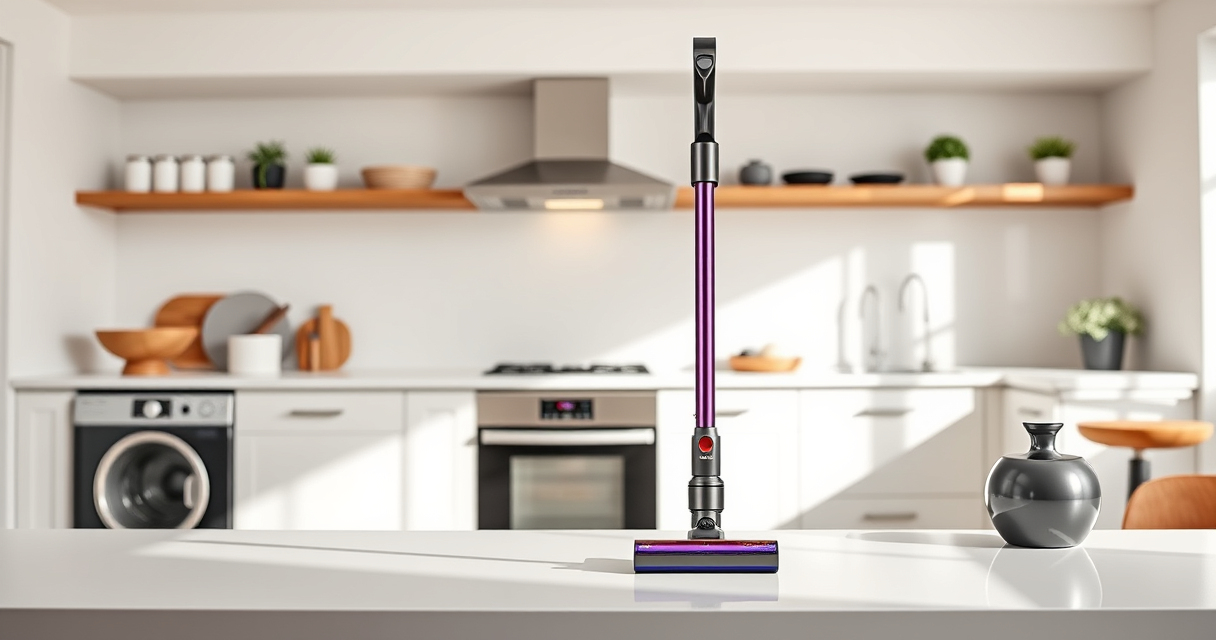
If your Dyson V15 Detect™ Origin cordless vacuum is losing battery life faster than expected, it can be frustrating. Many issues stem from clogged filters, worn-out parts, or battery health. This guide offers clear, step-by-step instructions to troubleshoot and restore optimal battery performance, ensuring you get the most from your Dyson vacuum.

Get home appliances delivered free — and shop member deals
- Fast, free delivery on millions of items
- Access to Prime Big Deal Days deals on October 6–7
- Prime Video, Amazon Music and more included
Following these safe and accurate methods will help extend your vacuum’s runtime and keep it functioning effectively for deep cleaning around your home or car.
Key Takeaways
| Battery health check | Battery degradation is a common cause of fast draining; replace if necessary. |
| Filter maintenance | Dirty filters reduce airflow and battery efficiency; clean or replace filters regularly. |
| Cleaner head and brush checks | Clogged or tangled cleaner heads can increase power draw, affecting battery life. |
| Proper charging habits | Avoid overcharging or leaving the battery fully discharged to prolong lifespan. |
1. Check and Clean the Filters
- Remove the pre-filters and main filters from your Dyson vacuum.
- Rinse the filters with cold water, then wring out excess water.
- Allow filters to dry completely for at least 24 hours before reinstalling.
- Replace filters if they are heavily stained or worn out.
2. Inspect the Cleaner Heads and Attachments
- Detach the Digital Motorbar or Fluffy Optic cleaner head and check for hair or debris tangled inside.
- Use a small tool or your fingers to remove any obstructions.
- Ensure the brush bar spins freely and no parts are damaged.
3. Test the Battery and Charging Process
- Charge your vacuum fully in a standard outlet, avoiding extension cords.
- Monitor the charging indicator; ensure it shows a complete charge.
- If the battery still drains quickly after full charge, consider replacing it.
4. Replace Worn or Faulty Batteries
If your vacuum’s battery no longer holds a charge or drains rapidly despite cleaning and maintenance, replacing the battery may be necessary. Contact Dyson support or an authorized service center for compatible replacement batteries.
5. Update Firmware and Reset Vacuum
If your Dyson V15 Detect™ Origin has an LCD screen, check for firmware updates via the Dyson app or support site. Reset the vacuum by turning it off, removing the battery, waiting a few minutes, and then reinserting the battery to reset internal systems.
The Products in This Guide

Dyson V15 Detect™ Origin Cordless Vacuum
- ✔ Weight: 6.8 lbs
- ✔ Run Time: 60 minutes
- ✔ Filter Type: HEPA

LANMU Crevice Tool Vacuum Attachments Compatible
- ✔ Length: 15 inches
- ✔ Weight: 0.3 lbs
- ✔ Color: Black and yellow
Dyson V15 Detect™ Origin Cordless Vacuum
The Dyson V15 Detect™ Origin offers exceptional deep cleaning with intelligent features and long runtime. To maintain its performance, regular filter cleaning and battery management are essential.
Pros:
- Strong suction power
- Intelligent debris detection
- Long 60-minute runtime
- LCD screen for diagnostics
Cons:
- Battery degradation over time
- Filters require regular cleaning
- Higher initial cost
Best for: Homeowners who need deep, versatile cleaning with smart tech
Not ideal for: Users seeking a budget-friendly, basic vacuum
Bottom line: Regular maintenance extends your Dyson V15’s battery life and cleaning efficiency.
LANMU Crevice Tool Vacuum Attachments Compatible
This LANMU crevice tool complements your Dyson V15 perfectly, reaching tight corners and small spaces to ensure no dust is left behind. It’s flexible and easy to use, making it an excellent addition for maintenance and detailed cleaning.
Pros:
- Narrow, flexible nozzle
- Compatible with multiple Dyson models
- Easy to attach and use
- Great for cars and furniture
Cons:
- Not suitable for larger debris
- Requires careful handling in tight spaces
- Attachment may require extra storage space
Best for: Precise cleaning in corners, edges, and small gaps
Not ideal for: Large debris removal or heavy-duty cleaning
Bottom line: A versatile tool that makes reaching difficult spots effortless.
Frequently Asked Questions
How often should I replace the filters on my Dyson V15?
It is recommended to wash and dry filters every 1-3 months and replace them every 6-12 months depending on usage.
Can I use third-party batteries to replace the Dyson V15 battery?
It’s best to use genuine Dyson or compatible replacement batteries to ensure safety and optimal performance.
Why does my Dyson vacuum turn off unexpectedly?
This could be due to overheating, a full dustbin, clogged filters, or battery issues. Troubleshooting these areas can help restore normal operation.
Is it safe to clean the filters with water?
Yes, most Dyson filters are washable. Make sure they are completely dry before reinstalling to prevent damage or mold growth.
Keep Your Dyson V15 Detect™ Origin in Top Shape
Regular maintenance, including cleaning filters, inspecting the cleaner heads, and managing the battery, is essential to prevent rapid battery drain. When issues persist, consider replacing worn-out parts like batteries or filters to restore your vacuum’s peak performance. With proper care, your Dyson V15 can deliver powerful cleaning for years to come.
Affiliate disclosure: As an Amazon Associate we earn from qualifying purchases. Prices and availability are accurate as of the time of publishing.
Cold & flu season Picks
humidifiers
As an affiliate, we earn on qualifying purchases.