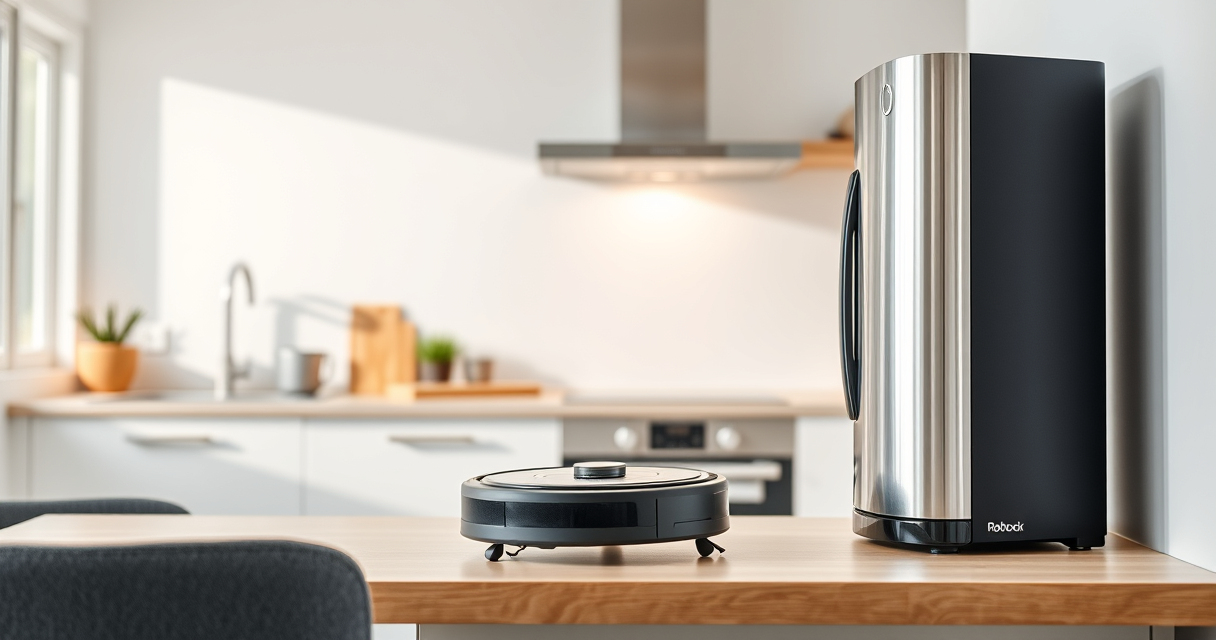

Roborock robot vacuums are a convenient way to keep your home clean with minimal effort. However, regular maintenance is essential to ensure they operate efficiently and last longer. Whether you’re dealing with reduced suction, navigation issues, or just want to keep your device in top shape, this guide provides detailed, practical steps to maintain your Roborock vacuum effectively.

Get home appliances delivered free with Prime
- Fast, free delivery on millions of items
- Prime Video, Amazon Music and more included
- Member-only deals all year
In this guide, we’ll walk through cleaning the main components, replacing filters and mop pads, troubleshooting common problems, and sharing tips to prolong your device’s lifespan. Follow these instructions carefully to keep your Roborock performing at its best.
Key Takeaways
| Routine Cleaning | Regularly clean brushes, filters, and sensors for optimal performance. |
| Filter Maintenance | Wash or replace filters every 1-3 months to maintain suction and air quality. |
| Battery & Charging | Ensure charging contacts are clean and use proper charging practices. |
| Troubleshooting Common Issues | Address navigation, suction, or app connectivity problems promptly. |
| Use Genuine Accessories | Replace mop pads and filters with compatible, high-quality parts. |
Cleaning the Main Brush and Side Brushes
- Turn off and unplug your Roborock vacuum for safety.
- Remove the main brush by releasing the brush cover. Carefully lift out the brush, detangling pet hair and debris.
- Use a cleaning tool or scissors to trim stubborn hair wrapped around the brush.
- Wash the brush with water if applicable, then dry thoroughly before reassembling.
- Remove side brushes and clean the brush bearings and axles with a soft cloth or brush.
Regular cleaning of brushes prevents blockages and ensures thorough cleaning, especially in homes with pets or high dust levels.
Replacing or Cleaning the Filters
Filters play a crucial role in maintaining suction power and air quality. Depending on usage, filters should be cleaned or replaced every 1-3 months.
- Remove the dustbin and take out the True HEPA washable filter.
- Rinse the filter gently under cold water, avoiding harsh scrubbing. Let it air dry completely for at least 24 hours before reinserting.
- If the filter is heavily soiled or damaged, replace it with a compatible, washable filter set (such as the 4 Pack Washable Filter, asin=B0DK99HTQ7).
Proper filter maintenance ensures your vacuum maintains high suction and keeps indoor air clean.
Maintaining and Replacing Mop Pads
For models with mopping functions, like the Roborock Q7 M5+, regular care of mop pads improves cleaning effectiveness and longevity.
- Remove mop pads after each cleaning session and rinse with water to remove dirt and stains.
- Use a damp cloth or microfiber mop pad for best results, avoiding harsh chemicals.
- Replace mop pads every 1-3 months or sooner if they show signs of wear or persistent staining. Consider the VIEWALL 6 Pack Reusable Mop Pads (asin=B0GT92FL9H) for convenience and durability.
Well-maintained mop pads help achieve thorough cleaning without damaging your floors.
Troubleshooting Common Roborock Issues
If your Roborock isn’t performing as expected, follow these troubleshooting steps:
- Reduced Suction: Check and clean the main brush, filters, and suction inlet. Replace filters if dirty or damaged.
- Navigation Errors: Clean sensors and LiDAR units, ensuring they are free of dust and obstructions.
- Connectivity Problems: Restart the device, ensure your Wi-Fi is stable, and update the firmware via the app.
- Device Not Charging: Clean charging contacts on both the dock and vacuum. Confirm power outlet functionality.
Addressing these issues promptly can prevent more serious problems and extend the life of your vacuum.
Tips for Safe and Effective Maintenance
- Always power off and unplug the vacuum before cleaning or replacing parts.
- Use only recommended or compatible accessories to avoid damage.
- Handle brushes and filters gently to prevent breakage.
- Regularly update your device’s firmware via the app for optimal performance and new features.
- Store your vacuum in a dry, cool place away from direct sunlight.
Following these tips ensures safe handling and maintains your Roborock’s excellent performance over time.
The Products in This Guide

roborock Q7 M5+ Robot Vacuum and Mop
- ✔ Max Suction: 10,000Pa
- ✔ Dust Bin Capacity: 2.7L
- ✔ Self-Empty Duration: Up to 9 weeks

4 Pack Washable Filter
- ✔ Pack Size: 4 filters
- ✔ Filter Type: HEPA
- ✔ Compatibility: Multiple models
roborock Q7 M5+ Robot Vacuum and Mop
The Roborock Q7 M5+ offers up to 7-9 weeks of hands-free cleaning thanks to its 2.7L sealed dust bag and self-emptying dock. Its 10000Pa suction power and dual anti-tangle system make it ideal for pet hair and deep-cleaning carpets, while PreciSense LiDAR navigation ensures efficient coverage.
Pros:
- Long-lasting self-emptying feature
- High suction power
- Pet hair & carpet friendly
- Effective navigation system
Cons:
- Higher initial cost
- Requires compatible filters for optimal performance
- Limited mop pad compatibility
Best for: Pet owners and those seeking low-maintenance, high-capacity cleaning
Not ideal for: Users needing frequent filter replacements or with very delicate floors
Bottom line: A powerful, low-maintenance robotic vacuum perfect for large homes with pets.
4 Pack Washable Filter
This 4-pack of washable filters ensures your Roborock Q-series maintains maximum suction and air quality. Easy to wash and durable, they are a cost-effective solution for ongoing maintenance.
Pros:
- Reusable and washable
- Compatible with multiple models
- Maintains high filtration efficiency
- Cost-effective
Cons:
- Requires regular washing
- Not OEM, but identical performance
Best for: Maintaining optimal suction and air quality
Not ideal for: Users preferring OEM filters or with heavy allergies needing special filtration
Bottom line: A reliable, washable filter set that keeps your vacuum performing at its best.
Frequently Asked Questions
How often should I clean the filters on my Roborock?
It’s recommended to wash the washable HEPA filters every 1-3 months, depending on usage. Replace filters if they show signs of damage or persistent dirt that cannot be cleaned.
What is the best way to clean the brushes?
Remove the main brush and side brushes, then clear away hair, dust, and debris using a brush or scissors. Wash the brushes with water and dry thoroughly before reinstalling.
How can I troubleshoot poor suction?
Check and clean the filters and suction inlet, ensure brushes are free of hair and debris, and replace filters if needed. Confirm the dustbin is correctly installed.
Why isn’t my Roborock charging?
Clean the charging contacts on both the vacuum and dock, ensure the dock is plugged in, and verify power outlet functionality. Restart the device to reset charging.
Can I use non-OEM mop pads?
Yes, but ensure they are compatible and high-quality microfiber pads. Using designed mop pads like the VIEWALL 6 Pack can help maintain cleaning efficiency.
Keep Your Roborock Running Smoothly with Routine Care
Proper maintenance is key to keeping your Roborock vacuum performing at its best. Regular cleaning of brushes, filters, and sensors, along with timely replacement of mop pads and filters, will extend your device’s lifespan and ensure it continues to deliver powerful cleaning. Troubleshooting common issues promptly can prevent costly repairs and minimize downtime. By following these practical tips, you can enjoy a consistently clean home with minimal effort and maximum efficiency from your Roborock robot vacuum.
Affiliate disclosure: As an Amazon Associate we earn from qualifying purchases. Prices and availability are accurate as of the time of publishing.
NFL season / tailgating Picks
team gear
As an affiliate, we earn on qualifying purchases.