
TL;DR

Get home appliances delivered free with Prime
- Fast, free delivery on millions of items
- Prime Video, Amazon Music and more included
- Member-only deals all year
Smart thermostats connect to your heating and cooling system so you can control temperatures with schedules, an app, and sometimes room sensors or voice commands. They can reduce heating or cooling when you are away or asleep, but savings depend on your home, equipment, local weather, energy prices, and settings. Check HVAC compatibility and wiring before buying, and use a licensed professional if installation involves unfamiliar equipment or wiring.
A thermostat can save energy while you sleep, then still leave you shivering at breakfast. The difference often comes down to whether its settings match your home and routine.
Smart thermostats connect to your heating and cooling system and let you manage temperatures through schedules, an app, and sometimes voice control. This guide explains how those features work, what they can and cannot do for comfort and energy use, and how to check compatibility before you buy.
You will also find practical advice on installation, privacy, and long-term value. Picture a chilly upstairs bedroom and a sunny living room: sensors may help the thermostat respond to the room you care about, while ductwork or insulation may still be the real cause of the temperature gap.
Smart thermostats let you manage heating and cooling with schedules, an app, and sometimes voice control or room sensors.
Energy savings vary with climate, insulation, HVAC equipment, energy prices, and settings; no single savings estimate applies to every home.
Check the exact thermostat’s compatibility with your wiring, heat pump, boiler, multi-stage equipment, or zoning system before buying.
Turn off power before handling thermostat wires, and use a licensed HVAC professional if the wiring or system is unfamiliar.
Review data practices, account security, local controls, and current smart-home compatibility before relying on connected features.
What a Smart Thermostat Can Do for Your Daily Routine
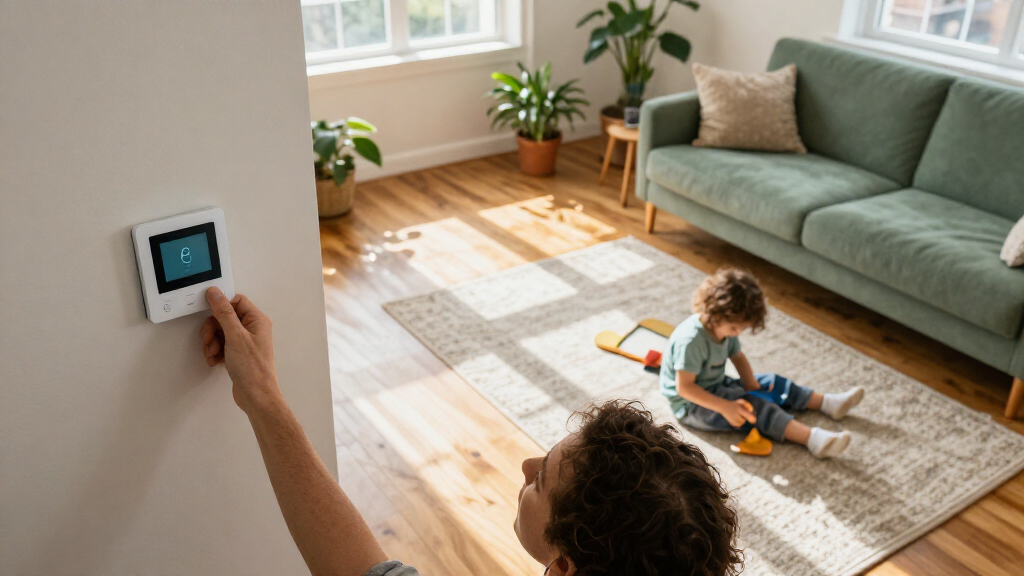
A smart thermostat connects to your home’s heating and cooling system and lets you adjust temperatures through a thermostat, app, schedule, or, on some models, a voice assistant. Many models can use occupancy patterns, sensors, or local weather information to guide adjustments. For example, you can schedule a cooler setting while you sleep and have the house warm up before your alarm.
Think of its schedule as a helpful stage manager: it cues comfort for the moments you need it, but it cannot change the actors or the stage. If a bedroom stays cold because air barely reaches it, an app command may run the furnace longer without fixing the airflow problem. A smart control can make an existing system easier to manage; it cannot redesign that system.
Remote access is useful when your plans change. If you leave for a weekend and forget to adjust the temperature, you can check the app and make a change from your phone. Basic control often works at the wall even if the internet goes down, though remote access, cloud functions, and integrations may stop working.
Features vary across products and regions, and product support can change. Some thermostats offer room sensors or utility-program links; others focus on schedules and app control. Before you buy, check the current product specifications for the features you expect to use.
Products Worth Considering

Philips Hue White and Color Ambiance Smart Light Starter Kit with Bridge and 4 A19 Bulbs

LEVOIT Vital 200S-P Smart Air Purifier for Large Rooms

Ring Alarm 8-Piece Kit (2nd Gen) Home Security System
As an affiliate, we earn on qualifying purchases.
How Schedules and Sensors Can Help With Comfort and Energy
Smart thermostats can reduce heating or cooling when you are asleep or away, then bring the temperature closer to your preferred setting when you return. That can save energy, but there is no universal savings figure: climate, insulation, equipment, energy prices, and configuration all affect the result. A thermostat is a control tool, not a guaranteed discount on your bill.
For example, imagine you leave for work at 8 a.m. and come home at 6 p.m. A schedule can reduce heating or cooling during the empty hours, then restore your chosen temperature before you return. How much that changes your energy use depends on your home and HVAC system. A drafty house may lose heat quickly; a well-insulated one may hold its temperature longer.
Room sensors can help the thermostat respond to a frequently used space. If the nursery warms up in afternoon sun, a sensor may let that reading influence the system. Many sensor setups prioritize or average temperatures, though. They do not usually give every room independent heating and cooling unless the home has a compatible zoning system.
Uneven temperatures can come from ductwork, insulation, sun exposure, or the system’s design. A sensor may make control more responsive, like moving a lamp closer to the page you are reading, but it cannot repair a blocked duct. If one room is always uncomfortable, note when it happens and check the airflow or ask an HVAC professional to investigate.
Energy savings depend on the home: test a schedule that fits your routine, then compare energy use over similar periods rather than relying on a product’s best-case claim.
Check Compatibility Before You Spend Money
A smart thermostat works only when it supports your specific heating and cooling system, wiring, and equipment configuration. Before ordering, use the manufacturer’s compatibility tool and check whether your home has a heat pump, boiler, multi-stage system, proprietary controls, or multiple zones. Similar-looking wires do not guarantee that two systems use the same controls.
Take a clear photo of the existing thermostat wiring and note the model of your HVAC equipment before you shop. For instance, a homeowner with a heat pump may need a thermostat that supports the system’s heating and cooling stages and the right changeover settings. A thermostat designed for a simpler setup could be incompatible even if the wall plate looks familiar.
C-wire requirements vary. Some models need a common wire to power their features; others work without one or include an adapter. Read the requirements for the exact thermostat and system combination. Do not assume a product will work because another homeowner with a different furnace installed it successfully.
Check for utility incentives while you compare prices. Some utilities and local programs offer rebates, but eligibility, approved products, and application deadlines vary. A rebate can improve the long-term value, but it should not make you skip the compatibility check or ignore installation costs.
For an older boiler, a multi-zone system, or proprietary controls, contact the thermostat maker or a qualified HVAC professional before buying. Getting a compatibility answer first is less frustrating than finding out your new thermostat cannot control the system after you have taken the old one off the wall.
Install It Safely and Know When to Call a Pro
Many smart thermostats are designed for DIY installation, but you should handle wiring only when you understand the manufacturer’s instructions and your system’s setup. Turn off power to the HVAC system before handling thermostat wires. If the equipment, wiring, or controls are unfamiliar, have a licensed HVAC professional install it.
A straightforward replacement might involve labeling the existing wires, mounting a compatible wall plate, connecting the wires as instructed, and configuring the thermostat. Say you see several unlabeled conductors and cannot tell which controls the heat pump. Guessing could lead to system problems; stop and get qualified help instead of treating wire colors as a universal map.
Follow the product instructions step by step, and take photographs before disconnecting the old thermostat. Keep loose wires from slipping into the wall, and confirm that the system responds correctly after setup. If your work involves electrical changes beyond the thermostat connection, use a licensed professional and follow applicable codes and permit requirements.
- Confirm compatibility with the exact HVAC equipment and wiring.
- Turn off power at the appropriate switch or breaker before touching wires.
- Label and photograph the existing connections before removing them.
- Follow the manufacturer’s instructions for wiring, mounting, and setup.
- Test heating and cooling as directed, and call a professional if the system behaves unexpectedly.
Installation cost is part of the value calculation. A compatible thermostat you install safely may cost less overall, while an unfamiliar or complex system may make professional installation the more practical choice.
Protect Your Privacy and Keep Control When Wi-Fi Drops
A connected thermostat may collect temperature, occupancy, location, or usage data, depending on its features and settings. Before linking it to your phone, review the manufacturer’s privacy information, data-sharing choices, software-update policy, and account security options. A feature such as geofencing may use your phone’s location to help decide when to adjust the home temperature.
Imagine you enable automatic away settings but share the account with family members. Check whose phones and accounts can control the thermostat, then use a strong, unique password and enable multifactor authentication when available. These small steps help protect access to both the controls and the data attached to your account.
Internet outages affect smart features differently. Basic heating or cooling control at the wall commonly continues, while app access, cloud services, or voice commands may become unavailable. Before buying, check which controls work locally and whether a connection is needed for features you care about.
Smart-home compatibility deserves the same product-by-product check. Matter is an important interoperability standard, but support depends on the particular thermostat, platform, and features. Do not assume that a logo or support for one assistant means every function will work with every device in your home.
Manufacturers can change software support and cloud features over time. Look for clear support commitments and consider whether the thermostat remains useful if an app service changes. A simple schedule and dependable local controls can matter more over the product’s life than a long list of integrations you rarely use.
Compare Total Cost With the Comfort You Actually Need
The best smart thermostat for you is the one that matches your HVAC system and solves a real problem at a price that makes sense. Compare the device price, installation, likely energy changes, incentives, warranty, and expected HVAC system life. Do not count on a fixed payback: energy savings depend on the home, climate, equipment, energy prices, and settings.
| What you need | Feature to check | What it can help with | What it cannot promise |
|---|---|---|---|
| Control while away | App access and reliable connectivity | Changing a setting when plans shift | App control during every outage |
| Comfort in a particular room | Compatible room sensors | Prioritizing or averaging temperatures | Independent room heating without zoning |
| Lower energy use | Schedules, occupancy features, and clear controls | Reducing heating or cooling when it is not needed | A guaranteed bill reduction |
| Smart-home control | Compatibility with your platform and supported Matter features | Using selected integrations | Every feature working across every brand |
Consider a household where the upstairs bedroom runs hot at night, but the living room is comfortable. A sensor system could make the bedroom reading matter more during sleep hours; if the house has only one heating and cooling zone, the rest of the home may also cool as the system responds. That tradeoff may still feel worthwhile, but it is better to understand it before purchase.
Check warranty terms and rebates directly with the manufacturer and utility. A rebate may lower the upfront cost, while a short remaining life for your HVAC system could change how much you want to spend on connected features. Start with the comfort or control problem you want to solve, then pay for features that address it.
Frequently Asked Questions
Will a smart thermostat work with my heating and cooling system?
It depends on your exact HVAC equipment, wiring, and controls. Use the manufacturer’s compatibility tool and check requirements for heat pumps, boilers, multi-stage equipment, and zoning before buying.
Do I need a C-wire?
Not always. Requirements vary by thermostat and HVAC system; some models work without a C-wire or support an adapter. Check the instructions for the exact model and equipment combination.
How much money will a smart thermostat save?
There is no universal savings amount. Climate, insulation, equipment, energy prices, and settings all affect energy use, so a thermostat cannot guarantee a particular bill reduction.
Can a smart thermostat control temperatures in individual rooms?
Some models use sensors to prioritize or average readings from selected rooms. They generally cannot provide separate heating and cooling to each room unless your HVAC system supports zoning.
Will my thermostat work if the Wi-Fi goes out?
Basic control at the wall often continues, but remote app access, cloud services, and some integrations may stop. Check which controls work locally before you buy.
Can I install a smart thermostat myself?
Often, if the thermostat supports your system and you can follow the manufacturer’s wiring instructions. Turn off power before handling wires, and call a licensed HVAC professional if the system or wiring is unfamiliar or complex.
Are smart thermostats secure and private?
Privacy and security depend on the product, its data settings, software support, and your account practices. Review data-sharing options, use a strong unique password, and enable multifactor authentication if offered.
Conclusion
Choose a smart thermostat by starting with your home: identify the HVAC system, name the comfort or energy problem you want to solve, and verify compatibility before purchase. A thoughtful schedule or room sensor can make a real difference, but it cannot fix poor insulation, duct problems, or a system that does not support the feature.
Set it up safely, protect your account, and give your schedule time to prove itself. The best result is a home that feels right when you wake, return, or settle into bed—and a thermostat that quietly does its job.