To update your smart appliances safely, make certain they’re connected to a secure, stable Wi-Fi network and follow the manufacturer’s instructions carefully. Make sure the device is powered or fully charged before starting, and avoid updating over public Wi-Fi. Don’t interrupt the process, and if issues arise, restart the device or contact support. Following these steps helps protect your device and keeps it running smoothly—there’s more to learn to keep your appliances secure and up-to-date.
Key Takeaways
- Use a secure, private Wi-Fi network during updates to prevent security risks and interruptions.
- Follow manufacturer instructions carefully and ensure the device has a stable power source before updating.
- Avoid updating over public or unsecured networks to protect against man-in-the-middle attacks.
- Confirm successful firmware installation by checking device settings post-update.
- Troubleshoot issues by restarting devices, resetting if needed, and contacting support if problems persist.
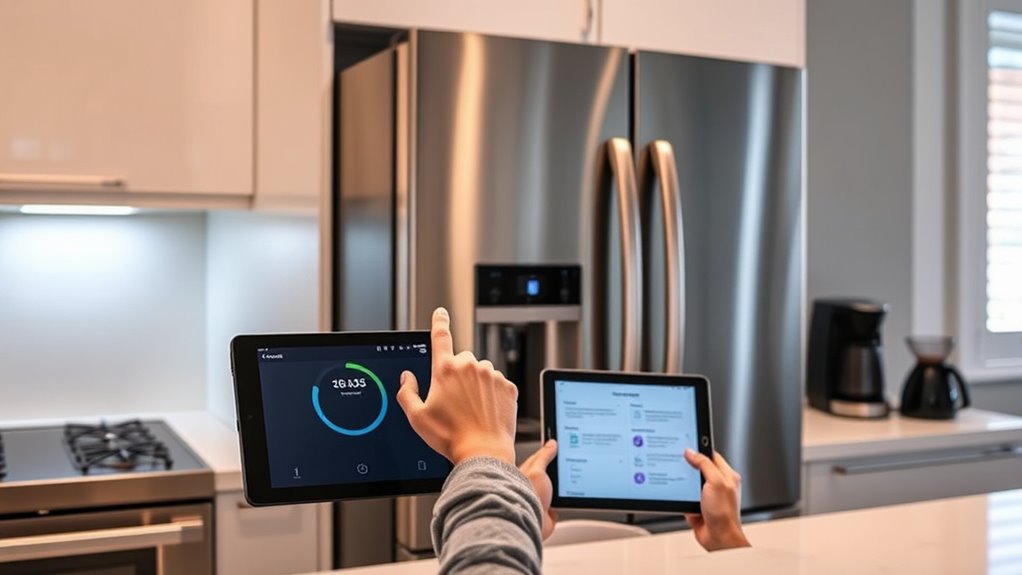
Updating the firmware on your smart appliances is essential for ensuring they run smoothly, securely, and with the latest features. Firmware updates often include important security patches that protect your devices from vulnerabilities that cybercriminals could exploit. Ignoring these updates can leave your smart home open to security risks, such as unauthorized access or data breaches. To keep your devices secure, it’s vital to stay informed about firmware updates and install them promptly. However, updating firmware isn’t always straightforward, and troubleshooting tips can help you navigate common issues that may arise during the process.
Updating firmware keeps your smart devices secure, feature-rich, and running smoothly—don’t neglect these vital updates.
Before diving into an update, make sure your appliances are connected to a stable Wi-Fi network. Interrupting a firmware update due to lost internet connection can cause software corruption, which might brick the device or make it unstable. It’s a good idea to read the manufacturer’s instructions carefully; some devices require specific steps or precautions, like ensuring the device has a full battery or is connected to power. Additionally, check if there are any known issues or recent updates posted on the manufacturer’s website or support forums to avoid potential bugs or conflicts.
If you encounter problems during the update, troubleshooting tips can save you time and frustration. For example, if your device stalls or fails to update, restarting the device and your router can often resolve minor glitches. Sometimes, resetting your device to factory settings can help if the update process becomes corrupted, but be aware that this might erase customized settings. Keep a backup of your preferences if possible. Also, verify that your device’s firmware version has been successfully updated by checking the device’s settings post-update. If it hasn’t, try reinitiating the process or contact customer support for guidance.
Security risks are a significant reason to keep firmware updated, but they also highlight the importance of following proper procedures. Avoid updating firmware over unsecured or public Wi-Fi networks, as this can expose your device to man-in-the-middle attacks. Use your home network’s secured connection and, if possible, update during a time when your network is less congested to prevent interruptions. Never power off the device during an update unless explicitly instructed, as this can cause software corruption and lead to security vulnerabilities or malfunction. Additionally, understanding that firmware updates are essential for security can motivate timely installation and proper update practices.
Frequently Asked Questions
Can Firmware Updates Improve Appliance Performance?
Yes, firmware updates can improve your appliance’s performance by fixing bugs and adding new features. However, they can also address security vulnerabilities, making your device safer from hackers. Keep in mind, updates might cause compatibility issues with other devices or apps. To avoid problems, always follow the manufacturer’s instructions carefully and confirm your appliance is connected to a secure Wi-Fi network during the update.
What Are the Signs of a Failed Firmware Update?
When your smart appliance suddenly acts like it’s possessed, you know something’s off. Signs of a failed firmware update include unresponsive devices, error messages, or odd behaviors—classic signs of firmware corruption or update failure. If your gadget turns into a paperweight overnight, it’s a clear signal. Don’t ignore these clues; they’re the universe’s way of warning you that your firmware update didn’t go as planned.
Should I Disconnect Other Devices During Firmware Updates?
Yes, you should disconnect other devices during firmware updates to guarantee device compatibility and prevent interference. Keeping your smart appliances and other connected gadgets separate reduces the risk of update failures caused by network congestion or power fluctuations. It’s best to choose an update timing when your network is less busy, so the process completes smoothly. This helps protect your devices and ensures the firmware update installs correctly.
How Often Should I Check for Firmware Updates?
You should check for firmware updates every few months to guarantee your smart appliances stay compatible with the latest software and features. Regularly monitoring update frequency helps maintain software compatibility, prevent security issues, and improve performance. Set a reminder to verify updates through the app or device settings. By doing this, you keep your appliances running smoothly and securely, avoiding potential glitches caused by outdated firmware.
Are Firmware Updates Necessary for All Smart Appliances?
Firmware updates aren’t necessary for all smart appliances, but they often improve security and functionality. You should consider updating more frequently if security risks increase or if the manufacturer releases critical patches. Regular updates can protect your device from vulnerabilities, so it’s wise to check for updates based on the update frequency recommended by the manufacturer. Staying current helps prevent security risks and ensures your smart appliances run smoothly.
Conclusion
By following these simple steps, you guarantee your smart appliances stay secure and efficient. Remember, just like a gardener tends to delicate plants, you must nurture your devices with care. Neglecting updates is like leaving a door wide open for security risks. So, stay vigilant—keeping firmware current is the key to a smarter, safer home. Don’t let your devices fall behind; embrace the update, and let your smart home flourish.