
If your video doorbell chime isn’t working, start by checking the wiring connections. Make sure all wires are secure, properly connected, and free of corrosion, especially at the doorbell and chime. Next, verify the transformer supplies the correct voltage and isn’t faulty. Finally, inspect the batteries if your unit is wireless, ensuring they’re fully charged. Addressing these three wiring points often fixes common issues—keep going for more tips to get your chime ringing again.
Key Takeaways
- Verify all wiring connections are secure, free of corrosion, and connected to correct terminals per manufacturer instructions.
- Check the transformer’s voltage output and functionality to ensure proper power supply to the chime.
- Confirm the doorbell wires are properly connected and not loose or damaged, especially after recent wiring changes.
- Ensure batteries in wireless units are fully charged and correctly installed for consistent operation.
- Reduce wireless interference from other devices and improve Wi-Fi signal strength to prevent communication issues.
Video Doorbell Chime Problems
If your video doorbell chime isn’t sounding or working correctly, it can be frustrating and leave you wondering what went wrong. Often, the issue comes down to wiring problems, but before you start rewiring, it’s essential to check for common culprits like wireless interference and power supply issues. Wireless interference can disrupt the communication between your doorbell and its chime, especially if your home has many Wi-Fi devices or other signals operating on similar frequencies. Devices like cordless phones, baby monitors, or neighboring Wi-Fi networks can interfere with the doorbell’s signals, causing the chime to not sound or respond intermittently. To troubleshoot this, try relocating your Wi-Fi router or reducing the number of active devices to see if the issue improves. Also, ensure your doorbell and chime are within a good range of your Wi-Fi network, as weak signals can cause communication failures.
Power supply issues are another common reason your video doorbell’s chime isn’t working properly. Many doorbells rely on a steady power source, either through wired connections or rechargeable batteries. If your system is wired, inspect the wiring for any loose or disconnected wires that could prevent proper power flow. Loose connections can cut off power to the chime, making it silent. For wired systems, check the transformer, as a malfunctioning or improperly rated transformer might not supply enough voltage. If you use a battery-powered doorbell, verify that the batteries are fully charged and properly installed. Dimming lights or flickering can sometimes indicate voltage problems, so it’s worth testing the power supply with a multimeter if you’re comfortable doing so. Remember, a weak or inconsistent power supply can cause the chime to malfunction or not chime at all. Additionally, ensuring that your power supply is compatible with your doorbell model can prevent ongoing issues.
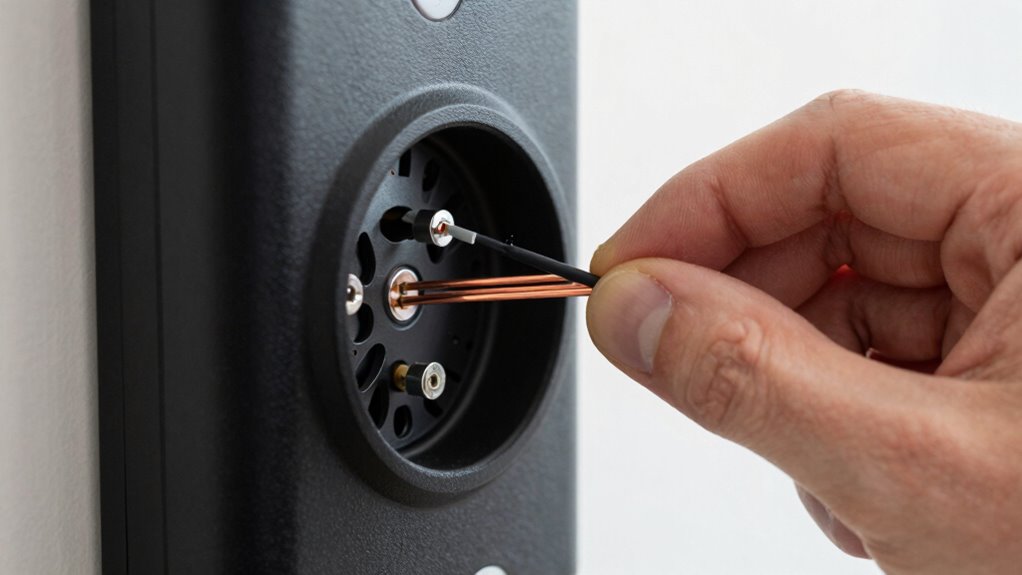
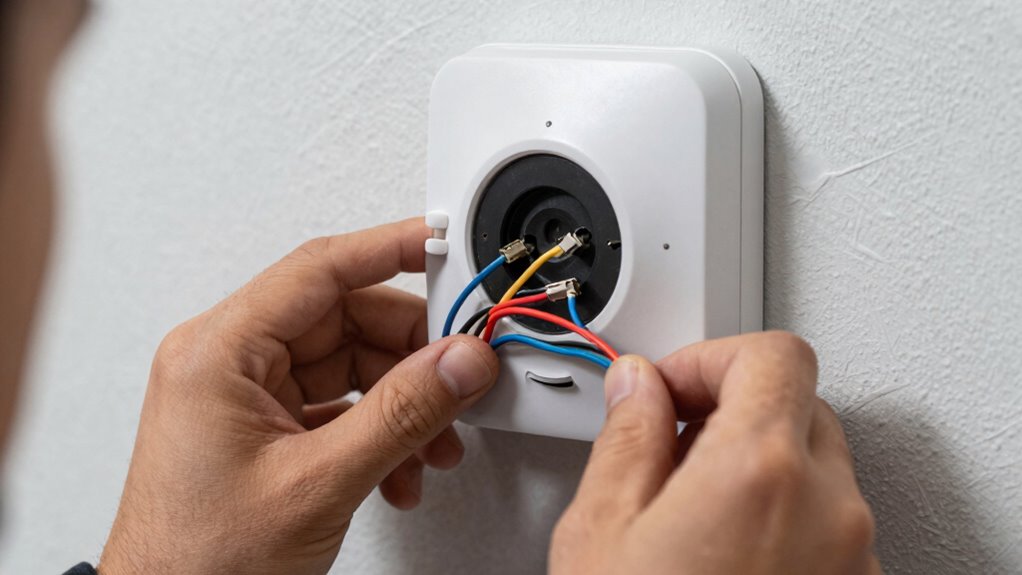
Additionally, ensure that the wiring connections at the chime and doorbell units are secure and correctly configured. Sometimes, loose or corroded wires can cause intermittent issues. If your doorbell has a dedicated chime wiring, verify that the wires are connected to the correct terminals as per the manufacturer’s instructions. If you recently changed your Wi-Fi network or made changes to your home’s wiring, double-check these connections. Often, fixing wiring issues and reducing wireless interference can resolve the problem without needing to replace parts.
Frequently Asked Questions
Can a Faulty Transformer Cause Chime Issues?
Yes, a faulty transformer can cause chime issues. If the transformer’s voltage is too low or inconsistent, your doorbell won’t get enough power to ring properly. Check the wiring color, often red or yellow, to make certain correct connections. A malfunctioning transformer might also have loose or damaged wiring, preventing proper signal flow. Replacing or repairing the transformer usually fixes these chime problems and restores proper operation.
How Do I Reset My Video Doorbell Chime?
To reset your video doorbell chime, start by turning off the power at your breaker to make certain of safety. Remove the chime cover and disconnect it from the wiring diagram. Press and hold the reset button for about 10 seconds, then reconnect the wiring and replace the cover. Turn the power back on, and your doorbell sound should reset. This process can resolve minor glitches and restore proper function.
Is There a Compatibility Issue With Certain Doorbell Brands?
Yes, brand compatibility can be an issue with certain doorbell brands and chimes. You should check if your doorbell brand satisfies the wiring standards required by your chime. Some brands may use different voltage or wiring configurations, leading to problems. To avoid issues, verify compatibility before installation, and consider consulting the manufacturer’s guidelines or customer support to ensure your doorbell and chime work seamlessly together.
What Should I Do if the Chime Works but No Video Feed?
If your chime works but there’s no video feed, start with video feed troubleshooting by checking your Wi-Fi connection and ensuring the doorbell is within range. Then, perform doorbell wiring diagnostics to confirm all connections are secure and properly grounded. Restart the device, update the app, and reset your doorbell if needed. These steps help identify if a wiring or network issue is causing the video feed problem.
Are There Specific Wiring Colors for Different Brands?
Think of wiring colors as the language of your doorbell, each brand speaking its own dialect. While some brands follow standard wiring color coding—like red for power, white for neutral—others have brand-specific wiring that can vary. Always check your doorbell’s manual or manufacturer’s instructions to decode these signals correctly. Ignoring brand-specific wiring risks miscommunication, so verify you match the wiring colors precisely for a smooth setup.
Conclusion
If you’re still having chime issues after checking the wiring, don’t give up. Remember, over 60% of doorbell problems are wiring-related, so a quick inspection could save you time and frustration. Taking these simple steps guarantees your doorbell functions perfectly, keeping your home secure and connected. With a little patience, you’ll restore your doorbell’s reliability in no time—because staying connected matters more than ever.