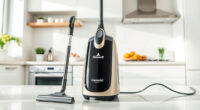
If your Dyson V15 Detect™ Origin cordless vacuum is losing battery life quickly, it can be frustrating. Fortunately, many battery issues are fixable with proper troubleshooting and maintenance. This guide will walk you through the steps to identify and resolve common battery problems, ensuring your vacuum delivers optimal cleaning performance.
Before diving in, gather the necessary tools and replacement parts, such as filters or attachments if needed. Always follow safety precautions to prevent damage or injury during the process.
Key Takeaways
| Battery Performance | Battery life can decline due to dirty filters or aging batteries. |
| Maintenance Checks | Regular cleaning of filters and components can extend battery life. |
| Replacement Parts | Using genuine filters and accessories maintains optimal performance. |
| Proper Charging | Ensure correct charging habits to preserve battery health. |
Step 1: Check and Clean the Filters
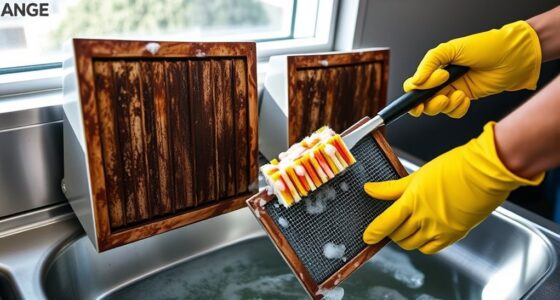
- Remove the pre-filters and main filters from your Dyson V15 Detect™. Refer to the user manual if needed.
- Rinse the filters thoroughly with water. Do not use soap or detergents.
- Allow filters to air dry completely, usually for at least 24 hours, before reinstalling.
- Reinstall the filters securely to ensure proper sealing and airflow.
Step 2: Examine the Battery and Charging Port
- Inspect the battery for any visible damage or swelling.
- Check the charging port for debris or dust. Clean gently with a dry cloth or compressed air.
- Ensure the charger is working correctly by testing with another compatible device if available.
Step 3: Reset and Recalibrate the Battery
To recalibrate, fully discharge the battery by running the vacuum until it stops. Then, charge it uninterrupted to 100%. Repeat this process once or twice. This helps your vacuum’s LCD display and battery indicator to recalibrate for more accurate runtime reading.
Step 4: Replace Aging Filters and Consider Battery Replacement
If your filters are old or heavily soiled, replace them with new ones like the 3Pack Pre Filters Replacement or V10 filters, depending on your model. If the battery still drains quickly after cleaning and recalibration, consider replacing the battery or contacting Dyson support for further assistance.
Additional Tips and Warnings
- Use only genuine Dyson replacement parts to avoid damage and ensure compatibility.
- Do not overcharge the battery; unplug after it reaches full capacity.
- Avoid exposing the vacuum or battery to extreme temperatures.
- If unsure, seek professional repair services or contact Dyson customer support.
The Products in This Guide

Dyson V15 Detect™ Origin Cordless Vacuum
- ✔ Battery Type: Li-ion
- ✔ Charging Time: Approximately 4 hours
- ✔ Weight: Approx. 6.8 lbs

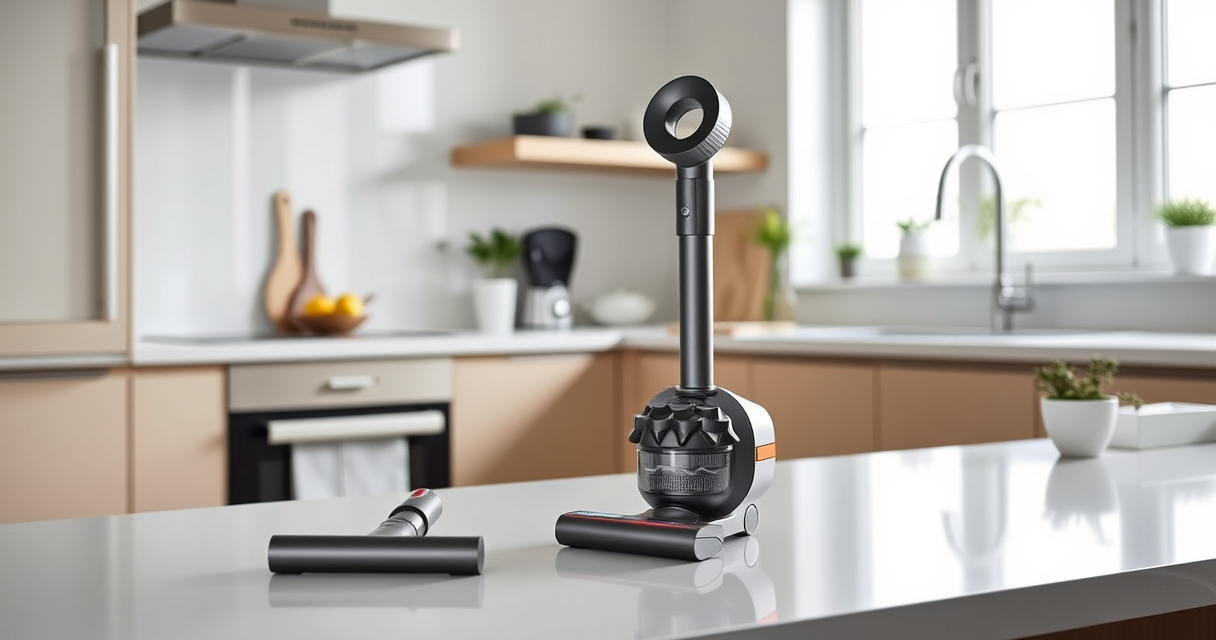
LANMU Crevice Tool Vacuum Attachments Compatible
- ✔ Nozzle Width: Slim profile
- ✔ Weight: Less than 0.5 lbs
- ✔ Material: Polymer plastic
Dyson V15 Detect™ Origin Cordless Vacuum
The Dyson V15 Detect™ Origin offers impressive cleaning with smart features and a strong motor. However, battery performance can decline without proper upkeep. Follow these steps to keep your vacuum running at its best.
Pros:
- Long 60-minute runtime
- Intelligent dust detection
- Powerful suction
- Multiple cleaning heads
Cons:
- Battery may degrade over time
- Filters require regular cleaning
- Battery replacement can be costly
Best for: Homeowners seeking deep cleaning and smart features
Not ideal for: Users who prefer corded vacuums or have very limited storage space
Bottom line: Regular maintenance and timely replacements help maximize your Dyson V15 Detect™’s battery life.
LANMU Crevice Tool Vacuum Attachments Compatible
The LANMU Crevice Tool Vacuum Attachments fit Dyson V15 and other models, making it easier to reach corners, upholstery, and car interiors. It’s a practical addition for comprehensive cleaning.
Pros:
- Narrow nozzle for tight spots
- Compatible with multiple Dyson models
- Flexible and easy to maneuver
- Helps remove hidden dust
Cons:
- Requires separate purchase
- May not fit older or non-Dyson models
- No built-in brush
Best for: Cleaning corners, upholstery, and car interiors
Not ideal for: Heavy-duty cleaning or large debris removal
Bottom line: A versatile tool that enhances your Dyson’s reach and cleaning efficiency.
Frequently Asked Questions
Why does my Dyson battery die quickly even after a full charge?
Battery degradation over time, clogged filters, or improper charging habits can reduce runtime. Regular maintenance and filter cleaning can help improve performance.
Can I replace the Dyson V15 battery myself?
Battery replacement is possible but involves disassembling the vacuum. For safety and best results, consider professional service or contacting Dyson support.
How often should I clean or replace filters?
Clean filters every 1-3 months and replace them every 6-12 months, depending on usage. Use genuine filters for optimal performance.
What should I do if my vacuum still has poor battery life after cleaning?
Check for software updates, recalibrate the battery by fully discharging and charging, and consider replacing the battery if it remains underperforming.
Keep Your Dyson Running Like New
Maintaining your Dyson V15 Detect™ involves regular filter cleaning, proper charging habits, and timely replacement of worn parts. These simple steps can significantly extend your battery life and keep your vacuum performing at its best, ensuring a cleaner home with less hassle.
Affiliate disclosure: As an Amazon Associate we earn from qualifying purchases. Prices and availability are accurate as of the time of publishing.