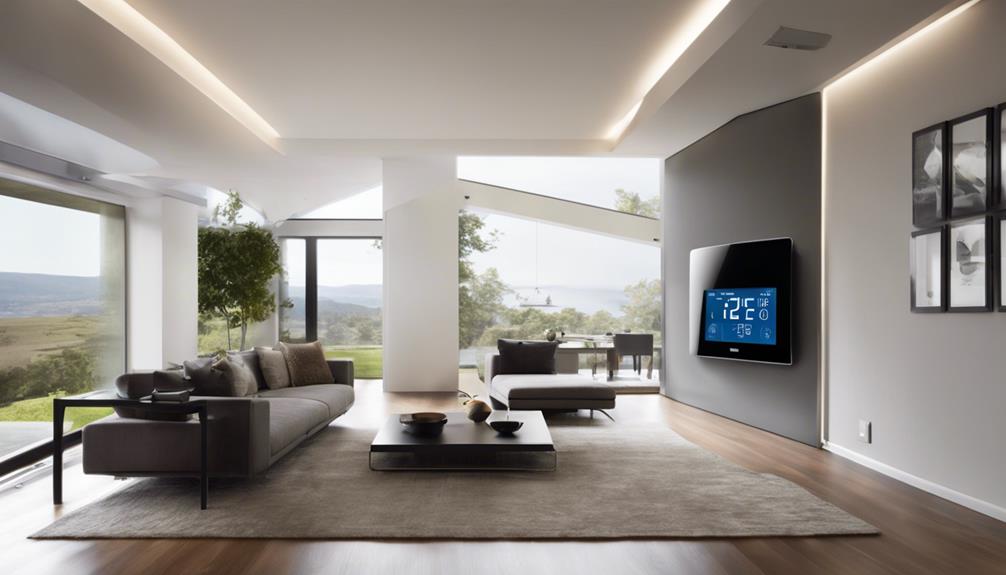
For a flexible starting point among Amazon smart home devices, I’d choose the Echo Dot (5th Gen): it combines an Alexa speaker with smart home controls without dedicating a large screen or wall space. The Amazon Smart Plug is a simpler way to automate one appliance, while the Echo Show 15 suits households that want a shared display with Fire TV. The main tradeoffs are how much screen and space you want, whether you need a dedicated control panel, and how far you want to go beyond Alexa basics. I compare all 12 options by their roles, strengths, and limitations below.

Get home appliances delivered free — and shop member deals
- Fast, free delivery on millions of items
- Access to Prime Big Deal Days deals on October 6–7
- Prime Video, Amazon Music and more included
Complete the kit


Key Takeaways
- The amazon.com/dp/B08W8KS8D3?tag=applianceslabs.com-20&ascsubtag=dc-1083202″ target=”_blank” rel=”nofollow sponsored noopener”>amazon.com/dp/B0CL9D9HM4?tag=applianceslabs.com-20&ascsubtag=dc-1083202″ target=”_blank” rel=”nofollow sponsored noopener”>amazon.com/dp/B08J4C8871?tag=applianceslabs.com-20&ascsubtag=dc-1083202″ target=”_blank” rel=”nofollow sponsored noopener”>amazon.com/dp/B0CG5VDC8P?tag=applianceslabs.com-20&ascsubtag=dc-1083202″ target=”_blank” rel=”nofollow sponsored noopener”>amazon.com/dp/B0DC91H3JK?tag=applianceslabs.com-20&ascsubtag=dc-1083202″ target=”_blank” rel=”nofollow sponsored noopener”>amazon.com/dp/B09B2SBHQK?tag=applianceslabs.com-20&ascsubtag=dc-1083202″ target=”_blank” rel=”nofollow sponsored noopener”>Echo Dot (5th Gen) is the most versatile entry point here: it adds voice control and a speaker without requiring a display or dedicated installation.
- The Echo Hub is purpose-built for device control, while Echo Show models give up some of that focused role in exchange for video, calling, or shared-screen features.
- Smart plugs and the color bulb offer the simplest automations, but they control power or lighting rather than adding a central interface to the home.
- The Echo Show 15 and Echo Show 11 favor larger-screen use; their footprint makes less sense if you mainly want a bedside clock or compact voice assistant.
- The thermostat and air quality monitor address specific household needs, so their usefulness depends more on existing HVAC compatibility and interest in indoor conditions than on Alexa alone.
| Amazon Echo Spot (Newest Model), Smart Alarm Clock with Alexa, Black |  | Best for Bedside Routines | Display: Customizable clock face with fun colors | Sound: Rich sound with clear vocals and deep bass | Wi-Fi extension: Built-in eero mesh Wi-Fi extender, up to 1,000 sq. ft. | VIEW LATEST PRICE | See Our Full Breakdown |
| Amazon Echo Dot (5th Gen) – Vibrant Sound, Alexa-Enabled, Smart Home Control, Mesh Wi-Fi Extender, Deep Sea Blue |  | Best Compact Speaker | Dimensions: 3.9 × 3.9 × 3.5 in (100 × 100 × 89 mm) | Weight: 10.7 oz (304 g) | Audio bandwidth: 62 Hz–19 kHz | VIEW LATEST PRICE | See Our Full Breakdown |
| Amazon Echo Show 5 (Newest Model), Smart Display with Alexa, Glacier White |  | Best for Camera and Video Features | Display: 5.5 inches | Camera: 2 MP | Sound: Deeper bass and clearer vocals | VIEW LATEST PRICE | See Our Full Breakdown |
| Amazon Smart Plug – Works with Alexa, Easy Setup, Compact Design |  | Best First Smart Home Upgrade | Dimensions: 3.2 × 1.5 × 2.2 in (80 × 38 × 57 mm) | Weight: 3.1 oz (87 g) | Network: 2.4 GHz, 802.11 b/g/n | VIEW LATEST PRICE | See Our Full Breakdown |
| Amazon Echo Hub (newest model), 8″ Smart Home Control Panel with Alexa+ |  | Best Dedicated Smart Home Controller | Display: 8 inches | Compatibility: Wi-Fi, Bluetooth, Zigbee, Matter, Sidewalk, and Thread | Control: Smart home devices, cameras, routines, and media | VIEW LATEST PRICE | See Our Full Breakdown |
| Echo Show 5 (latest model) – Smart Display with Alexa, 5.5-inch Screen, Improved Sound, Charcoal |  | Best Compact Smart Home Display | Display: 5.5 inches | Dimensions: 5.8 × 3.6 × 3.2 inches | Weight: 16.1 oz (456 g) | VIEW LATEST PRICE | See Our Full Breakdown |
| Amazon Echo Show 11 (2025 Model) – Vibrant Full-HD 11″ Display with Spatial Audio and Alexa+ |  | Best Premium Smart Home Display | Display: 11-inch Full-HD touchscreen | Viewing area: 60% more than Echo Show 8 | Processor: AZ3 Pro chip | VIEW LATEST PRICE | See Our Full Breakdown |
| Amazon Basics Smart A19 LED Light Bulb, Color Changing, 9W (60W Equivalent), WiFi, Alexa Compatible, 1-Pack |  | Best for Alexa Color Lighting | Bulb type: A19 LED | Power: 9 W | Equivalent output: 60 W | VIEW LATEST PRICE | See Our Full Breakdown |
| Amazon Smart Thermostat |  | Best for Heating and Cooling Automation | Compatibility: Alexa and Ring | C-wire: Required | Installation: DIY with app guidance | VIEW LATEST PRICE | See Our Full Breakdown |
| Amazon Basics Smart Plug, 4-Pack, Works with Alexa, Voice Control, Remote App Control, Schedule, Compact Design, 2.4 GHz Wi-Fi, No Hub Required |  | Best Value for Multi-Room Control | Pack size: 4 plugs | Connectivity: 2.4 GHz Wi-Fi | Compatibility: Alexa | VIEW LATEST PRICE | See Our Full Breakdown |
| Amazon Smart Air Quality Monitor |  | Best Air Quality Sentinel | PM2.5 Monitoring: Yes | VOC Monitoring: Yes | Carbon Monoxide Monitoring: Yes | VIEW LATEST PRICE | See Our Full Breakdown |
| Amazon Echo Show 15 (Newest Model) – 15.6-inch Full HD Smart Display with Fire TV and Alexa |  | Best Shared-Space Smart Display | Display: 15.6-inch Full HD (1080p) | Camera: Centered auto-framing camera with wide field of view | Connectivity: Wi-Fi and Bluetooth | VIEW LATEST PRICE | See Our Full Breakdown |
| amazon smart home device | Display |
|---|---|
| Amazon Echo Spot | Customizable clock face with fun colors |
| Amazon Echo Dot | — |
| Amazon Echo Show 5 | 5.5 inches |
| Amazon Smart Plug | — |
| Amazon Echo Hub | 8 inches |
| Echo Show 5 | 5.5 inches |
| Amazon Echo Show 11 | 11-inch Full-HD touchscreen |
| Amazon Basics Smart A19 LED Li | — |
| Amazon Smart Thermostat | — |
| Amazon Basics Smart Plug | — |
| Amazon Smart Air Quality Monit | — |
| Amazon Echo Show 15 | 15.6-inch Full HD (1080p) |
More Details on Our Top Picks
Amazon Echo Spot (Newest Model), Smart Alarm Clock with Alexa, Black
The Echo Spot suits a bedside setup where I want an alarm, glanceable information, and Alexa controls in one compact device. Its customizable clock display makes time and weather easy to check, while the speaker adds music and voice responses without taking up the space of a larger smart display. Compared with the Echo Dot (5th Gen), the Spot gives me a screen designed around clock use; the Dot is the simpler pick if I mainly want audio and voice control. The Spot’s small display limits longer video or detailed browsing, and its full smart features depend on Wi-Fi. The listed eero extension feature may also depend on a compatible eero network, so I would check that fit before counting it as a networking upgrade.
Pros:- Customizable display makes clock and routine information easy to glance at
- Voice control combines alarms, music, and smart home commands
- Rich sound with clear vocals and deep bass for a bedside speaker
- Mic-off button and in-app privacy controls
Cons:- Small display limits detailed interactions
- Full functionality requires a Wi-Fi connection
- eero extension capability may require a compatible eero setup
Best for: Bedroom users who want an Alexa alarm clock with a customizable display, music, and smart home controls in one device
Not ideal for: Buyers who want a larger screen for video calls or detailed viewing, or who need Alexa features to work without Wi-Fi
- Display:Customizable clock face with fun colors
- Sound:Rich sound with clear vocals and deep bass
- Wi-Fi extension:Built-in eero mesh Wi-Fi extender, up to 1,000 sq. ft.
- Privacy:Mic-off button and in-app privacy controls
- Materials:Made from 36% recycled materials
- Smart home control:Alexa voice control
Our verdict“Choose the Echo Spot for a bedside clock that adds Alexa and smart home control; choose the Echo Dot if a screen is not a priority.”
Amazon Echo Dot (5th Gen) – Vibrant Sound, Alexa-Enabled, Smart Home Control, Mesh Wi-Fi Extender, Deep Sea Blue
The Echo Dot (5th Gen) is the most straightforward fit here for adding Alexa voice control to a room without dedicating space to a screen. Its 1.6-inch full-range driver and broad audio bandwidth make it a practical choice for music, timers, and spoken updates in bedrooms or offices. Compared with the Echo Spot, the Dot gives up the visible clock display but keeps the footprint compact and puts the emphasis on audio. It also supports Matter and can manage compatible smart home devices. The built-in eero feature can extend coverage up to 1,000 square feet at speeds up to 100 Mbps, but it requires a compatible eero router and does not replace a general-purpose mesh system. Setup and account linking may add friction for buyers who only want a simple speaker.
Pros:- Small speaker fits easily into rooms where a display is unnecessary
- Full-range driver supports music and clear spoken updates
- Alexa routines and compatible smart home device control
- Matter and Bluetooth Low Energy connectivity
Cons:- eero extension requires a compatible eero router and is limited to 100 Mbps
- Some features require app setup and account linking
- Offers no display for visual updates or video calls
Best for: People adding a compact Alexa speaker to a bedroom, office, or dining room who already use or plan to use compatible eero equipment
Not ideal for: Buyers who need a screen for clock viewing or video calls, or who expect Wi-Fi extension without a compatible eero router
- Dimensions:3.9 × 3.9 × 3.5 in (100 × 100 × 89 mm)
- Weight:10.7 oz (304 g)
- Audio bandwidth:62 Hz–19 kHz
- Driver:1.6-inch full-range driver
- Wi-Fi:Dual-band 802.11a/b/g/n/ac, 2.4 and 5 GHz
- eero Built-in:Up to 1,000 sq. ft. coverage; speeds up to 100 Mbps
- Connectivity:Wi-Fi, Bluetooth Low Energy, and Matter
- Privacy:Mic-off button and multiple privacy controls
Our verdict“Pick the Echo Dot for compact voice control and audio, while the Echo Spot is the better match if you want a bedside display.”
Amazon Echo Show 5 (Newest Model), Smart Display with Alexa, Glacier White
The Echo Show 5 adds a small visual control point to an Alexa setup, with a 5.5-inch screen for weather, news, photos, and compatible security camera views. That makes it more useful for checking what is happening around the home than the screenless Echo Dot (5th Gen), while remaining less dominant on a counter than the 8-inch Echo Hub. The 2 MP camera supports video calls, though it is a modest fit for buyers who care about camera detail. A physical camera shutter and mic/camera off button give me direct privacy controls. The tradeoff is the screen’s limited viewing area: it works for quick checks, but not for extended viewing or managing a large home dashboard.
Pros:- 5.5-inch display shows weather, news, photos, and camera views
- More visual smart home feedback than the Echo Dot (5th Gen)
- Physical camera shutter plus mic/camera off button
- Uses recycled materials and recyclable packaging
Cons:- Small display is limiting for detailed viewing and dashboard control
- 2 MP camera is basic for frequent video calls
- A compact screen is less suited to managing many devices than the Echo Hub
Best for: Households that want a compact Alexa display for quick camera checks, weather, photos, and occasional video calls
Not ideal for: People who need a large smart home dashboard or a higher-resolution camera for frequent video calls
- Display:5.5 inches
- Camera:2 MP
- Sound:Deeper bass and clearer vocals
- Color:Glacier White
- Privacy:Mic/camera off button and camera shutter
- Ring video:End-to-end encrypted Ring video
- Materials:Recycled polyester yarn and recycled aluminum
- Packaging:Recyclable
Our verdict“Choose the Echo Show 5 for a compact Alexa screen and camera checks; choose the Echo Hub if broad smart home control is the main goal.”
Amazon Smart Plug – Works with Alexa, Easy Setup, Compact Design
The Amazon Smart Plug is the simplest way in this group to add scheduled or voice control to a compatible household device. I can use Alexa routines, timers, and schedules to automate a lamp or another suitable indoor appliance, without adding a separate hub. Compared with the Echo Hub, it controls a narrow set of devices rather than serving as a central dashboard; its appeal is the low setup burden for one outlet. The compact form helps keep nearby outlet space available, but the plug only works on 2.4 GHz Wi-Fi and is indoor-only. It also works exclusively with Alexa, so households split across voice platforms may prefer a device with broader assistant support. Check that the appliance is suitable for plug-based switching before automating it.
Pros:- Works with Alexa routines, schedules, timers, and app control
- No separate hub required
- Compact dimensions help preserve space at nearby outlets
- Automatically reconnects after connectivity interruptions
Cons:- Supports 2.4 GHz Wi-Fi only
- Indoor use only
- Does not support other voice assistants
Best for: Alexa households automating an indoor lamp or other compatible device with schedules and voice commands
Not ideal for: People using 5 GHz-only Wi-Fi, outdoor devices, or smart home platforms other than Alexa
- Dimensions:3.2 × 1.5 × 2.2 in (80 × 38 × 57 mm)
- Weight:3.1 oz (87 g)
- Network:2.4 GHz, 802.11 b/g/n
- 5 GHz support:Not supported
- Use:Indoor only
- Control:Alexa voice commands and app
- Automation:Routines, schedules, and timers
Our verdict“Choose the Amazon Smart Plug for one compatible indoor device in an Alexa home; choose the Echo Hub for a central controller across a wider setup.”
Amazon Echo Hub (newest model), 8″ Smart Home Control Panel with Alexa+
The Echo Hub is the most focused choice here for a home with multiple smart devices and routines to manage. Its 8-inch customizable dashboard offers more room for direct controls than the Echo Show 5, and support for Wi-Fi, Bluetooth, Zigbee, Matter, Sidewalk, and Thread gives it broader connection options than the Amazon Smart Plug. That range makes the Hub a stronger central panel when compatible devices span different standards. It also handles cameras, media, and home security controls. The tradeoff is that this is a control panel first, rather than a general-purpose display or speaker, and some accessories are sold separately. Ring camera compatibility and subscriptions also involve separate purchases, so the complete setup can require more than the Hub itself.
Pros:- 8-inch customizable dashboard provides room for home controls
- Supports Wi-Fi, Bluetooth, Zigbee, Matter, Sidewalk, and Thread
- Controls compatible devices, cameras, routines, and media
- Mic-off button and multiple privacy controls
Cons:- Some stands and pass-through accessories are sold separately
- Ring camera compatibility and subscriptions may involve separate purchases
- More focused on smart home control than general screen entertainment
Best for: Smart home owners with compatible devices across several protocols who want a shared wall or counter control panel
Not ideal for: Buyers seeking a general-purpose screen for video or a simple, single-device Alexa setup
- Display:8 inches
- Compatibility:Wi-Fi, Bluetooth, Zigbee, Matter, Sidewalk, and Thread
- Control:Smart home devices, cameras, routines, and media
- Privacy:Mic-off button and multiple privacy controls
- Materials:27% recycled materials
- Packaging:97% recycled or responsibly sourced materials
- Alexa:Alexa+
Our verdict“Choose the Echo Hub when you want one panel to manage a broad compatible smart home, while the Echo Show 5 suits lighter display needs.”
Echo Show 5 (latest model) – Smart Display with Alexa, 5.5-inch Screen, Improved Sound, Charcoal
The Echo Show 5 suits a bedside table, desk, or small kitchen where a glanceable screen can also serve as an Alexa control point. Its 5.5-inch display is far easier to place than the Echo Show 11, while the built-in camera supports video calls and viewing compatible security cameras. The speaker’s improved bass and clearer sound make it more useful for music than its size suggests, though it cannot match the larger model’s spatial audio or viewing area. A camera shutter and mic-off button give privacy-conscious buyers direct controls. The tradeoff is a screen that feels cramped for shared viewing, plus some features may require subscriptions. Choose it for compact convenience; skip it if you want a room-wide entertainment display.
Pros:- Compact footprint fits desks and bedside tables
- Camera supports video calls and compatible security-camera viewing
- Camera shutter and mic-off button provide direct privacy controls
- Improved bass and clearer sound for its size
Cons:- The 5.5-inch screen is small for shared viewing
- Lacks the Echo Show 11’s larger display and spatial audio
- Some features may require subscriptions
Best for: People who want Alexa, video calls, and camera viewing on a bedside table or compact kitchen counter
Not ideal for: Households that want a large shared screen for recipes, shows, or group video calls
- Display:5.5 inches
- Dimensions:5.8 × 3.6 × 3.2 inches
- Weight:16.1 oz (456 g)
- Camera:2 MP with built-in shutter
- Speaker:1.75-inch full-range speaker
- Wi-Fi:Dual-band 802.11a/b/g/n/ac
- Privacy controls:Mic/camera off button and camera shutter
- Smart home connectivity:Amazon Sidewalk support
Our verdict“Pick the Echo Show 5 for a small Alexa display with privacy controls, but choose the Echo Show 11 for room-filling viewing and sound.”
Amazon Echo Show 11 (2025 Model) – Vibrant Full-HD 11″ Display with Spatial Audio and Alexa+
For a household that wants one prominent screen for routines, calls, and smart home controls, the Echo Show 11 brings more to the counter than the compact Echo Show 5. Its 11-inch Full-HD touchscreen offers substantially more viewing space, making photo slideshows and video calls easier to share across a room. Spatial audio, stronger bass, and crisper vocals also make it the more entertainment-oriented pick. A centered camera with auto-framing and zoom is suited to calls where people move around, while its built-in smart home hub can simplify compatible device control. That added capability comes with a larger footprint and reliance on an internet connection for full functionality. Buyers who mainly need a small clock-like display may find the Echo Show 5 a better fit.
Pros:- Large Full-HD screen gives calls and photo slideshows more room
- Spatial audio and enhanced bass suit entertainment better than the Echo Show 5
- Built-in smart home hub can centralize compatible device control
- Auto-framing camera supports movement during video calls
Cons:- Takes up more space than compact Echo displays
- Full functionality depends on an internet connection
- Camera and microphone features may not suit buyers wary of always-present sensors
Best for: Households seeking a central kitchen or living-area display for smart home controls, video calls, and shared viewing
Not ideal for: Buyers with limited counter space or those who only need a compact bedside Alexa display
- Display:11-inch Full-HD touchscreen
- Viewing area:60% more than Echo Show 8
- Processor:AZ3 Pro chip
- Audio:Spatial audio, up to 2× bass, crisper vocals
- Camera:Centered auto-framing camera with 3.3× zoom
- Smart home hub:Built-in
- Personalization technology:Omnisense
- Privacy controls:Microphone and camera disable buttons
Our verdict“Choose the Echo Show 11 when a large shared screen and built-in smart home hub matter more than a compact footprint.”
Amazon Basics Smart A19 LED Light Bulb, Color Changing, 9W (60W Equivalent), WiFi, Alexa Compatible, 1-Pack
This Amazon Basics Smart A19 bulb is a straightforward way to add voice-controlled color and scheduling to one lamp or fixture. It connects over 2.4 GHz Wi-Fi without a hub, so it has a simpler setup path than a more involved smart home system. With 16 preset colors, dimming through the app or Alexa, and remote control, it can shift a room’s lighting without adding a separate switch. Compared with the Amazon Smart Plug, the bulb controls light color and brightness rather than simply switching a connected device on or off. Its main limitation is ecosystem fit: Alexa is required, and physical dimmers cannot adjust it. Buy it for an Alexa-centered room; skip it if you need broad platform compatibility or wall-switch dimming.
Pros:- Sets up over Wi-Fi without a separate hub
- Offers 16 preset colors and adjustable brightness
- Remote app control and schedules support hands-off lighting routines
- 800 lumens and 60W-equivalent output suit everyday room lighting
Cons:- Works exclusively with Alexa
- Requires a 2.4 GHz Wi-Fi network
- Dimming is app- or voice-controlled, not handled by a physical dimmer
Best for: Alexa users who want color and app-controlled dimming in a single lamp or fixture without adding a hub
Not ideal for: People using non-Alexa smart home platforms or relying on a physical dimmer switch
- Bulb type:A19 LED
- Power:9 W
- Equivalent output:60 W
- Brightness:800 lumens
- Color options:16 preset colors
- Dimming:App or voice control
- Connectivity:2.4 GHz Wi-Fi
- Compatibility:Alexa only
- Pack size:1 bulb
Our verdict“Choose this bulb for Alexa-controlled color in a single fixture, but look elsewhere if you need platform flexibility or physical dimming.”
Amazon Smart Thermostat
Among these picks, the Amazon Smart Thermostat addresses a different part of the home: it automates heating and cooling rather than adding a screen, light, or remotely controlled outlet. Programmable schedules and automatic adjustments can reduce the need to manage temperature manually, and Alexa routines add a path to voice control. App-guided DIY installation may appeal to homeowners who want to handle setup themselves. Compared with the Amazon Basics Smart Plug, this is a more permanent, HVAC-specific upgrade with greater setup requirements. A C-wire is required, so compatibility with the home’s existing wiring is the first hurdle. It also centers on Alexa and Ring. Choose it if your HVAC wiring and smart home setup fit; skip it if you need a simple plug-in device or cannot confirm C-wire support.
Pros:- Programmable schedules reduce routine manual temperature changes
- Automatic control and Alexa routines support home automation
- App guidance is provided for DIY installation
- Works with Alexa and Ring
Cons:- Requires a C-wire, which may rule out some HVAC setups
- Limited to Alexa-compatible smart home devices
- Installation is more involved than setting up a smart plug
Best for: Homeowners with compatible HVAC wiring who want programmable temperature schedules and Alexa routines
Not ideal for: Renters or homeowners without a C-wire, and people seeking a plug-in device with minimal installation
- Compatibility:Alexa and Ring
- C-wire:Required
- Installation:DIY with app guidance
- Thermostat technology:Honeywell Home
- Control:Programmable and automatic
- Alexa features:Voice control and routines
- Energy savings estimate:Estimated $90/year
Our verdict“Choose the Amazon Smart Thermostat if your HVAC wiring includes a C-wire and you want scheduled Alexa-linked climate control.”
Amazon Basics Smart Plug, 4-Pack, Works with Alexa, Voice Control, Remote App Control, Schedule, Compact Design, 2.4 GHz Wi-Fi, No Hub Required
This four-pack gives Alexa households a simple way to schedule or remotely switch several plug-in appliances. No hub is required, and the compact design is meant to leave the neighboring outlet available, so setup is less involved than installing the Amazon Smart Thermostat. It is also more useful than a single smart plug when you want to automate multiple lamps or small appliances around the home. Unlike the Amazon Basics Smart A19 bulb, a plug can control an appliance that already has its own bulb or switch, but it cannot change light color or dim a lamp. Compatibility is Alexa-only over 2.4 GHz Wi-Fi, and there is no listed energy monitoring. Pick this pack for basic schedules across rooms; skip it if you need broader platform support or power-use data.
Pros:- Four plugs support automation in multiple rooms
- No hub is needed for setup
- Compact design aims to preserve the neighboring outlet
- Remote app control and scheduling support everyday routines
Cons:- Works only with Alexa
- Requires 2.4 GHz Wi-Fi
- No energy monitoring feature is listed
Best for: Alexa households automating several lamps or small appliances across multiple rooms
Not ideal for: People who need cross-platform smart home support, energy monitoring, or control of devices requiring more than on/off power
- Pack size:4 plugs
- Connectivity:2.4 GHz Wi-Fi
- Compatibility:Alexa
- Hub:Not required
- Control:Voice and remote app control
- Scheduling:Supported
- Design:Compact
Our verdict“Choose the four-pack for basic Alexa schedules across several outlets, but skip it if you need energy tracking or broader compatibility.”
Amazon Smart Air Quality Monitor
I give the Amazon Smart Air Quality Monitor the role of Best Air Quality Sentinel because it watches PM2.5, VOCs, carbon monoxide, humidity, and temperature in one plug-in unit. Compared with the Amazon Smart Thermostat, which focuses on temperature control, this monitor gives me a wider view of indoor comfort. It can also push alerts into Alexa routines, so I can pair it with fans, purifiers, or smart plugs. The tradeoff is that it is more useful inside an Alexa household than as a standalone sensor, and it does not clean the air by itself. For my readers who want a simple early-warning system rather than another screen, this pick makes the most sense.
Pros:- Tracks several indoor air factors in one device, including PM2.5, VOCs, carbon monoxide, humidity, and temperature
- Works with Alexa alerts and routines, letting it trigger compatible smart devices
- Plug-in setup through the Alexa app is straightforward
- Color-coded indicators make quick status checks easy
Cons:- Full experience leans on Alexa-compatible devices and the Alexa app
- It monitors air quality but does not filter, purify, or otherwise treat the air
- Indoor-only scope leaves outdoor air conditions out of the picture
Best for: Alexa households that want to track indoor pollutants and automate fans, purifiers, or humidifiers.
Not ideal for: Buyers without Alexa-compatible devices or anyone expecting the monitor to clean the air itself.
- PM2.5 Monitoring:Yes
- VOC Monitoring:Yes
- Carbon Monoxide Monitoring:Yes
- Humidity Monitoring:Yes
- Temperature Monitoring:Yes
- Alexa Integration:Works with Alexa
- Setup:Plug in and use the Alexa app
Our verdict“Choose this if you want a plug-in sensor that watches several indoor air signals and can feed useful actions into Alexa routines.”
Amazon Echo Show 15 (Newest Model) – 15.6-inch Full HD Smart Display with Fire TV and Alexa
I place the Amazon Echo Show 15 as the Best Shared-Space Smart Display because its 15.6-inch Full HD panel gives kitchens and family areas a visible command center. Compared with the smaller Echo Show 5, this model can show calendars, sticky notes, Fire TV content, and smart-home controls without crowding one widget at a time. It also goes beyond the Echo Hub by making streaming and video calls part of the same wall-friendly screen. The centered camera, mic-off button, and shutter help with privacy, but I would still keep it away from bedrooms if an always-listening camera makes anyone uncomfortable. Its size can overwhelm compact counters, and some streaming services need subscriptions. For busy households that want one communal dashboard, this is the strongest fit.
Pros:- Large 15.6-inch Full HD display suits shared spaces and kitchen organization
- Built-in Fire TV adds streaming without a separate box
- Customizable widgets and smart home dashboard keep schedules and controls visible
- Camera shutter and mic-off button give physical privacy controls
Cons:- Its large footprint can dominate small counters or narrow walls
- Some streaming content requires separate subscriptions
- Always-present camera and microphones may feel intrusive in private areas
Best for: Families or roommates who want a large kitchen dashboard for calendars, Fire TV, video calls, and smart-home controls.
Not ideal for: Small dorm rooms or bedside setups where a 15.6-inch screen and camera feel too intrusive.
- Display:15.6-inch Full HD (1080p)
- Camera:Centered auto-framing camera with wide field of view
- Connectivity:Wi-Fi and Bluetooth
- Streaming:Built-in Fire TV
- Smart Home Use:Smart home dashboard and customizable widgets
- Video Calls:Centered camera for hands-free calls
- Privacy Controls:Mic/camera-off button and built-in shutter
Our verdict“Choose this if you want a big communal screen for organization, streaming, and smart-home control, and can give it enough space.”

How We Picked
I ranked these Amazon smart home devices by how clearly each one solves a distinct household need, how easy its role is to understand, and what it asks the buyer to trade in space, setup, or flexibility. I gave broader-use devices higher placement when they can support everyday voice control or simple automation without requiring a large display or a dedicated installation.
I also compared products that overlap directly. The Echo Dot is ahead of the Spot as a general-purpose speaker, while the Spot’s clock-focused display makes it a better bedside fit. The Echo Hub earns a separate role as a control panel; the Show models rank by screen size and shared-use features. Plugs, bulb, thermostat, and air monitor are positioned by the specific jobs they handle and the limits of those jobs.
Factors to Consider When Choosing Amazon Smart Home Devices
Before choosing, decide what job you want the device to do and how it will fit into the way your household already works. These broader questions help distinguish a useful addition from a device that duplicates something you own.
Choose a control point that matches your habits
A voice-first home may need only an Echo speaker in the room where people naturally ask for help. A display is more useful when household members want to see reminders, video calls, or visual information without reaching for a phone. A dedicated panel makes sense when controlling several devices is a regular task and you want a fixed place for it. The common mistake is buying the biggest screen before deciding whether anyone will use it. I’d map where control happens first: bedside, kitchen, living room, or a central wall. Then pick the smallest device that supports those routines.
Check compatibility before planning automations
Alexa compatibility does not mean every smart device has the same setup or control options. A plug is generally for switching a compatible appliance on and off; it cannot make a device smart if that device needs a manual button press after power is restored. Lighting, heating, and air monitoring each have their own installation or placement needs. Before buying, check your Wi-Fi band, the device’s required app or account, and whether your existing equipment supports the feature you want. Avoid assuming that a hub-free device will also work with every other smart home platform. Compatibility details can matter more than the Alexa label on the box.
Think about the room, not just the screen size
Screen size affects where a device can live and how often people will see it. A compact display can suit a nightstand, while a large shared display needs a clear surface or wall location and a reason to stay visible. Speakers also need to fit the room: a bedside clock has a different purpose from a speaker meant for a common area. Measure the intended spot and consider viewing distance before choosing a larger model. If a display would be hidden or inconvenient to reach, voice control may be a better match. A device’s daily placement often decides whether its extra features get used.
Separate simple switching from whole-home control
Smart plugs and bulbs are a practical way to try scheduled routines, but each controls a narrow part of the home. A plug controls power to one connected item, while a bulb changes lighting behavior; neither gives you a single overview of many devices. A panel or voice assistant may be more useful once several rooms and routines are involved. Buying multiple single-purpose products before settling on a control approach can leave you with fragmented habits. Start with one repetitive task, such as turning a lamp on at a set time. Expand after you know whether voice, app, or screen control feels natural.
Pay for specialized tools only when their job matters
A thermostat can affect daily comfort and energy routines, but it must suit the home’s heating and cooling system. An air quality monitor is most useful when you have a reason to track indoor conditions and a plan for responding to readings. Those devices are less universal than a speaker or plug, so confirm installation requirements and the information they provide before buying. A premium display is easier to justify when multiple people will use its screen, calls, or entertainment features. If one specialized function is the main reason for buying, prioritize fit and ongoing usefulness over the number of smart features. That keeps a focused purchase from becoming an idle gadget.
Frequently Asked Questions
Should I start with an Echo speaker or a smart plug?
Choose an Echo speaker if you want Alexa voice control, audio, and a way to add more compatible devices later. Choose a smart plug if your immediate goal is switching a suitable lamp or appliance on a schedule or by voice. A plug does not provide a voice assistant by itself, so you need an Alexa-enabled device or app for voice commands. Check how the appliance behaves when power is cut; some devices do not resume in the state you expect. If you are unsure which routines you’ll keep using, one plug is a focused first step.
Do I need an Echo Hub if I already own an Echo Show?
Not necessarily. An Echo Show combines a screen with Alexa, calling, and other display uses, while the Echo Hub is aimed more directly at home-device control. If your main need is visual information and occasional device commands, your Show may already cover it. A dedicated panel becomes more appealing when you want a fixed control point that household members can reach without speaking to a speaker. Consider who will use it and where it will be mounted before adding another screen. Overlap in placement and daily use is a sign you may not need both.
Which Echo display size makes sense for a bedroom or kitchen?
For a bedside setup, a smaller display such as the Echo Show 5 is easier to place and can handle clock and assistant duties. The Echo Spot is also clock-oriented, with a compact screen and speaker role. In a kitchen, a larger display may be easier to read from across the room, but it needs suitable counter or wall space. A large family display such as the Show 15 serves a different shared-use purpose and can feel excessive in a small room. Measure the location and think about viewing distance before choosing by screen size alone.
Will Amazon smart plugs work with appliances that have electronic controls?
They may switch electrical power, but that does not guarantee the appliance will restart or operate as intended afterward. Many appliances with electronic controls require a button press after power returns, which a plug cannot provide. Simple lamps are usually a clearer use case than devices with modes, safety locks, or digital controls. Check the appliance instructions and test its behavior with manual power interruption before building a routine around it. Keep plugs away from equipment that should not be remotely switched off.
When should I choose the thermostat or air quality monitor instead of another Alexa device?
Choose the thermostat when you want to manage heating and cooling routines and have confirmed it is compatible with your HVAC setup. Choose the air quality monitor when tracking indoor conditions is a specific household priority and you expect to act on the information. Neither is a general substitute for a speaker or display: each solves a narrower problem. If you are shopping for basic voice control, an Echo speaker is likely the more direct fit. If your concern is climate control or indoor air, check installation, placement, and the device’s supported readings first.
Conclusion
For a broad first addition, I’d pick the Echo Dot (5th Gen) as best overall because it brings voice control and smart home access without demanding display space. The Amazon Smart Plug is my best value for a straightforward appliance or lamp routine, while the Echo Show 15 is the premium choice for households that will use a large shared screen and Fire TV. Beginners who want a visual assistant can start with the Echo Show 5; those who want a clock-first device should compare it with the Echo Spot. For specific needs, choose the Smart Thermostat for compatible HVAC control, the Air Quality Monitor for indoor-condition tracking, or the Echo Hub for a dedicated home-control point.
NFL season / tailgating Picks
team gear
As an affiliate, we earn on qualifying purchases.