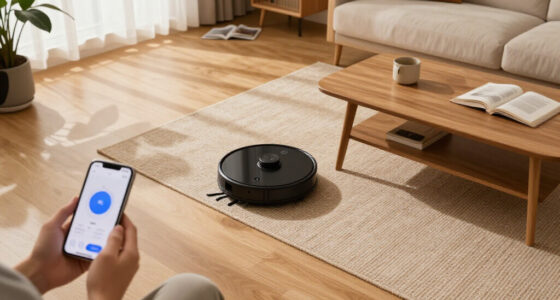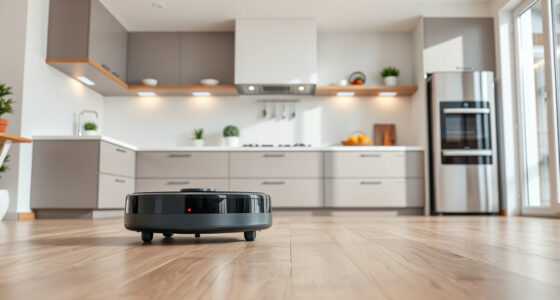
If your Roborock Q10 S5+ robot vacuum isn’t mopping properly, you’re not alone. Many users encounter issues with the mopping feature due to various causes, from software glitches to hardware problems. Fortunately, with a systematic approach, you can identify and fix the problem, restoring your robot’s mopping performance.

Get home appliances delivered free with Prime
- Fast, free delivery on millions of items
- Prime Video, Amazon Music and more included
- Member-only deals all year
In this guide, we’ll walk you through practical, safe steps to troubleshoot and resolve common mopping issues. Whether it’s not mopping at all, streaking, or uneven cleaning, you’ll find clear instructions and helpful tips to get your Roborock working smoothly again.
Key Takeaways
| Check the Mop Cloth | Ensure the mop cloth is clean, properly attached, and in good condition. |
| Inspect Water Tank & Settings | Verify water tank is filled and mopping settings are correctly configured. |
| Update Firmware & Reset | Keep the robot’s software up-to-date and consider rebooting for glitches. |
| Examine Sensors & Obstacles | Clean sensors and clear obstacles to ensure proper mopping path. |
| Perform Hardware Checks | Check for hardware issues like worn-out brushes or clogged water ports. |
1. Check and Clean the Mop Cloth
- Remove the mop cloth from the robot and inspect it for dirt, debris, or damage. A dirty or worn cloth can hinder mopping effectiveness.
- Wash the microfiber mop cloth with mild detergent. Ensure it dries completely before reattaching.
- Replace the mop cloth if it shows signs of excessive wear or damage. Consider using a reusable microfiber pad compatible with your model.
2. Verify Water Tank and Mopping Settings
- Ensure the water tank is properly filled with clean water, and securely attached to the robot.
- Check the mopping settings in the app or on the robot’s interface. Make sure mopping mode is enabled and the water flow level is appropriate.
- Test the water flow by manually activating the mopping feature, if possible, to see if water dispenses correctly.
3. Update Firmware and Restart the Robot
- Open the Roborock app and ensure your device firmware is up-to-date. Manufacturers often release fixes for mopping issues via updates.
- If an update is available, install it and restart the robot afterward.
- Perform a soft reset or reboot by turning off the robot, waiting for 10 seconds, then turning it back on. This can clear temporary glitches.
4. Clean Sensors and Clear Path for Mopping
- Use a soft, dry cloth to gently clean the robot’s sensors, especially those related to navigation and obstacle detection.
- Remove any obstacles or debris from the mopping area that might prevent effective cleaning or cause the robot to skip mopping sections.
- Check for and remove any tangled hair or debris from the main brush, side brushes, and water ports.
5. Check Hardware Components and Water Ports
- Inspect the water ports for clogs or mineral build-up. Use a small brush or toothpick to clear any blockages.
- Examine the water pump and tubing for leaks or damage.
- Ensure the dual anti-tangle system and brushes are clean and functioning properly to prevent performance issues.
The Products in This Guide

roborock Q10 S5+ Robot Vacuum and Mop
- ✔ Weight: 7.9 kg
- ✔ Dimensions: 353 x 350 x 96 mm
- ✔ Charging Time: Approx. 6 hours

4 Pack Washable Filter
- ✔ Weight: 50g per filter
- ✔ Dimensions: Approx. 10×10 cm
- ✔ Material: HEPA fiber
roborock Q10 S5+ Robot Vacuum and Mop
<p>The Roborock Q10 S5+ offers impressive cleaning power with 10,000 Pa suction, combined with a self-emptying station that reduces maintenance. Its VibraRise 2.0 mopping system ensures efficient floor cleaning, making it a top choice for busy households.</p>
Pros:
- Powerful 10,000 Pa suction
- 70 days of maintenance-free cleaning
- Advanced obstacle avoidance
- Auto mop lifting feature
Cons:
- Higher price point
- Requires regular filter maintenance
- Complex initial setup
Best for: Large homes with pets and mixed flooring
Not ideal for: Small apartments or budget-conscious buyers
Bottom line: Roborock Q10 S5+ delivers powerful cleaning with minimal fuss, ideal for busy households.
4 Pack Washable Filter
<p>This washable filter pack is compatible with multiple Roborock models, including the Q7, Q8 Max, and Q5 Pro. It provides effective filtration, ensuring your vacuum performs optimally while reducing waste.</p>
Pros:
- Reusable and washable
- Compatible with multiple models
- True HEPA filtration
- Easy to install
Cons:
- Requires regular cleaning
- Not OEM, but performs well
- Replacement needed every few months
Best for: Users seeking cost-effective, eco-friendly filters
Not ideal for: Models outside the compatibility list
Bottom line: A cost-effective, eco-friendly filter pack compatible with many Roborock models.
Frequently Asked Questions
Why is my Roborock not mopping at all?
Check that the water tank is filled and properly attached, and verify mopping mode is enabled in the app. Also, ensure the mop cloth is clean and correctly installed.
How can I fix streaks or uneven mopping?
Clean the mop cloth thoroughly and replace if worn. Ensure water flow is adequate, and check for blockages in the water ports. Calibration or software updates may also help.
My robot is not detecting water or is skipping mopping areas.
Inspect sensors and water ports for dirt or obstructions. Make sure the water tank is full and that the robot’s app settings are correctly configured for mopping.
How often should I replace the mop pads?
It’s recommended to replace or wash the microfiber mop pads every 1-3 months depending on usage and dirt levels. Reusable pads can be washed regularly.
What should I do if the water pump is not working?
Check for clogs or mineral build-up in the water ports. Clean the pump area gently with a small brush. If the issue persists, contact support or consider replacing damaged parts.
Get Your Roborock Mopping Again
Ensuring your Roborock Q10 S5+ mops effectively involves a combination of cleaning, hardware checks, and software updates. By following these steps, you can troubleshoot common issues safely and efficiently, restoring your robot’s ability to keep your floors spotless.
Regular maintenance, like cleaning sensors, replacing mop pads, and updating firmware, will keep your device performing at its best, saving you time and effort in your cleaning routine.
Affiliate disclosure: As an Amazon Associate we earn from qualifying purchases. Prices and availability are accurate as of the time of publishing.