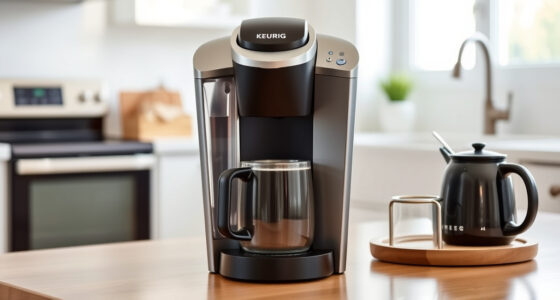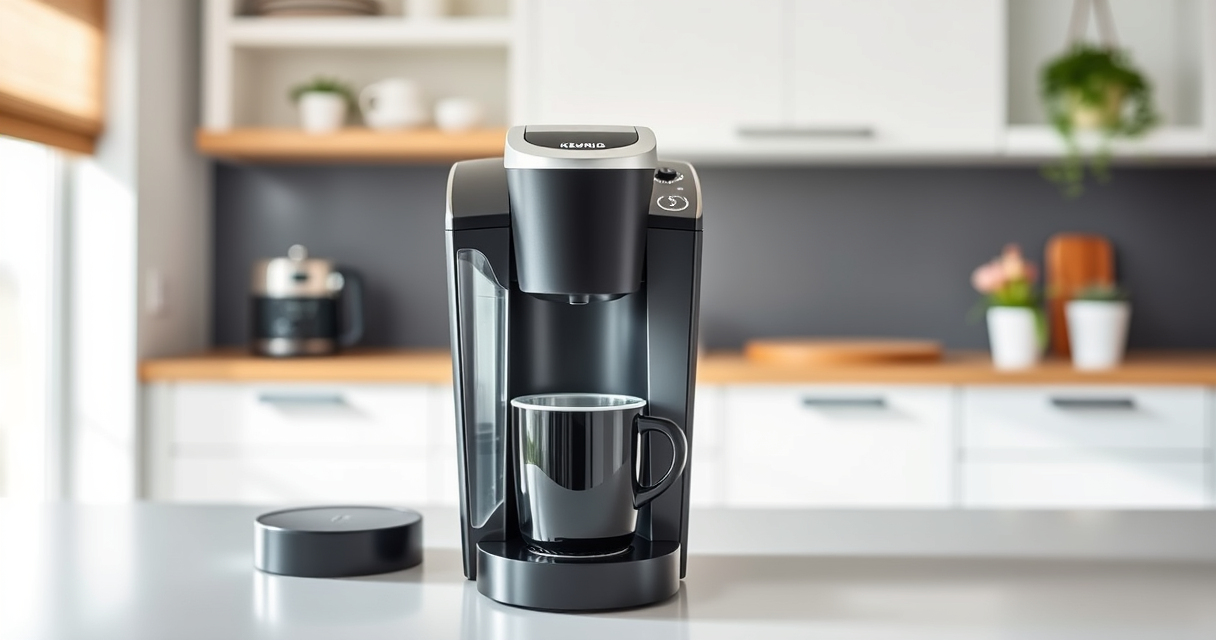

Keeping your Keurig coffee maker in top shape ensures every cup tastes fresh and delicious. Regular maintenance prevents buildup, clogs, and flavor carry-over, extending your brewer’s lifespan. This guide provides clear, practical steps for cleaning, descaling, and troubleshooting your Keurig K-Mini.

Get home appliances delivered free — and shop member deals
- Fast, free delivery on millions of items
- Access to Prime Big Deal Days deals on October 6–7
- Prime Video, Amazon Music and more included
Follow these instructions to keep your coffee maker running smoothly and enjoy the best possible brew every time.
Key Takeaways
| Regular Cleaning | Clean removable parts weekly to prevent residue buildup. |
| Descaling Frequency | Descale every 3-6 months to remove mineral deposits. |
| Use Proper Filters | Use approved filters like My K-Cup for ground coffee. |
| Troubleshooting | Address common issues like clogs and poor brewing promptly. |
Preparing for Maintenance
- Unplug your Keurig K-Mini from the power outlet to ensure safety during cleaning.
- Empty the water reservoir completely.
- Remove any used K-Cup pods and detachable parts such as the drip tray and water reservoir if removable.
Cleaning the Brewer
- Wash the removable parts (water reservoir, drip tray, K-Cup holder) with warm, soapy water. Rinse thoroughly.
- Wipe the exterior of the machine with a damp cloth to remove dust and spills.
- Use a soft brush or cloth to clean the needle area gently, removing any coffee grounds or debris.
Descaling Your Keurig
- Fill the water reservoir with a descaling solution or a mixture of equal parts water and white vinegar.
- Place a mug on the drip tray.
- Run a brew cycle without a K-Cup. Repeat until the reservoir is empty.
- Rinse the reservoir thoroughly and refill with fresh water.
- Run several brew cycles with just water to flush out any remaining descaling solution or vinegar.
Troubleshooting Common Issues
- Low or no water flow: Check for clogs in the needle or water pathway; clean with a paperclip or needle.
- Brewing takes too long: Descale regularly; mineral buildup can slow flow.
- Machine not turning on: Ensure it’s plugged in and power outlet is working.
- Leaking or overflowing: Check for damaged parts or improper assembly.
Tips and Warnings
Always unplug the machine before cleaning or descaling. Use only approved descaling solutions to prevent damage. Avoid using abrasive cleaners that can scratch surfaces. Regular maintenance not only improves coffee quality but also prolongs your brewer’s lifespan.
The Products in This Guide

Keurig K-Mini Single Serve K-Cup Pod Coffee Maker
- ✔ Brew Size: 6-12oz
- ✔ Color: Black
- ✔ Dimensions: Less than 5 inches wide

My K-Cup® Reusable Coffee Filter
- ✔ Compatibility: K-Mini
- ✔ Material: Plastic and mesh
- ✔ Capacity: Single serve
Keurig K-Mini Single Serve K-Cup Pod Coffee Maker
The Keurig K-Mini is ideal for small spaces and offers quick, fresh brews. Regular cleaning and descaling keep it performing at its best, ensuring every cup tastes great.
Pros:
- Space-saving design
- Fast brewing process
- Removable drip tray
- Cord storage for tidy countertops
Cons:
- Limited water reservoir capacity
- No on/off switch
- Requires frequent refilling for multiple cups
Best for: Small households or office spaces needing quick coffee.
Not ideal for: Heavy coffee drinkers or those needing large volume brewers.
Bottom line: A sleek, space-efficient coffee maker perfect for quick, small-batch brews.
My K-Cup® Reusable Coffee Filter
The My K-Cup reusable coffee filter allows you to brew your favorite ground coffee easily and efficiently. Compatible with your Keurig K-Mini, it’s a great way to customize your coffee experience.
Pros:
- Cost-effective
- Eco-friendly
- Customizable coffee strength
- Easy to clean
Cons:
- Requires ground coffee
- Slightly more cleanup
- Needs regular rinsing
Best for: Coffee enthusiasts who prefer ground coffee.
Not ideal for: Users who exclusively brew K-Cup pods.
Bottom line: A practical addition for ground coffee lovers using your Keurig.
Frequently Asked Questions
How often should I descale my Keurig K-Mini?
Descale every 3 to 6 months depending on usage and water hardness to prevent mineral buildup.
Can I use ground coffee with my Keurig K-Mini?
Yes, using a reusable filter like the My K-Cup allows you to brew ground coffee instead of K-Cup pods.
Why is my coffee maker not brewing properly?
Check for clogs or mineral buildup; cleaning and descaling often resolve flow issues.
Is it safe to use vinegar for descaling?
Yes, white vinegar is a safe, natural descaling option. Rinse thoroughly afterward to remove any residue.
Maintaining Your Keurig for Perfect Coffee
Regular cleaning and descaling are essential to keep your Keurig K-Mini functioning optimally. Proper upkeep ensures each brew tastes fresh and your machine lasts longer. With simple steps and the right products, maintaining your coffee maker is quick, safe, and highly effective.
Affiliate disclosure: As an Amazon Associate we earn from qualifying purchases. Prices and availability are accurate as of the time of publishing.
Fall yard work Picks
leaf blowers
As an affiliate, we earn on qualifying purchases.